


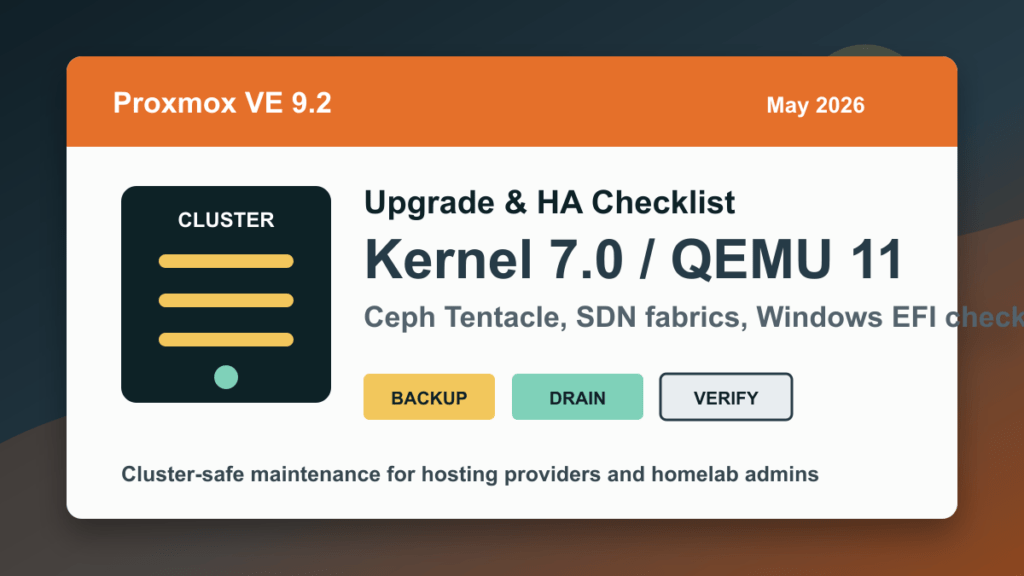
Proxmox Upgrade Chain
Proxmox upgrades are chained. If you are catching up from an older host, work forward instead of jumping blind: 7.4 to 8.0, 8.2/8.3 to 8.4, 8.4 to 9.1, then the Proxmox VE 9.2 upgrade checklist. For new hardware, use the separate Proxmox VE 9.2 fresh install guide.
Short version: Proxmox VE 9.2 was released on May 21, 2026. It is a platform and cluster-maintenance release built on Debian 13.5, Linux kernel 7.0, QEMU 11.0, LXC 7.0, ZFS 2.4, Ceph Squid 19.2.3, and Ceph Tentacle 20.2.1. For hosting providers and homelab admins, the big items are HA-aware maintenance, dynamic cluster load balancing, SDN improvements, custom CPU model management, Windows EFI certificate enrollment improvements, and safer guest/backup workflows.
This is not a panic update, but it is worth planning. Proxmox 9.2 includes security and permission hardening around VNC-related API behavior, cloud-init password access, HA resource creation, migration paths, and container seccomp handling. If you run customer VMs, Windows Server workloads, Proxmox Backup Server storage, Ceph, SDN, or HA-managed services, stage this like real maintenance instead of clicking update on every node at once.
What Changed In Proxmox VE 9.2
- New platform baseline: Debian 13.5, Linux kernel 7.0, QEMU 11.0, LXC 7.0, and ZFS 2.4.
- Ceph options: Ceph Squid 19.2.3 remains present, while Ceph Tentacle 20.2.1 is now available as a stable option and is the default for fresh Ceph-free installs.
- HA maintenance tools: Proxmox adds cluster-wide HA arm/disarm commands for planned maintenance without triggering fencing.
- Dynamic CRS load balancing: HA-managed guests can be balanced using live node and guest utilization metrics.
- SDN improvements: WireGuard and BGP fabrics, route maps, prefix lists, OSPF redistribution, EVPN controller improvements, and IPv6 underlay support.
- Windows VM work: QEMU 11.0, improved Windows certificate enrollment through CLI, web UI, and API, better warning around missing Microsoft certificate enrollment, and VBS boot-risk fixes.
- Backup and snapshot changes: better backup-job selection UI, guest-agent filesystem freeze control, and live snapshot improvements for TPM state on supported storage layouts.
Who Should Upgrade First
- HA clusters that need safer maintenance windows, better balancing, or clearer migration behavior.
- Windows-heavy hosts running Windows Server 2025, RDS, nested Hyper-V labs, VBS, HVCI, or Secure Boot templates.
- Hosting clusters with customer VMs, Proxmox Backup Server storage, Ceph, SDN, or shared migration networks.
- Labs and homelabs that can validate QEMU 11.0, kernel 7.0, LXC 7.0, and SDN fabric changes before production adopts them.
- Security-sensitive admins using custom roles, console access delegation, cloud-init password access, or shared admin accounts.
Pre-Upgrade Checklist
Before touching packages, inventory the cluster and make sure backups are actually usable. For production hosting, pick one node or one lab cluster first.
pveversion -v
uname -r
pvecm status
ha-manager status
ceph -s 2>/dev/null || true
zpool status 2>/dev/null || true
- Confirm each guest has a recent backup or snapshot plan that matches its risk.
- Confirm Proxmox Backup Server jobs, datastore health, retention, and restore visibility.
- Check Ceph health before the window. Do not mix a platform upgrade with a Ceph repair unless that is the plan.
- Review custom roles and API tokens if you delegate console, cloud-init, or HA operations.
- List Windows VMs using Secure Boot, VBS, HVCI, RDS, nested virtualization, or custom CPU flags.
- For SDN users, export or document current zones, fabrics, EVPN controllers, and route behavior before adopting new fabric features.
Cluster-Safe Upgrade Order
- Update one node at a time.
- Drain or migrate guests before rebooting a node.
- Keep quorum healthy and do not upgrade every cluster member in parallel.
- For HA clusters, either keep HA armed during the upgrade or wait for all HA migrations to finish before using the new disarm workflow.
- After each node returns, verify guest networking, storage, backups, HA status, and cluster membership before moving to the next node.
apt update
apt full-upgrade
pveversion -v
reboot
Known 9.2 HA Upgrade Note
Proxmox documents a transient issue when upgrading from versions before 5.2.4 while the HA stack is disarmed and HA resources are still migrating. The practical workaround is simple: keep HA armed during the upgrade, or wait for all migrations to finish before disarming. If an upgrade stalls on HA package triggers, re-arm HA and let the upgrade continue. Enterprise repository users were not affected by that specific condition.
June 2026 Secure Boot certificate check
June 25, 2026 refresh: Proxmox VE 9.2 adds important operational guidance for Microsoft 2023 UEFI certificate enrollment on VM EFI disks. This matters for Windows VMs and Linux VMs using Secure Boot because Microsoft UEFI CA 2011 reaches its expiration window in June 2026, and newer boot components may require the 2023 certificates.
- Check the VM start task log. Proxmox warns when an EFI disk with pre-enrolled keys does not have the newer Microsoft certificate enrollment.
- Look for the marker. Proxmox documents ms-cert=2023k as the EFI disk marker showing the Microsoft UEFI CA 2023, Windows UEFI CA 2023, and Microsoft Corporation KEK 2K CA 2023 certificates are included.
- Know the package baseline. Proxmox says newly created EFI disks include both 2011 and 2023 certificates when pve-edk2-firmware is at least 4.2025.05-1.
- Enroll older EFI disks deliberately. In the Proxmox UI, select the VM EFI disk under Hardware and use Disk Action > Enroll Updated Certificates. Proxmox also documents the CLI command qm enroll-efi-keys <VMID>, which requires the VM to be shut down.
- Handle BitLocker first. For Windows VMs with BitLocker, plan recovery-key access and suspend protection before changing EFI certificate state, otherwise the next boot can require recovery-key entry.
For hosting clusters, treat this as a maintenance workflow: snapshot or back up the VM first, drain customer-facing workloads when needed, apply the EFI enrollment one VM at a time, boot and verify the guest, confirm Secure Boot and BitLocker state, then move to the next VM. Do not combine this with a host upgrade, storage migration, or guest OS patch cycle unless the maintenance window is designed for that larger blast radius.
Official references: Proxmox Qemu/KVM VM documentation, Proxmox qm command reference, Proxmox VE roadmap notes, and Microsoft Secure Boot certificate expiration guidance.
Windows VM Notes
Proxmox VE 9.2 improves the Microsoft and Windows 2023 certificate enrollment flow. The qm enroll-efi-keys path now has web interface and API support, includes the Windows UEFI CA 2023 and Microsoft KEK CA 2023 certificates, and warns when EFI disks with pre-enrolled keys are missing Microsoft certificate enrollment.
- Test Windows Server 2025, RDS, Secure Boot, VBS, and HVCI VMs before broad rollout.
- Review custom CPU models and CPU flags cluster-wide before enabling dynamic migrations.
- Use the new GUI CPU-model management to reduce guesswork when hosts have mixed CPUs.
- Validate Windows boot, login, RDP, application services, backup quiescing, and restore behavior after each node update.
Ceph And Storage Notes
Fresh Ceph-free clusters now default to Ceph Tentacle 20.2, while existing clusters should follow the Proxmox Ceph Squid-to-Tentacle guide when they are ready. Do not use a Proxmox point-release window as an excuse to casually switch Ceph major lines on a busy hosting cluster. Treat Ceph upgrades as their own project with health checks, backout notes, and customer impact planning.
- Confirm Ceph health before and after each node update.
- Verify PBS storage identity and token behavior if you use Proxmox Backup Server as storage.
- Check shared LVM, CIFS/Kerberos, ZFS, iSCSI, and ZFS-over-iSCSI behavior on a non-critical guest first.
- Test live snapshots and restores for VMs with TPM state if you depend on that workflow.
Customer Communication
Tell customers this is a platform maintenance release for virtualization stability, HA behavior, Windows VM compatibility, storage, SDN, and backup workflows. Customer applications usually do not need code changes, but there may be short VM migration or reboot windows depending on how the cluster is designed.
Post-Upgrade Verification
pveversion -v
pvecm status
ha-manager status
qm list
pct list
ceph -s 2>/dev/null || true
zpool status 2>/dev/null || true
- Confirm each node is on the intended kernel and Proxmox package set.
- Confirm HA resources are in the expected state and no migrations are stuck.
- Boot-check a small set of Linux, Windows, and appliance guests.
- Run a test backup and a restore visibility check before closing the window.
- Review task logs for failed migrations, storage warnings, SDN apply errors, and guest-agent freeze/thaw problems.
Related Fix I.T. Phill Guidance
For related maintenance context, see the Fix I.T. Phill Proxmox kernel 6.14 EOL and QEMU 11.0 checklist, the Proxmox Backup Server 4.2 guide, and the Dirty Frag Linux kernel guidance for Linux guests and hosts.
Sources
- Proxmox announcement: Proxmox Virtual Environment 9.2 available
- Proxmox VE roadmap and 9.2 release notes
- Proxmox VE downloads
- Proxmox Ceph Squid to Tentacle upgrade guide
- QEMU 11.0 changelog