


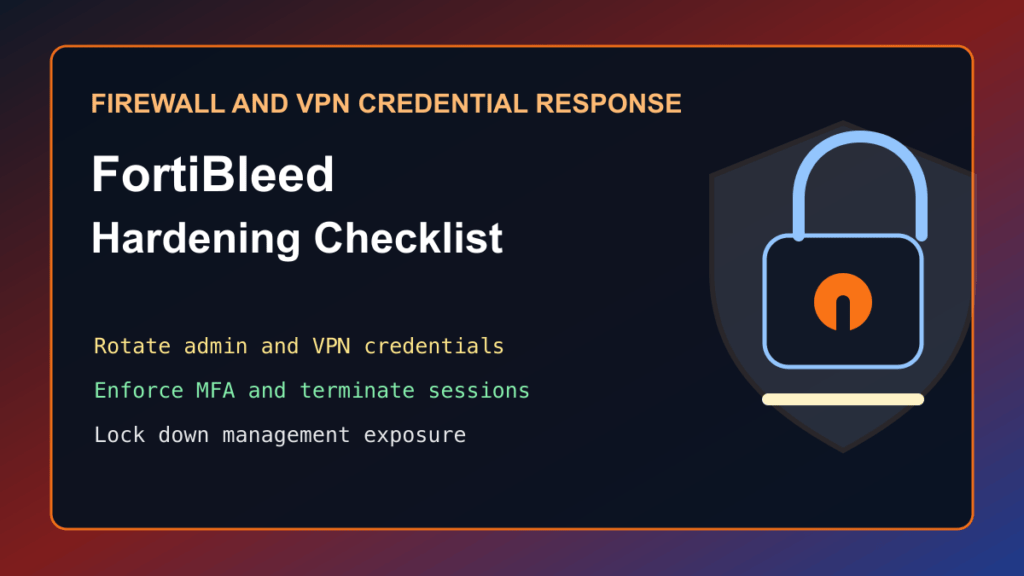
FortiBleed is a Fortinet credential-exposure incident, not a new standalone CVE, but FortiGate and VPN administrators should treat it as urgent credential response work. CISA has urged organizations to harden Fortinet devices after reports of credential exposure, Fortinet has published PSIRT guidance, and fresh reporting has linked FortiBleed-related activity to ransomware operations.
The important distinction is this: patching matters, but patching alone does not solve a credential incident. If administrator or VPN credentials were exposed, reused, cracked, or abused, the durable fix is a credential reset, MFA enforcement, session cleanup, configuration review, log review, and management-plane lockdown.
Plain-English Impact
FortiGate firewalls and VPN gateways often sit at the front door of a business network. If an attacker has working administrator or VPN credentials, they may not need a new software flaw to create business damage. They may be able to log in, change settings, create persistence, reach internal systems, or use the device as a stepping stone into the network.
Fortinet says its initial analysis points to credential reuse from previous incidents and brute-force activity against devices with weak password hygiene and no MFA. That makes this a trust problem around perimeter access, not only a patch problem.
Who Should Act
- Businesses using Fortinet FortiGate, FortiOS, FortiProxy, FortiManager, FortiAnalyzer, or FortiWeb in internet-facing environments.
- Managed service providers and web hosts that manage customer VPN, firewall, or branch-office perimeter devices.
- Agencies and IT teams with remote admin access, SSL VPN access, FortiCloud SSO history, or older Fortinet credentials that may not have been rotated after prior incidents.
- Organizations that do not enforce MFA for both firewall administrators and VPN users.
Attack Status
This is active enough to require action. CISA issued hardening guidance on June 18, 2026. Fortinet published PSIRT guidance on June 19, 2026. BleepingComputer reported on July 1, 2026 that FortiBleed credential-theft activity has been linked by researchers to ransomware operations. That does not mean every Fortinet device is compromised, but it does mean exposed Fortinet credentials should be treated as high-risk until verified clean.
Immediate Admin Checklist
- Inventory all Fortinet devices, including firewalls, VPN gateways, management appliances, and cloud-managed devices.
- Identify which devices have internet-facing administration or VPN access.
- Terminate active administrator and VPN sessions during the maintenance window.
- Reset Fortinet administrator and VPN passwords, especially for internet-facing systems and accounts reused anywhere else.
- Enforce MFA for administrator and VPN accounts.
- Update Fortinet devices to current supported versions recommended by Fortinet for your branch.
- Review firewall, VPN, and directory-integrated users for unexpected accounts, unexpected password resets, or unexpected privilege changes.
- Compare current configuration to a known-good backup where available.
- Review logs for unexpected administrator access, unusual VPN access, configuration exports, and lateral movement indicators.
- Remove public administration where possible, or restrict management access to trusted networks.
Hosting And MSP Notes
For providers, the most important customer-facing step is communication. If you manage Fortinet devices for customers, do not frame this as “just another firmware update.” Explain that credential rotation, MFA, session cleanup, and management-plane exposure are part of the response.
For co-managed environments, confirm who owns each action. One team may control the firewall, another may control VPN users, and another may control directory services. If AD or LDAP integration is configured, treat the directory account used by the device as sensitive and review its use beyond the firewall itself.
Version And Configuration Notes
Fortinet recommends upgrading to current supported FortiOS versions in the 7.4, 7.6, or 8.0 branches and completing the related credential-hardening steps. Do not assume a newer version proves older credentials were never exposed. After upgrading, rotate credentials and verify configuration state.
If you cannot update immediately, reduce external management exposure, enforce MFA where available, rotate credentials, and prioritize log review. Temporary exposure reduction is not a replacement for current software and credential cleanup.
What Not To Do
- Do not wait for a “FortiBleed CVE” before acting. Fortinet says this is not a new Fortinet vulnerability.
- Do not only patch firmware and leave old VPN or administrator passwords active.
- Do not rely on password complexity alone. Exposed or reused credentials must be rotated.
- Do not publish or share suspected exposed credentials, customer hostnames, logs, or screenshots.
- Do not keep internet-facing firewall administration open just because it has always been that way.
Post-Change Verification
- Confirm all intended sessions were terminated and that old credentials no longer work.
- Confirm MFA prompts appear for administrator and VPN access where expected.
- Confirm management access is restricted to approved source networks or removed from the public internet.
- Confirm no unexpected administrator, VPN, FortiCloud, support, or service-style accounts exist.
- Confirm backups, monitoring, alerting, and log forwarding still work after changes.
- Document the version, credential reset time, MFA state, exposure state, and log-review owner.
Recommended Decision
If you operate Fortinet perimeter devices, schedule a credential-response window now. Treat this as a perimeter trust reset: current firmware, reset credentials, MFA, session cleanup, configuration review, log review, and locked-down management access.