


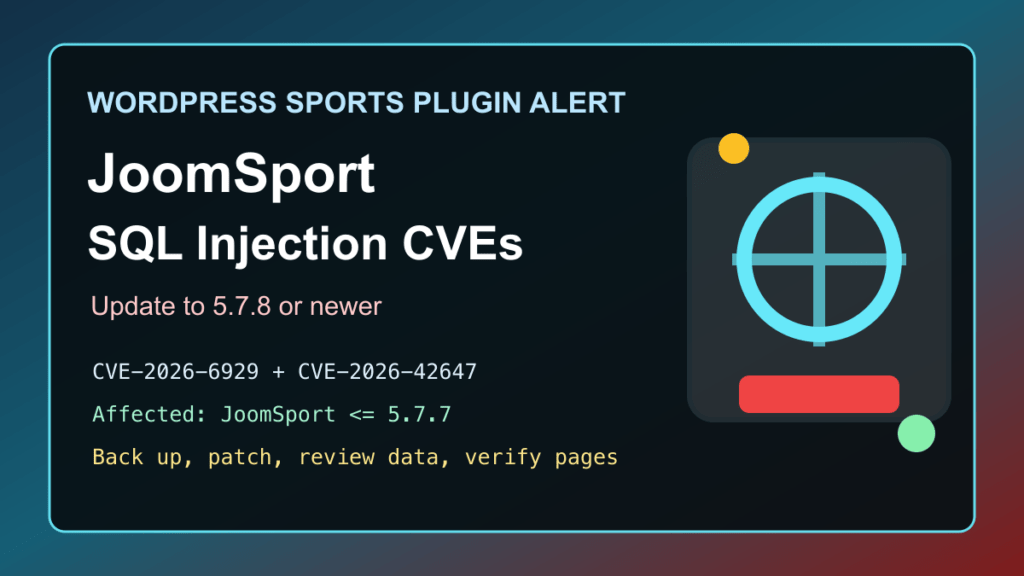
Impact statement: JoomSport for WordPress has two recent unauthenticated SQL injection records affecting versions up to and including 5.7.7: CVE-2026-6929 and CVE-2026-42647. Wordfence lists both as patched in 5.7.8, NVD currently indexes CVE-2026-6929 as high severity, and Patchstack lists CVE-2026-42647 in its recently exploited WordPress vulnerability data.
This is a protect-only guide. We are not publishing SQL fragments, request internals, scanner checks, or anything that helps someone test random websites. The useful answer for WordPress admins is to identify JoomSport installs, update to 5.7.8 or newer, review the site for unusual changes, and verify public league, team, player, and match pages after patching.
Who Is Affected
- WordPress sites running JoomSport – for Sports: Team & League, Football, Hockey & more.
- Any site running JoomSport version 5.7.7 or older.
- Sports clubs, leagues, schools, gyms, event sites, and local organizations that publish standings, match schedules, player pages, team pages, or tournament tables through JoomSport.
- Agencies and hosting providers managing WordPress sites where sports pages may be public but rarely maintained after a season ends.
WordPress.org showed JoomSport 5.7.8 as the current release during this pass, with a changelog entry noting a security vulnerability fix between 5.7.7 and 5.7.8. Wordfence lists about 1,000 active installs for the plugin, which is small compared with major WordPress plugins but still enough to matter for clubs and agencies that reuse the same stack across many sites.
Exploitation And Attack Status
Patchstack’s 2026 WordPress statistics listed CVE-2026-42647 under recently exploited vulnerabilities during this pass. Wordfence lists both CVE-2026-6929 and CVE-2026-42647 as unauthenticated SQL injection issues affecting JoomSport through 5.7.7 and remediated in 5.7.8. CISA’s Known Exploited Vulnerabilities catalog version 2026.05.22 did not include either CVE during this pass.
The practical risk is sensitive database exposure or database tampering on sites that leave vulnerable public sports pages online. Even if the site is not an ecommerce store, a compromised WordPress database can expose users, emails, private drafts, form entries, password hashes, plugin settings, and content-management history.
Immediate Admin Checklist
- Check whether JoomSport is installed and active.
- If the installed version is 5.7.7 or older, take a full file and database backup before changing production.
- Update JoomSport to 5.7.8 or newer from a trusted WordPress update source.
- If you cannot update immediately, temporarily disable the plugin or remove public JoomSport pages from navigation until maintenance is complete.
- Review administrator users, editor users, recent plugin changes, and recently modified theme/plugin files.
- Review JoomSport teams, players, match schedules, standings, seasons, and shortcode-driven pages for unexpected content changes.
- Review web server, PHP, WordPress security, and database logs for unusual traffic or repeated errors around public sports pages.
- Run a trusted malware scan or ask the host/security provider to scan the account.
- Clear page cache, object cache, browser cache, and CDN cache after updating.
- Retest league tables, team pages, player pages, match pages, search/filter views, and any embedded JoomSport shortcodes.
cPanel, Plesk, And Hosting Notes
For cPanel sites, use WordPress Toolkit or the WordPress dashboard to inventory plugins, then update JoomSport to 5.7.8 or newer. If the dashboard is unavailable, use a controlled hosting-panel method to disable the plugin first, then investigate. Fix I.T. Phill has a separate guide for disabling WordPress plugins with phpMyAdmin.
For Plesk sites, use WordPress Toolkit to check plugin status across subscriptions, run the plugin update, then review web server, PHP, and database-related logs. If a sports organization relies on JoomSport for active schedules or standings, plan a short maintenance window so staff can confirm the season data still displays correctly after patching.
For agencies and hosting providers, search for the plugin by display name and by its WordPress.org slug. Also check old staging copies, archived tournament sites, and seasonal microsites, because sports plugins often remain publicly reachable long after the event is over.
Temporary Mitigation If You Cannot Patch
The best fix is the vendor update. If you need time to test, temporarily disable JoomSport, unpublish public pages that depend on it, or place the site behind stricter access controls until the update is complete. A WAF or CDN shield can reduce exposure while you patch, but it is not a replacement for updating the vulnerable plugin.
If the organization needs schedules online during maintenance, export critical schedule and standings data first, then publish a temporary static page while the plugin is disabled. Keep the workaround simple and reversible.
Post-Update Verification
- Confirm JoomSport reports version 5.7.8 or newer.
- Confirm WordPress core, the active theme, and other plugins are current.
- Confirm public team, player, match, standings, and season pages load without PHP errors.
- Confirm front-end sorting, filtering, calendar, and shortcode views still behave as expected.
- Confirm no unknown administrator users, unexpected plugins, suspicious file changes, or unusual content edits remain.
- Confirm cache/CDN purges completed and public pages show the patched behavior.
If repeated JoomSport security fixes make the site hard to maintain, plan a controlled replacement project instead of leaving an old sports plugin in place indefinitely. Export teams, players, schedules, results, seasons, media, shortcodes, and custom templates first, then test a maintained replacement or a simpler static schedule workflow on staging before changing production.
If you need help triaging a WordPress site after a SQL injection plugin issue, start with the Fix I.T. Phill Help4 WordPress support checklist so you know what logs, backups, and access details to collect before asking for help.