


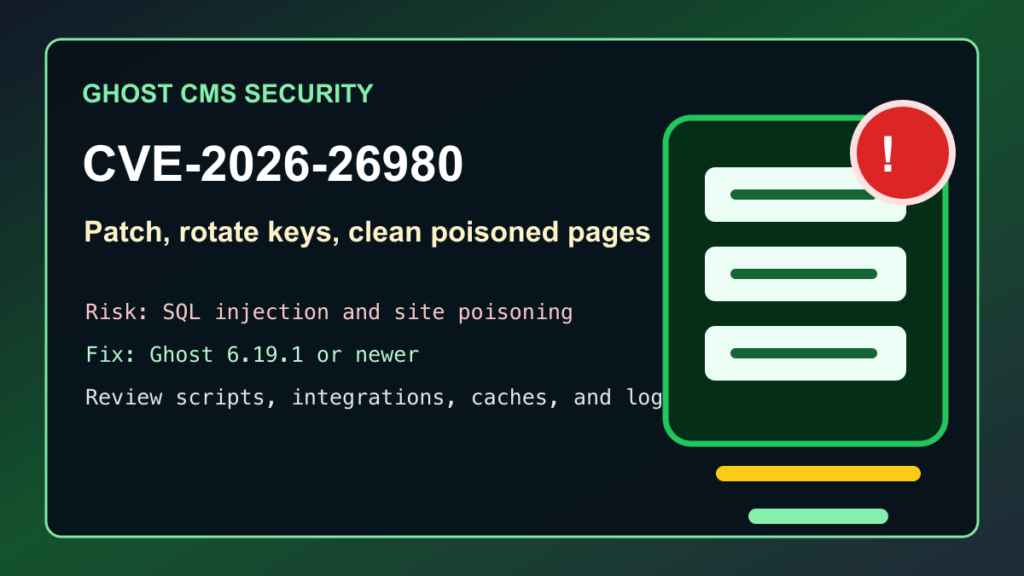
Impact statement: CVE-2026-26980 is a critical SQL injection vulnerability in Ghost CMS that was fixed in Ghost 6.19.1. Public threat reporting now ties the issue to active Ghost site poisoning: attackers are modifying public pages and adding fake verification prompts that try to trick visitors into running commands on their own computers. If you run self-hosted Ghost, update Ghost now, rotate API keys, and review published content for injected JavaScript or other unexpected changes.
This is not just a database bug on a forgotten blog. Ghost is commonly used for publications, newsletters, documentation, founder sites, agency sites, and customer-facing marketing pages. A poisoned Ghost site can harm visitors, damage search trust, and leave site owners thinking the server is clean because the visible front page still loads.
Who Needs To Check
- Self-hosted Ghost sites running Ghost 3.24.0 through 6.19.0.
- Docker, Docker Compose, Plesk, cPanel-adjacent, VPS, and bare-metal Ghost installs.
- Agencies and hosting providers that manage Ghost publications for customers.
- Newsletter and membership sites where Ghost content changes could reach subscribers quickly.
- Sites that saw unexpected scripts, fake browser checks, fake verification pages, or odd redirects in May 2026.
- Admin workstations used to manage Ghost sites, especially if a fake verification prompt was seen or followed.
Affected And Fixed Versions
The Ghost security advisory lists Ghost 3.24.0 through 6.19.0 as affected and 6.19.1 as the first fixed release. If your site is older than 6.19.1, treat the update as urgent. If you are already on a later supported 6.x release, still complete the cleanup checks if the site was online during the active campaign window.
| Product | Affected versions | Fixed version | Admin action |
|---|---|---|---|
| Ghost CMS | 3.24.0 through 6.19.0 | 6.19.1 or newer | Back up, update Ghost, rotate keys, review content, and purge caches. |
I did not find CVE-2026-26980 in CISA KEV catalog version 2026.05.22 during this pass. That does not lower the urgency for public Ghost sites because the current signal is active site poisoning and visitor-facing abuse.
Exploitation Status
XLab published research on a campaign that used vulnerable Ghost sites to inject malicious JavaScript into public content, and BleepingComputer reported that more than 700 domains had been affected. The public reporting connects the Ghost CMS vulnerability to ClickFix-style social engineering: visitors see a fake verification or browser-check prompt and are instructed to run a command locally. Do not copy those commands, do not test them, and do not let customers treat the visible page as proof that the site is clean.
For site owners, the practical risk is two-part: the Ghost server and database may have been modified, and visitors may have been exposed to a malicious prompt. The fix path needs both patching and cleanup.
Safe Update Checklist
- Take a real backup first. Back up the Ghost database, content files, images, custom theme, configuration, and Docker volumes if used.
- Put the site in a maintenance window. For high-traffic sites, warn editors and customers before restarting Ghost or changing reverse-proxy caches.
- Update Ghost to 6.19.1 or newer. Use Ghost CLI, Docker image updates, or your host’s supported update workflow.
- Restart Ghost and the front-end proxy. Restart Ghost, then reload Nginx, Apache, Caddy, HAProxy, or the panel-managed proxy layer as appropriate.
- Verify the running version. Confirm the live Ghost instance reports 6.19.1 or newer after restart.
- Rotate keys and sessions. Rotate Admin API keys, Content API keys, integration keys, staff passwords, and any token used by automation or newsletter workflows.
- Review all staff and integrations. Remove unknown staff users, stale integrations, old webhooks, unused custom integrations, and abandoned automation accounts.
- Inspect public content. Review posts, pages, snippets, theme templates, code injection settings, custom routes, and database-backed content for unexpected JavaScript or fake verification text.
- Purge caches after cleanup. Clear Ghost, CDN, page, reverse-proxy, and browser-facing caches only after the malicious content has been removed.
- Watch logs after reopening. Monitor Ghost, web server, CDN/WAF, and database logs for repeated suspicious API traffic, editor changes, failed logins, and unusual redirects.
Ghost CLI Update Flow
These are normal Ghost administrator maintenance commands. Run them from the Ghost install directory as the correct Ghost system user, and adapt them to your host’s backup policy.
ghost check-update
ghost backup
ghost update
ghost version
ghost doctor
If the Ghost CLI reports Node.js, permissions, or systemd issues, stop and fix those before forcing a production update. A failed Ghost update during an active incident can leave you with both downtime and an unfinished cleanup.
Docker And Hosting Panel Notes
For Docker or Docker Compose, back up the database and content volume first, update the Ghost image to 6.19.1 or a newer supported release, recreate the container, and then confirm the running Ghost version from inside the application. Do not leave an old image tag pinned because the container appears healthy.
For Plesk, cPanel-adjacent VPS setups, DirectAdmin, Webmin/Virtualmin, or custom Nginx reverse proxies, check the service unit, Node.js version, proxy config, SSL renewal path, and backup job after the Ghost update. If a panel extension or script installed Ghost originally, verify that the panel is not recreating an old container or old release during restarts.
Cleanup After A Suspected Poisoned Site
If the Ghost site showed fake verification prompts, unexpected browser-check text, suspicious scripts, or unexplained redirects, treat the site as modified. Do not only patch and move on.
- Export and preserve a clean administrative record of what was changed, but do not keep attack scripts in public folders.
- Compare recent post and page revisions against known-good content.
- Review Ghost’s code injection settings at site and post level.
- Review the active theme and any custom theme files for unexpected script blocks.
- Check custom integrations and API keys for creation or use during the suspicious window.
- Look for new or modified staff accounts, roles, webhooks, and newsletter settings.
- Search CDN and web server logs for visitors who were served the poisoned page so customer communication can be accurate.
- Tell affected visitors not to run any command shown by a fake verification prompt and to have their workstation checked if they already did.
Temporary Mitigation
The durable fix is updating Ghost. While the update is being scheduled, restrict Ghost Admin access, put a stricter CDN/WAF profile in front of the site, block unexpected write-heavy API behavior, and use the Ghost advisory for vendor-level filtering guidance. Do not paste public rule details into tickets, customer emails, or website copy. Temporary filtering can reduce noise, but it does not replace the fixed Ghost release or the cleanup review.
Hosting Provider Guidance
Hosting providers and MSPs should inventory Ghost installs the same way they inventory WordPress, Drupal, and Joomla. A Ghost publication may sit outside the normal CMS dashboard workflow, but it still has a database, admin users, integrations, a public front end, and cache layers that can harm visitors if modified.
- Find Ghost installs across VPS, Docker, customer-owned servers, and managed app stacks.
- Patch exposed Ghost sites first, especially marketing sites and publications with high search traffic.
- Use snapshots and database backups before updates.
- Rotate API keys and staff passwords after patching.
- Check whether customers use Ghost integrations for newsletters, analytics, webhooks, CRM, or automation.
- Notify customers plainly if their site served fake verification prompts or other unexpected scripts.
- Keep reverse-proxy, CDN, and cache purge steps in the maintenance ticket so stale poisoned pages are not left behind.
Related Fix I.T. Phill Guides
- Drupal Core CVE-2026-9082 SQL injection patch guide
- Grav CMS critical CVE patch guide
- WordPress hosting security checklist for malware and backups
- Plesk Obsidian May 2026 security update guide
- Docker Desktop CVE-2026-5843 patch guide
Sources
- Ghost security advisory for CVE-2026-26980
- Ghost 6.19.1 release
- Ghost official update documentation
- CVE.org record for CVE-2026-26980
- NVD entry for CVE-2026-26980
- BleepingComputer report on Ghost CMS site poisoning and ClickFix abuse
- XLab research on Ghost CMS CVE-2026-26980 campaign activity
June 2026 Cloudflare WAF note for Ghost CMS sites
Update note, June 24, 2026: Cloudflare’s June WAF changelog lists managed protection for Ghost CMS CVE-2026-26980. That is useful edge coverage for sites already behind Cloudflare, but it does not replace the Ghost update or cleanup work.
If you run Ghost yourself, the safe order is still: update Ghost to 6.19.1 or later, rotate Ghost Admin API credentials, review staff/admin access, inspect published content for unexpected scripts or verification prompts, review recent Admin API activity, and check CDN/WAF logs for blocked or suspicious requests.
For Cloudflare users, confirm the managed ruleset is enabled for the Ghost hostname, review whether the relevant rule is in block or log mode for your zone, and monitor Security Events after changing the action. If you use another WAF such as Sucuri or a hosting-provider WAF, treat it as temporary virtual patching while the application is upgraded and investigated.
Hosts and agencies should also notify affected customers that WAF coverage is a mitigation layer, not proof the site was clean. Any Ghost site that was vulnerable and internet-facing should be treated as a possible credential and content-integrity incident until API credentials, content, themes, and admin activity have been reviewed.
Official sources: Ghost GitHub security advisory, NVD CVE-2026-26980 entry, and Cloudflare changelog.