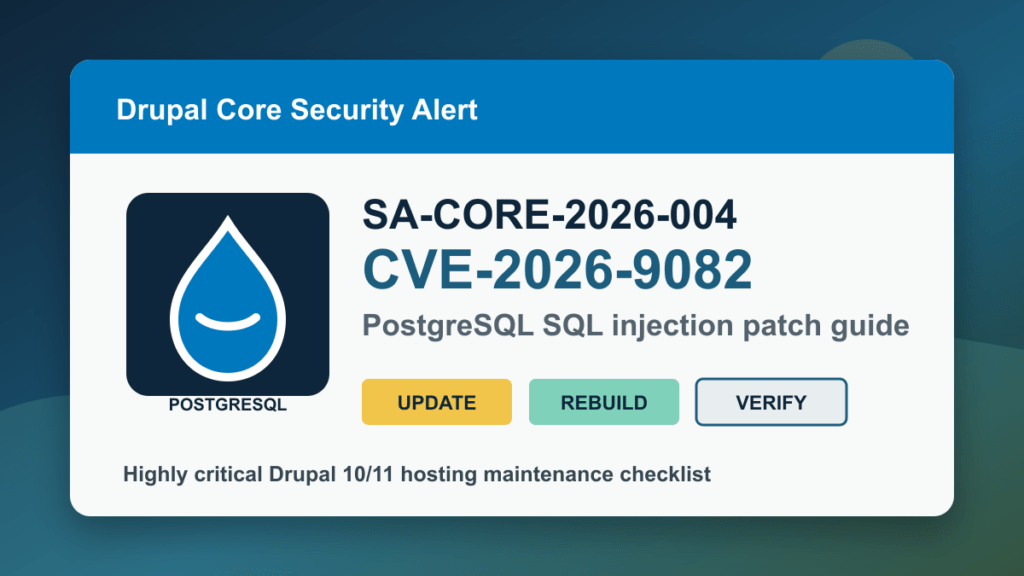
Update for May 22, 2026: CISA has added CVE-2026-9082 to the Known Exploited Vulnerabilities catalog with a federal due date of May 27, 2026. Drupal also updated SA-CORE-2026-004 to say exploit attempts are now being detected in the wild. This is no longer just a “patch soon” Drupal advisory. Treat affected PostgreSQL-backed Drupal sites as emergency maintenance.
Drupal released SA-CORE-2026-004 for CVE-2026-9082, a highly critical SQL injection issue in Drupal core. The SQL injection risk only affects Drupal sites using PostgreSQL, but the same Drupal releases also include Symfony and Twig security updates that matter for all supported Drupal 10 and Drupal 11 sites.
If you run Drupal for a business, nonprofit, school, government site, customer portal, intranet, or hosting customer, treat this as a same-day maintenance item. Drupal says anonymous users can exploit the SQL injection condition on affected PostgreSQL-backed sites, and the impact can include information disclosure, privilege escalation, remote code execution, or other follow-on attacks depending on site configuration.
May 22 CISA KEV Update
CISA’s May 22 KEV update confirms that defenders should prioritize this issue as actively exploited. Hosting providers should inventory Drupal sites by database backend, patch PostgreSQL-backed sites first, verify the fixed Drupal branch, and keep WAF/CDN controls in a temporary heightened posture while customers complete updates.
Affected Versions
Drupal lists the affected version ranges as:
- Drupal 8.9.0 through versions before 10.4.10
- Drupal 10.5.0 through versions before 10.5.10
- Drupal 10.6.0 through versions before 10.6.9
- Drupal 11.0.0 through versions before 11.1.10
- Drupal 11.2.0 through versions before 11.2.12
- Drupal 11.3.0 through versions before 11.3.10
The SQL injection portion is PostgreSQL-specific. Do not ignore the update if your site uses MySQL or MariaDB, though, because the release also carries coordinated upstream dependency fixes for Symfony and Twig.
Fixed Versions
- Drupal 11.3.x: update to 11.3.10
- Drupal 11.2.x: update to 11.2.12
- Drupal 11.1.x or 11.0.x: update to 11.1.10
- Drupal 10.6.x: update to 10.6.9
- Drupal 10.5.x: update to 10.5.10
- Drupal 10.4.x or earlier: update to 10.4.10, then plan a supported-branch upgrade
Drupal 8 and Drupal 9 are end-of-life. Drupal published best-effort patches because of the severity, but those unsupported branches still carry other known risks. Use any emergency patch only as a temporary bridge to a supported Drupal version.
Hosting Admin Checklist
- Identify PostgreSQL-backed Drupal sites first. These are the highest priority for CVE-2026-9082.
- Back up code, files, and database before patching. Confirm you can restore, not just that a backup job exists.
- Update Drupal core and dependencies. Composer-managed sites should update core packages with dependencies, then run database updates and rebuild caches.
- Review Twig/template-editing permissions. Drupal specifically recommends reviewing roles that can update Twig templates through Views or contributed modules.
- Check contributed modules and themes. A core update is not a substitute for module/theme maintenance.
- Watch logs after patching. Review web server, PHP, Drupal watchdog/dblog, WAF, CDN, and PostgreSQL logs for unusual errors or access patterns.
- Tell customers plainly. If you host Drupal sites, notify customers that a highly critical Drupal core update is being applied and that PostgreSQL-backed sites are the immediate priority.
Safe Version Checks
These commands are normal admin inventory checks. They do not reproduce the vulnerability.
composer show drupal/core drupal/core-recommended
composer outdated "drupal/*"
drush status
drush pm:list --status=enabled
drush updatedb:status
If you do not use Drush, check the Drupal admin status report and the installed Composer package versions from the site’s deployment workflow.
Safe Update Flow
Adapt this to your hosting workflow and staging process:
composer update drupal/core-recommended drupal/core-composer-scaffold drupal/core-project-message --with-dependencies
drush updatedb
drush cache:rebuild
drush status
For multisite environments, run database updates and cache rebuilds for each site. For control-panel hosting, check PHP version compatibility, file ownership, cron, queue workers, and web server error logs after the update.
Temporary Mitigation
The real fix is updating Drupal. If you cannot update immediately, place the site behind the strictest practical WAF/CDN profile, restrict administrative access, disable unnecessary modules, and prioritize PostgreSQL-backed sites for emergency maintenance. Temporary filtering is not a substitute for applying the Drupal release.
Long-Term Replacement Or Migration Notes
If a Drupal 8 or Drupal 9 site cannot be upgraded because the theme, modules, or hosting stack are abandoned, treat that site as a migration project rather than a patch project. Keep it restricted while you move to a supported Drupal branch or a better-maintained platform. For brochure sites or small business content sites, a clean WordPress build with a maintained theme/builder stack may be lower risk than keeping an old Drupal branch alive indefinitely.
What To Review After Patching
- Drupal status report and update database status
- Recent user, role, and permission changes
- Unexpected new files in webroot, public files, private files, and temporary directories
- Web server and PHP error spikes after the update
- PostgreSQL authentication and query error logs
- CDN/WAF events for suspicious SQL-like traffic patterns
- Backup job success after the patched site is live