


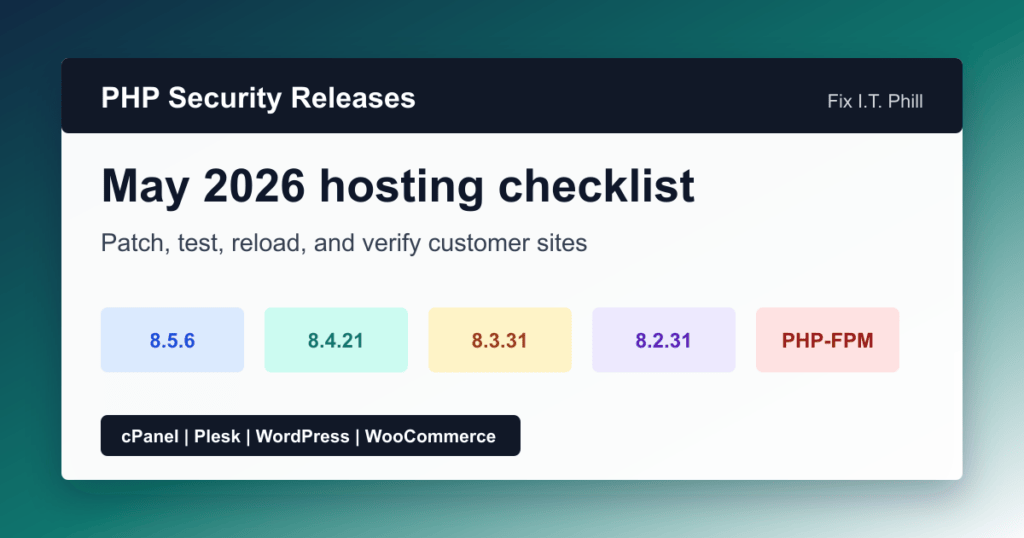
PHP’s May 2026 release batch is a security update for every currently active PHP 8 branch used on modern hosting stacks. The PHP project lists PHP 8.5.6, PHP 8.4.21, PHP 8.3.31, and PHP 8.2.31 as security releases, so this deserves a real maintenance checklist instead of a casual package bump.
For small business WordPress sites, WooCommerce stores, agency hosting, cPanel boxes, Plesk servers, and PHP-FPM reverse-proxy setups, the safe path is simple: identify which PHP handler owns each site, update through that package owner, test the applications customers actually use, and only then move the rest of the server or fleet.
Who should care
- WordPress and WooCommerce site owners running PHP 8.2, 8.3, 8.4, or 8.5.
- cPanel and WHM administrators using EasyApache 4, MultiPHP Manager, CloudLinux PHP Selector, or alt-php packages.
- Plesk Obsidian administrators using Plesk-managed PHP handlers.
- Nginx and Apache admins running PHP-FPM pools for customer sites, APIs, CMS installs, or SaaS dashboards.
- Agencies that need to patch many client sites without breaking checkout, forms, bookings, or member logins.
What changed
PHP’s official news page marks all four current branch releases as security releases on May 7, 2026:
- PHP 8.5.6 for PHP 8.5 sites.
- PHP 8.4.21 for PHP 8.4 sites.
- PHP 8.3.31 for PHP 8.3 sites.
- PHP 8.2.31 for PHP 8.2 sites.
The PHP 8 changelog includes security fixes across areas that matter on hosting servers, including PHP-FPM and SOAP. If you only patched for the earlier PHP SOAP CVE and did not bring the whole PHP branch to the current May point release, review the broader runtime update now.
Before updating
- Back up the site files and databases, or take a provider snapshot if this is a whole-server maintenance window.
- Check which PHP branch each site uses in cPanel MultiPHP Manager, Plesk PHP Settings, CloudLinux PHP Selector, container image tags, or your OS package manager.
- List high-risk sites first: WooCommerce, membership, LMS, booking, forms, API, custom plugin, and custom theme sites.
- Confirm the owner of the PHP packages. Do not mix distro packages, Plesk packages, cPanel EasyApache packages, Remi/Sury packages, CloudLinux packages, and custom builds casually.
- Review PHP extensions that often break during patch windows: ionCube Loader, imagick, redis, memcached, intl, sodium, SOAP, and database drivers.
cPanel and WHM checklist
- Use WHM > Software > EasyApache 4 and MultiPHP Manager to confirm installed PHP branches and domain assignments.
- Update cPanel, EasyApache 4 packages, CloudLinux packages, and any vendor-owned PHP extension packages through their normal update path.
- Check whether any customer sites are still pinned to unsupported PHP. If the May 2026 security batch does not include that branch, plan an application migration rather than leaving it there.
- After the update, confirm each branch appears at the expected point release and that Apache/PHP-FPM service health is clean.
- Spot-check customer domains that use each PHP branch, not just the server default.
Plesk checklist
- Use Tools & Settings > PHP Settings to review installed handlers and versions.
- Use the Plesk installer/updater path for Plesk-managed PHP packages, and keep OS-vendor PHP separate from Plesk PHP handlers.
- Patch one low-risk subscription first if you run many customer sites with custom plugins or older themes.
- Review the domain’s PHP handler, PHP-FPM status, Apache/Nginx proxy mode, and error logs after switching or updating.
- Keep a rollback path: handler switchback, backup restore, snapshot rollback, or a tested staging copy.
WordPress and WooCommerce verification
For WordPress, the version number alone is not the finish line. After the PHP update, open the site, log into wp-admin, check Site Health, submit a form, run a search, upload a media file, and confirm scheduled tasks are still running. For WooCommerce, add a product to cart, view checkout, confirm payment gateways load, and verify order emails or transactional mail logging.
If a plugin breaks on the patched PHP branch, do not roll the whole server backward without thinking. First check for plugin/theme updates, test a maintained PHP branch in staging, and isolate whether the problem is a deprecated function, missing extension, stale ionCube loader, old theme code, or a custom plugin issue.
PHP-FPM and Nginx notes
- Confirm the active PHP-FPM pool is using the patched binary, not an older alternate PHP path.
- Restart or reload through your service manager or control panel so pool workers actually pick up the new build.
- Review PHP-FPM, web server, and application logs after the reload.
- If a PHP-FPM status page is enabled, keep it restricted to trusted admin access. It should not be a public troubleshooting page.
- For Nginx reverse proxies, verify FastCGI socket paths, backend health checks, TLS, and HTTP/2 behavior after the change.
Safe rollout order
- Patch a staging site or a low-risk customer site first.
- Update one PHP branch at a time when your panel or package manager allows it.
- Verify representative sites on that branch.
- Communicate expected reload windows to customers with busy ecommerce, LMS, booking, or membership sites.
- Patch the rest of the fleet only after backups, logs, and test paths look clean.
Fix I.T. Phill recommendation
Do not wait for a scanner report to tell you PHP is stale. If you run a supported PHP 8.2, 8.3, 8.4, or 8.5 branch, move to the matching May 2026 security release through the package owner for your hosting stack. If you still have production sites on older PHP, schedule the application compatibility work now: staging copy, plugin/theme updates, maintained replacements, and a tested branch move.
Related Fix I.T. Phill guides
- PHP SOAP CVE-2026-6722: cPanel Hosting Patch Guide
- cPanel & WHM Version 136 Upgrade Checklist
- Plesk Obsidian May 2026 Updates: Security, nginx, and WP Toolkit Checks
- Certbot with Nginx: Let’s Encrypt Install and Renewal Guide
- NGINX CVE-2026-42945 and CVE-2026-9256 Patch Guide
Sources checked
- PHP official news: PHP 8.5.6, 8.4.21, 8.3.31, and 8.2.31 security releases
- PHP 8 changelog
- PHP supported versions
- cPanel documentation: MultiPHP Manager for WHM
- cPanel documentation: MultiPHP Manager for cPanel
- Plesk documentation: PHP management