July 11, 2026: cPanel Unbound DNSSEC Security Check
Update note, July 11, 2026: Fix I.T. Phill is adding exact coverage for the cPanel Unbound security update that moved cpanel-unbound to 1.25.1. cPanel lists this update for cPanel & WHM 136, 134, and 126. The important headline is CVE-2026-33278, a critical Unbound DNSSEC validation issue tracked by NVD and listed by cPanel in the 136 change log.
For hosting admins, this is not a normal website plugin patch. It belongs in the control-plane maintenance checklist because Unbound can sit in the DNS resolution path for WHM/cPanel servers. If the server is behind Help4 CDN, Cloudflare, or another edge provider, that edge layer does not replace the local cPanel package update.
Safe update path: confirm a restorable server backup or provider snapshot, let cPanel apply the current security build for your release tier, verify that cpanel-unbound reports 1.25.1 or newer, confirm DNS resolution still works for hosted domains, review recent cPanel update logs, and test WHM, cPanel, DNS, mail, AutoSSL, and customer websites after the maintenance window.
cPanel lists these CVEs in the same Unbound package update: CVE-2026-33278, CVE-2026-42944, CVE-2026-42959, CVE-2026-32792, CVE-2026-40622, CVE-2026-41292, CVE-2026-42534, CVE-2026-42923, CVE-2026-42960, CVE-2026-44390, and CVE-2026-44608. Prioritize CVE-2026-33278 because NVD rates it critical and cPanel calls out possible remote code execution during DNSSEC validation.
Official sources: cPanel & WHM 136.0.14 change log, cPanel & WHM 134 change log, cPanel & WHM 126 change log, and NVD CVE-2026-33278.
July 2, 2026: EasyApache 4 25.69 Tomcat Security Update
Update note, July 2, 2026: cPanel published EasyApache 4 25.69 as a security and maintenance update for the ea-tomcat101 package. cPanel says the release updates Apache Tomcat to 10.1.56 and addresses six Tomcat CVEs: CVE-2026-55956, CVE-2026-55955, CVE-2026-55276, CVE-2026-53434, CVE-2026-53404, and CVE-2026-50229. The top severity listed by cPanel is Moderate.
This is a hosting maintenance item for WHM/cPanel servers that run Tomcat through EasyApache 4, Java web apps, customer portals, or reverse-proxy paths that depend on Tomcat-backed services. It is not an active-exploitation notice from cPanel, but it should move ahead of cosmetic work on servers where Tomcat is enabled.
Safe update path: confirm a restorable backup or snapshot, check which accounts depend on Tomcat, schedule the window, apply EasyApache/cPanel package updates, and be ready to restart affected services if the package update does not do it cleanly. After maintenance, verify the installed ea-tomcat101 package, Tomcat service health, Apache/NGINX proxy behavior, SSL, application logins, upload/download workflows, and recent error logs.
Official sources: cPanel EasyApache 4 25.69 release note and EasyApache 4 change log.
June 18, 2026 EasyApache 4 25.67 security update: cPanel also lists EasyApache 4 25.67 for nginx and Node.js security coverage. The update moves ea-nginx from 1.31.1 to 1.31.2, rebuilds the related nginx module packages, and updates ea-nodejs22 from 22.22.3 to 22.23.0. cPanel notes that this Node.js security release addresses 11 CVEs, including high-severity CVE-2026-48618 and CVE-2026-48933. For hosting admins, the safe path is to run the EasyApache/cPanel update, confirm nginx module packages rebuilt cleanly, validate nginx and Apache configuration, restart or reload services during the window, test Node-backed apps if used, and review customer sites behind CDN or proxy chains after cache warms back up.
June 17, 2026 EasyApache update: cPanel’s release notes now list a security and maintenance release for EasyApache 4 25.66. The update patches ea-openssl11 to 1.1.1w-8 on CentOS 7 with TuxCare/ELS backports for multiple CVEs, including CVE-2026-45447, CVE-2026-34180, CVE-2026-7383, and CVE-2026-9076. It also updates the Passenger package set to 6.1.5. For shared-hosting and agency servers, this is a normal update-window item: run the cPanel update, verify EasyApache packages, restart affected web services if needed, and check hosted sites after the maintenance window.
June 2, 2026 update: cPanel’s v136 changelog now lists 136.0.18 and 136.0.19. Build 136.0.18 updates cpanel-roundcubemail to 1.6.16, bumps cpanel-perl-542-template-toolkit to address CVE-2026-5090, and updates cpanel-exim to 4.99.4 for CVE-2026-48840. Build 136.0.19 fixes an AlmaLinux 10 MySQL 8.4 installer repository problem and a root-account 2FA loop when accessing cPanel accounts from WHM. If you already moved to v136, let the next cPanel update complete and verify mail, webmail, WHM/cPanel logins, MySQL Tools, and customer-facing sites afterward.
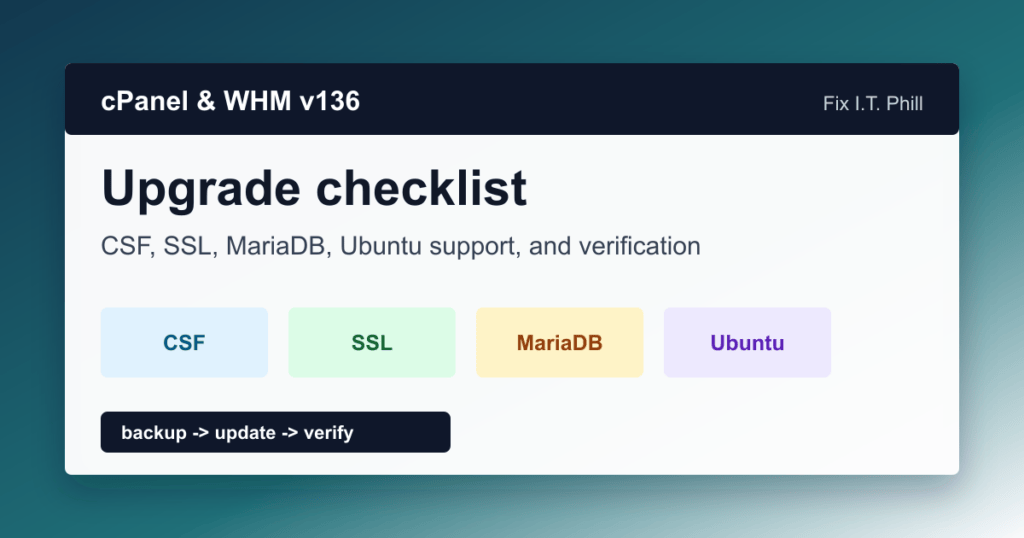
cPanel & WHM version 136 is now available, and hosting admins should treat it as an operations upgrade, not just another automatic version bump. The headline changes touch firewall update delivery, SSL management, PHP visibility, log retention, MariaDB planning, and operating-system support.
If you manage customer sites, reseller servers, agency hosting, or a small fleet of cPanel boxes, this release is worth a maintenance checklist. It also lands in a month with multiple cPanel security releases, so version verification matters.
What changed in cPanel & WHM v136
- CSF delivery changes: ConfigServer Security & Firewall is now delivered through cPanel’s signed update pipeline, and existing CSF installs are migrated to that path.
- Short-lived certificate readiness: v136 adds native support for short-lived SSL certificates with ACME-based issuance and renewal across SSL types.
- Unified SSL/TLS interface: SSL/TLS, SSL/TLS Status, and SSL/TLS Wizard workflows are consolidated into a single certificate interface.
- Server-wide PHP error logging: admins can standardize PHP logging behavior across accounts.
- Log retention controls: new controls help manage web server log storage and retention.
- PHP version visibility: end-of-life and hardened PHP versions are easier to distinguish in the interface.
- MariaDB 11.8 support: MariaDB 11.8 appears as an option in WHM’s database upgrade flow.
- Ubuntu 22.04 final support: cPanel says v136 is the last version supporting Ubuntu 22.04 LTS, so those servers need an Ubuntu 24.04 migration plan before moving beyond v136.
Security-release context
The v136 change log includes several security-relevant entries from April, May, and June 2026, including targeted security releases, an update to cpanel-unbound 1.25.1 covering multiple CVEs, Exim package updates through cpanel-exim 4.99.4 for CVE-2026-48840, a Template Toolkit update for CVE-2026-5090, EasyApache Apache/http2 maintenance, and the June 17 EasyApache 4 25.66 ea-openssl11 / Passenger update for CentOS 7 systems. That does not mean every v136 server is exposed in the same way, but it does mean admins should verify patched builds instead of assuming the nightly update succeeded.
Before updating production servers
- Confirm the current tier and version in WHM or
/usr/local/cpanel/cpanel -V. - Check free disk space and inode availability before starting the update.
- Take provider-level backups or snapshots where your hosting stack allows it.
- Review remote MySQL/MariaDB profiles and database upgrade blockers.
- Document custom CSF, AutoSSL, Exim, Dovecot, Apache, Nginx, PHP-FPM, and EasyApache changes.
- Pick a maintenance window for customer-facing servers.
Update path
Use WHM’s normal update path first: WHM > cPanel > Upgrade to Latest Version. If you prefer the command line, cPanel documents the upcp script for updates:
/usr/local/cpanel/scripts/upcp --cronAvoid forcing updates on a production box unless you know the server’s release tier and have read the current upgrade blockers. A forced update can jump to a build you did not intend to run.
Post-upgrade checks
- Confirm the installed cPanel & WHM version and build.
- Open WHM Security Advisor and verify CSF status, especially on servers that had CSF installed before v136.
- Check AutoSSL and the unified SSL/TLS interface for several representative customer domains.
- Review PHP version labels and prioritize accounts still on end-of-life PHP.
- Check PHP error-log defaults and web server log retention so disk usage does not surprise you later.
- Verify Exim, Dovecot, Roundcube/webmail, cPanel, Apache, Nginx, DNS, MySQL/MariaDB, and cron health.
- On AlmaLinux 10 servers, confirm MySQL Tools and MySQL 8.4 installer paths are no longer hitting repository 404 errors.
- On CentOS 7 systems still in a supported ELS lane, verify
ea-openssl11reports 1.1.1w-8 after the update. - If Passenger is installed, confirm the Passenger package set reports 6.1.5 and test one hosted app behind Passenger after service restarts.
- For root accounts with 2FA enabled, test the WHM-to-cPanel access path so admins do not get stuck in an authentication loop during customer support work.
- Read the latest update log in
/var/cpanel/updatelogsif anything looks odd.
MariaDB 11.8 planning
MariaDB 11.8 support is useful, but database upgrades deserve their own maintenance window. cPanel’s database upgrade documentation warns admins to back up databases before changing database versions and notes that database downgrades are not supported through the interface. Run the upgrade checker where available, review application compatibility, and test representative WordPress, WooCommerce, Joomla, Drupal, WHMCS, and custom PHP apps before rolling the change across a fleet.
Ubuntu 22.04 planning
Do not ignore the Ubuntu note. cPanel’s announcement says v136 is the last version to support Ubuntu 22.04 LTS. If you run Ubuntu 22.04, build the migration plan to Ubuntu 24.04 LTS before the next cPanel generation blocks you. For busy hosting servers, that means backups, transfer testing, customer communication, DNS TTL planning, mail validation, and rollback expectations.
Fix I.T. Phill recommendation
For single servers, update during a planned window and verify the services customers actually feel: websites, mail, SSL, DNS, PHP, database-backed apps, backups, and control-panel login. For fleets, stage v136 on a lower-risk node first, confirm CSF and SSL behavior, then roll by customer impact instead of updating every box at once.
Related Fix I.T. Phill guides
- cPanel & WHM WP2 May 2026 Security Update: Five CVE Patch Guide
- CVE-2026-41940 cPanel & WHM Auth Bypass: Impact Statement
- Find Large Files and Inodes on cPanel/WHM Servers
- Certbot with Nginx: Let’s Encrypt Install and Renewal Guide
Sources checked
- cPanel announcement: Introducing cPanel & WHM Version 136
- cPanel & WHM 136 change log
- cPanel upgrade blockers documentation
- cPanel SSL/TLS Certificates interface documentation
- cPanel Upgrade Database Version documentation
- cPanel upcp script documentation
- cPanel EasyApache 4 25.66 June 17 release note
- CVE.org record for CVE-2026-48840
- CVE.org record for CVE-2026-5090
- CVE.org record for CVE-2026-48840
- CVE.org record for CVE-2026-5090
- cPanel EasyApache 4 25.69 July 2 release note
Related hosting maintenance guides
- SPF record setup for Google Workspace
- Install Redis on WHM/cPanel hosting
- Install Memcached on WHM/cPanel hosting
- Install Imagick for WordPress media handling
June 18, 2026 database lifecycle update: if your server still runs MariaDB 10.6, read the MariaDB 10.6 EOL checklist for cPanel and CloudLinux hosting servers before scheduling a database maintenance window.
Hosting performance cleanup links
These older Fix I.T. Phill hosting notes were refreshed during the June 2026 unindexed-page repair pass. Use them as supporting maintenance references, and prefer the current install guides where a newer article exists.
- How To Install And Enable redis For WHM/cPanel AlmaLinux 8
- How To Install Imagick on WHM/cPanel (CentOS 7 or AlmaLinux 8)
- How To Enable gzip With NGINX and Ubuntu 22.04
- How To Optimize gzip With NGINX and Ubuntu 22.04
- How To Install, Optimize, And Harden memcached With NGINX and Ubuntu 22.04
- How To Install, Optimize, And Harden brotli With NGINX and Ubuntu 22.04
- How To Install, Optimize, And Harden memcached With WHM/cPanel On CentOS 7
- How to Install, Optimize, and Harden Memcached with WHM/cPanel on AlmaLinux 8
Related cPanel migration and hardening background
June 24, 2026: cPanel 136.0.25, Security Updates, and EasyApache 4 25.68
Update note, June 24, 2026: cPanel lists version 136.0.25 with several hosting-admin changes that belong in your upgrade checklist, especially on CloudLinux and multi-tenant servers.
The main operational change is current-major security update timing. cPanel says WHM servers now apply current-major security releases within about an hour by default, independent of the normal update schedule. Admins can control this in WHM Update Preferences with the new Security Updates option, or with the SECURITY_UPDATES key in the cPanel update configuration.
Do not treat that as a reason to ignore maintenance windows. Treat it as a reason to confirm your backup, monitoring, customer-communication, and post-update checks are ready before the next security release lands. Hosts with strict change-control policies should document who may change the Security Updates setting and how emergency cPanel security updates are verified afterward.
Other 136.0.25 items worth checking after update include CloudLinux 8 WHM access behavior, cPHulk brute-force block handling, additional authentication/session hardening, PHP 8.4.22 availability, AlmaLinux 10 and CloudLinux 10 firewall startup behavior, and certificate reissue automation.
cPanel also published EasyApache 4 25.68 on June 24. That release updates nginx-related modules including ea-nginx-echo, ea-nginx-headers-more, and ea-nginx-njs. If you run nginx, ModSecurity with nginx, reverse-proxy stacks, Node apps, or custom headers at the edge, validate configuration syntax, reload behavior, WAF logging, and customer sites after EasyApache packages update.
For customer-facing tooling, Site Quality Monitoring 3.2.0-1 fixes an infinite redirect loop and repeated authentication emails when reopening Site Quality Monitoring from cPanel. If customers reported loops or repeated emails from that interface, update the feature and retest from a normal cPanel user account.
Safe verification path: confirm a restorable backup, update cPanel and EasyApache packages, review WHM Update Preferences, check cPHulk and firewall status, verify WHM/cPanel login, test one normal cPanel account, check nginx/Apache/PHP-FPM and mail services, review recent update logs, and confirm customer-facing websites still serve through your CDN/proxy chain.
Official sources: cPanel & WHM 136 change log, cPanel release notes, and EasyApache 4 change log.
2026 Hosting Ops SEO Refresh: cPanel & WHM 136 Upgrade Checks
Maintenance path: confirm backups first, review the target tier, then run post-update checks for DNS, mail, EasyApache, PHP, and customer-facing sites.
- Use WHM Update Preferences to confirm release tier and update behavior before maintenance.
- Run WHM Security Advisor after the update and record remaining warnings with owner and due date.
- Use the WHM Security Advisor post-update checklist for customer-impact verification.
- Use the WHM backup configuration preflight before EasyApache and PHP changes.
For Unbound or DNSSEC-related fixes, verify resolver health, DNS service status, customer zone loading, mail authentication records, and public DNS from outside the server.