


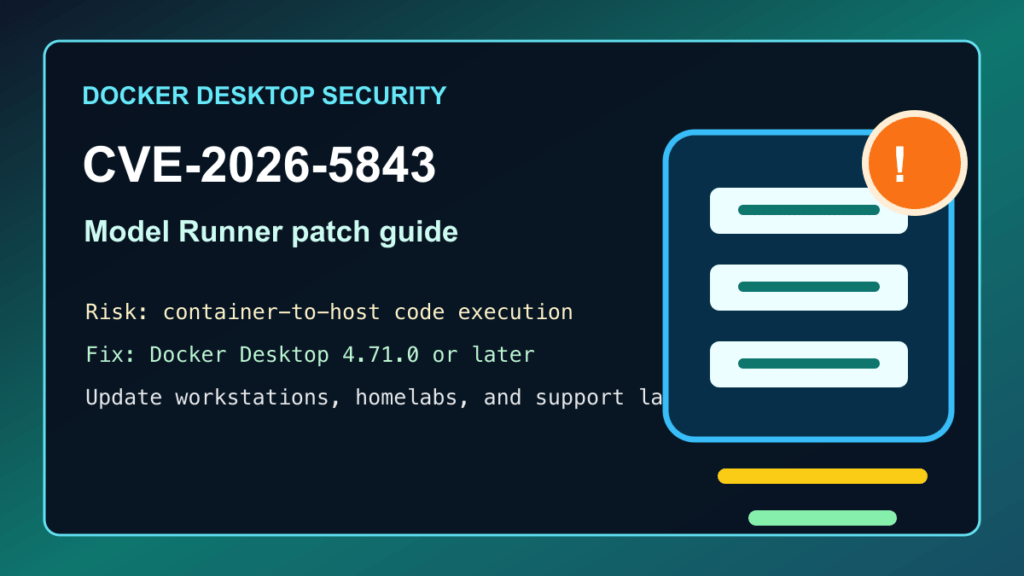
Impact statement: CVE-2026-5843 is a Docker Desktop security fix for Docker Model Runner, Docker’s local AI model feature. Docker describes the issue as container-to-host code execution in the MLX inference backend, fixed in Docker Desktop 4.71.0. That makes this more than a normal developer-tool update: if an admin workstation, build laptop, homelab desktop, or support machine uses Docker Desktop with Model Runner, update Docker Desktop and review whether Model Runner should be enabled at all.
For most production Linux servers running Docker Engine without Docker Desktop, this specific Docker Desktop advisory is a different risk profile. The danger zone is Docker Desktop on macOS, Windows, or Linux workstations where containers, test projects, AI model artifacts, customer code, or downloaded lab material may run near host files, VPN access, SSH keys, source repositories, browser sessions, or cloud credentials.
Who Needs To Check
- Developers and admins using Docker Desktop with Docker Model Runner enabled.
- Mac workstations, especially Apple silicon systems used for local AI model testing.
- Windows admin/support machines that run Docker Desktop, WSL 2, Kubernetes, or customer test containers.
- Homelab desktops that pull untrusted demos, AI examples, Compose stacks, or training projects.
- Web-hosting providers that use Docker Desktop on staff laptops for staging, support reproduction, migration testing, plugin testing, or customer file handling.
- CI helper machines or build workstations that are treated like trusted admin systems even though they run untrusted code.
Affected And Fixed Versions
Docker’s current security announcements page lists several recent Docker Desktop and Docker Model Runner fixes. The newest high-signal item in this pass is CVE-2026-5843, but the safest admin answer is to update Docker Desktop to the current release, not to stop at the oldest fixed build.
| Issue | Docker’s fixed release | Plain-English risk | Admin action |
|---|---|---|---|
| CVE-2026-5843 | Docker Desktop 4.71.0 | Container-to-host code execution risk in Docker Model Runner’s MLX inference backend. | Update Docker Desktop to 4.71.0 or later, preferably the current release. |
| CVE-2026-5817 | Docker Desktop 4.68.0 | Container-to-host code execution risk in another Model Runner inference backend. | Update any older Docker Desktop install and review Model Runner exposure. |
| CVE-2026-33990 | Docker Desktop 4.67.0 | Model Runner registry-handling weakness that can cross trust boundaries. | Update Docker Desktop and avoid untrusted model sources. |
| CVE-2026-28400 | Docker Desktop 4.62.0 | Model Runner control-plane weakness that could affect files available to the Model Runner process. | Update and disable Model Runner when it is not needed. |
| CVE-2026-2664 | Docker Desktop 4.62.0 | gRPC-FUSE kernel-module memory safety issue. | Update Docker Desktop and reboot where the installer or OS requires it. |
As of this post, Docker Desktop 4.74.0 is listed in Docker’s release notes, dated May 19, 2026. If your workstation is older than 4.71.0, treat the update as urgent when Model Runner is enabled. If you are already newer than 4.71.0, still move to the current supported Docker Desktop release during normal maintenance.
Exploitation Status
I did not find a CISA KEV entry for CVE-2026-5843 during this pass. That does not make it safe to ignore. The words container-to-host code execution should get an admin’s attention because Docker Desktop often runs on machines that also hold browser sessions, SSH keys, VPN access, local source trees, support files, and customer staging data.
The defensive takeaway is simple: update Docker Desktop, reduce Model Runner exposure, and be much stricter about what model artifacts and demo containers are allowed on trusted admin workstations.
Safe Update Checklist
- Inventory Docker Desktop installs. Check Mac, Windows, Linux desktop, support, build, and homelab machines, not only production servers.
- Update Docker Desktop. Use Docker Desktop’s built-in update flow or your normal software-management tool and move to the current release.
- Reboot if required. Windows, WSL 2, Hyper-V, kernel extensions, file-sharing drivers, and macOS helpers may need a clean restart after the update.
- Confirm the visible Desktop version. Check Docker Desktop’s About screen after restart and make sure the old build is not still running.
- Check Model Runner status. Disable Docker Model Runner if you do not need local AI model serving on that workstation.
- Restrict TCP access. If Model Runner must be enabled, keep access local and intentional. Do not leave it exposed to untrusted networks or broad container workflows.
- Review model sources. Treat downloaded model artifacts and AI demo projects like executable software, especially when they come from unknown accounts or public examples.
- Restart active containers. Recreate test containers and local Kubernetes workloads after Docker Desktop is updated so they are using the updated Desktop environment.
- Audit sensitive local files. Pay attention to mounted home directories, SSH material, cloud config folders, Git checkouts, customer files, and backup exports.
- Document staff-machine coverage. For MSPs and hosting providers, track which support/admin machines were updated, when they rebooted, and whether Model Runner remains enabled.
Windows Admin Notes
For Windows machines, remember that Docker Desktop often sits beside WSL 2, Hyper-V, RDP tools, VPN clients, browser profiles, password managers, SSH keys, and customer support folders. Update through Docker Desktop, Intune, RMM, winget, or your normal software deployment process, then reboot and verify the Desktop version from the app after sign-in.
On Windows-based hosting support machines, avoid running customer-supplied Compose projects with broad host-folder mounts. If a project must be tested locally, use a disposable VM or a low-trust workstation profile instead of a daily admin account that has access to production panels, customer archives, or cloud consoles.
Mac And Homelab Notes
Docker Model Runner first landed in the Apple silicon local-AI workflow, so Mac users should pay special attention. If you test random AI projects, model files, examples, or copied Compose stacks on the same Mac that stores SSH keys, browser sessions, synced customer files, or admin scripts, separate that work. Use a throwaway VM, a separate user profile, or a dedicated lab machine for untrusted testing.
For homelab users, this is the same lesson as with hypervisors and NAS boxes: do not let the convenient testing workstation become the most trusted machine in the environment. Keep Docker Desktop updated, reduce host mounts, and do not treat AI model artifacts as harmless data.
Web-Hosting Provider Guidance
This advisory matters even if your production hosting nodes run plain Docker Engine, containerd, Kubernetes, Proxmox, or traditional cPanel/Plesk stacks. Staff workstations are part of the hosting security boundary. A support laptop that opens customer files, tests migrations, logs into WHM, connects to Plesk, or pulls customer repositories can become a bridge between untrusted customer material and privileged management access.
- Require current Docker Desktop on support and development machines.
- Disable Docker Model Runner by policy unless the user has a real need for it.
- Keep customer test projects away from admin browser sessions and password-manager unlock windows.
- Prefer disposable test VMs for unknown Compose stacks, plugin packages, or customer uploads.
- Review shared folders and mounted volumes before running customer code locally.
- Make staff machine patching part of customer maintenance readiness, not an afterthought.
Temporary Mitigation
The real fix is updating Docker Desktop. While scheduling the update, disable Docker Model Runner where possible, stop loading untrusted model artifacts, avoid broad host-folder mounts, keep Docker Desktop away from high-privilege admin sessions, and use disposable lab environments for unknown demos. Temporary controls are useful, but they do not replace the fixed Docker Desktop release.
Post-Update Verification
- Docker Desktop shows the current version after restart.
- Docker Engine, Compose, and local Kubernetes still start normally.
- Model Runner is disabled unless there is a business or lab reason for it.
- Any enabled Model Runner access is local, intentional, and documented.
- Old test containers, stale lab stacks, and unused model artifacts have been removed.
- Workstation security tools, backup agents, and RMM tools still report healthy status after reboot.
Related Fix I.T. Phill Guides
- ingress-nginx CVE-2026-4342 Kubernetes patch and migration guide
- Traefik CVE-2026-44774 Kubernetes Gateway patch guide
- Caddy CVE-2026-45135 FastCGI PHP-FPM patch guide
- NGINX CVE-2026-42945 May 2026 patch guide for hosting servers