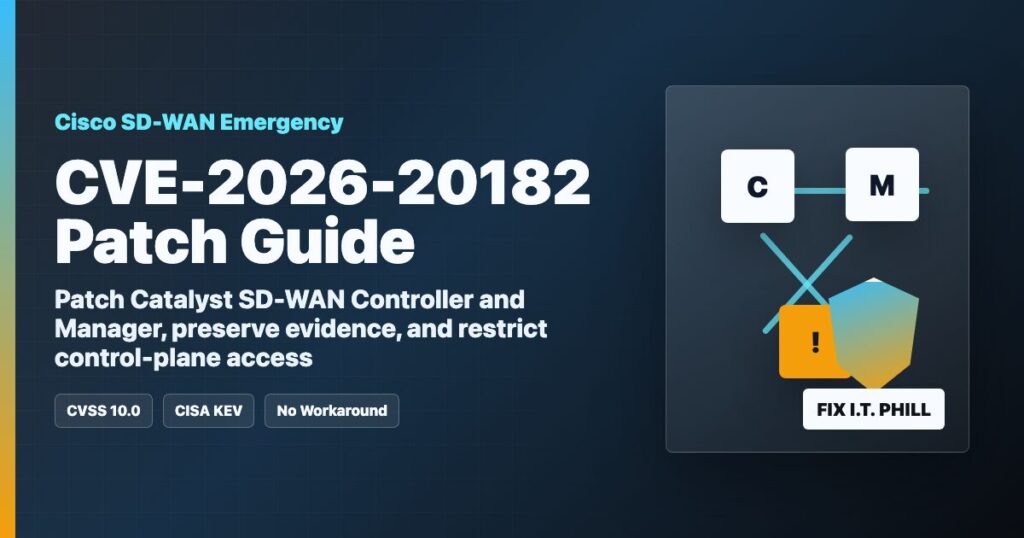
Impact statement: CVE-2026-20182 is a maximum-severity Cisco Catalyst SD-WAN Controller authentication bypass vulnerability. Cisco rates it CVSS 10.0 Critical, CISA added it to the Known Exploited Vulnerabilities catalog on May 14, 2026, and Cisco says limited exploitation has been observed. If your SD-WAN Controller or Manager is internet reachable, treat this as an emergency patch and exposure-review event.
This is not a normal desktop patch. Cisco Catalyst SD-WAN Controller, formerly vSmart, and Cisco Catalyst SD-WAN Manager, formerly vManage, sit in the network control plane. A compromise here can affect routing, policy, site connectivity, segmentation, and the trust model between SD-WAN components. For MSPs, hosting providers, multi-site businesses, schools, local government, healthcare, retail, and anyone using SD-WAN to connect offices or data centers, this deserves same-day attention.
Who is affected?
Cisco says CVE-2026-20182 affects Cisco Catalyst SD-WAN Controller and Cisco Catalyst SD-WAN Manager, regardless of configuration. Cisco lists these deployment types as affected:
- On-prem Cisco Catalyst SD-WAN deployments.
- Cisco SD-WAN Cloud-Pro.
- Cisco SD-WAN Cloud, Cisco-managed.
- Cisco SD-WAN for Government, FedRAMP.
This advisory is about Cisco Catalyst SD-WAN Controller and Manager, not every Cisco Catalyst switch in your closet. Start with vSmart, vManage, SD-WAN Controller, SD-WAN Manager, and any control-plane appliances or virtual machines that support your SD-WAN fabric.
Exploitation status
Cisco’s advisory states that Cisco PSIRT became aware of limited exploitation in May 2026. CISA adding CVE-2026-20182 to KEV means defenders should assume real-world risk, not theoretical risk. Systems with internet-exposed SD-WAN control ports or management access are the most urgent to review.
What to patch
Cisco says there are no workarounds that fully address CVE-2026-20182. The permanent fix is to upgrade to a fixed software release. Cisco’s May 14 advisory lists these first fixed releases:
| Cisco Catalyst SD-WAN release | First fixed release |
|---|---|
| Earlier than 20.9 | Migrate to a fixed release |
| 20.9 | 20.9.9.1 |
| 20.10 | 20.12.7.1 |
| 20.11 | 20.12.7.1 |
| 20.12 | 20.12.5.4, 20.12.6.2, or 20.12.7.1 |
| 20.13 | 20.15.5.2 |
| 20.14 | 20.15.5.2 |
| 20.15 | 20.15.4.4 or 20.15.5.2 |
| 20.16 | 20.18.2.2 |
| 20.18 | 20.18.2.2 |
| 26.1 | 26.1.1.1 |
Cisco also notes that some older release lines have reached end of software maintenance. If you are on one of those lines, plan a supported migration instead of trying to squeeze one more emergency exception out of an old controller.
First-hour response checklist
- Inventory every SD-WAN control component. List every vManage, vSmart, Controller, Manager, Validator, and cloud-managed SD-WAN component. Include virtual appliances, lab systems, disaster-recovery copies, and forgotten management networks.
- Identify internet exposure. Confirm which components can be reached from the public internet, customer networks, partner networks, VPN pools, jump hosts, or remote administration tools.
- Preserve evidence before upgrading. Cisco recommends collecting admin-tech output from each control component before the upgrade so Cisco TAC has useful evidence if compromise is suspected.
- Upgrade exposed systems first. Patch internet-reachable control components before internal-only components, then finish the rest of the fabric in a controlled maintenance window.
- Restrict management access. Management and control-plane access should come only from trusted admin networks, VPNs, bastions, or jump hosts. Remove public exposure where possible.
- Review logs and peer state. Look for unauthorized public-key logins, unexpected peering events, unfamiliar source addresses, and control-plane activity outside maintenance windows.
- Open Cisco TAC if anything looks wrong. Use the CVE ID in the case title and provide the preserved admin-tech files when requested.
Safe verification checks
These checks are defensive administration checks. They do not validate the vulnerability against a target, and they should be run only by administrators on systems they own or manage.
- In Cisco Catalyst SD-WAN Manager, compare documented System IPs, site IDs, and device roles against the devices currently shown in the fabric.
- Review
/var/log/auth.logfor unexpectedvmanage-adminpublic-key logins from addresses that do not match your approved SD-WAN components or admin networks. - Use Cisco’s documented
show control connections detailandshow control connections-history detailchecks to review unexpected control-plane peering state. - Validate timestamps against maintenance windows, scheduled changes, provider actions, and normal operating hours.
- Watch for unfamiliar peer types, unrecognized public addresses, unexpected system IPs, or repeated activity from the same unknown source.
Patch planning for MSPs, hosting providers, and multi-site businesses
For managed service providers and hosting teams, SD-WAN is often connected to customer support, RMM, backups, remote offices, VoIP, monitoring, or private admin paths. A rushed upgrade without a rollback plan can cause an outage, but waiting too long leaves the control plane exposed. Handle it like a high-risk network maintenance event:
- Export and verify current configuration backups before changing the fabric.
- Take a snapshot of virtual appliances only if your Cisco-supported process allows it, and do not rely on snapshots as the only backup.
- Patch controllers and managers in the order recommended by Cisco for your topology.
- Schedule a maintenance window for sites that depend on the SD-WAN control plane.
- Confirm site connectivity, policy propagation, routes, tunnels, and monitoring after the upgrade.
- Document every version before and after patching so customer support can answer tickets quickly.
What to tell customers or leadership
Plain-English version: Cisco released emergency fixes for a critical SD-WAN control-plane vulnerability that has seen limited real-world exploitation. The risk is highest when SD-WAN Controller or Manager systems are reachable from the internet. We are preserving evidence, restricting access, applying Cisco’s fixed releases, checking for unexpected SD-WAN peer or admin activity, and confirming site connectivity after patching.
CDN and virtual patch note
A normal website WAF cannot patch Cisco SD-WAN itself. The right edge-side action is exposure reduction: challenge or restrict any web-admin, remote-support, status, or management portals that front SD-WAN administration, and make sure customer-facing CDN rules do not accidentally expose control-plane systems. The permanent fix remains Cisco’s fixed software release.
Sources
- Cisco Security Advisory: Cisco Catalyst SD-WAN Controller Authentication Bypass Vulnerability
- CISA Known Exploited Vulnerabilities Catalog
- The Hacker News coverage of CVE-2026-20182
- Cisco remediation planning PDF for Catalyst SD-WAN security advisories
Fix I.T. Phill note: This article is protect-only. It intentionally avoids request details, scanner patterns, and reproduction instructions. The useful action is to inventory, preserve evidence, patch, restrict management access, and verify the SD-WAN fabric safely.