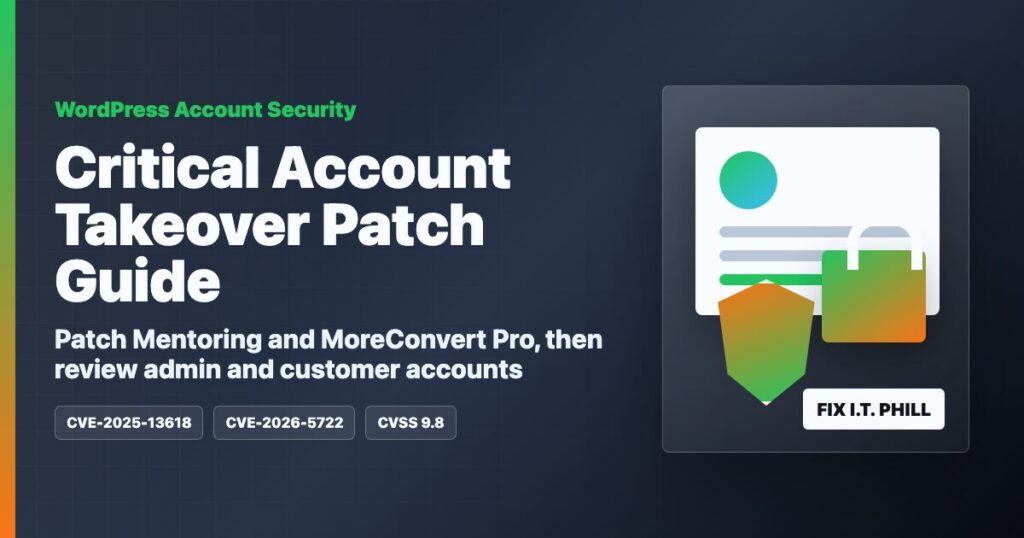
Impact statement: Two critical WordPress account-takeover vulnerabilities from the latest Wordfence weekly report deserve direct attention from site owners, agencies, and hosting providers: CVE-2025-13618 in Mentoring and CVE-2026-5722 in MoreConvert Pro. Both are rated CVSS 9.8 Critical by Wordfence. The safe takeaway is simple: if either component is installed, update it immediately, review administrator users, and check recent customer-account activity.
These are not cosmetic plugin bugs. Mentoring is used on education, coaching, marketplace, booking, and membership-style sites. MoreConvert Pro is used with WooCommerce wishlists, waitlists, and customer purchase workflows. When a bug touches registration, login, waitlist, or account verification behavior, the cleanup concern is bigger than one broken page. The concern is whether an attacker could gain access to the wrong account or create an account with too much control.
Who Is Affected
Check any WordPress site running Mentoring, MoreConvert Pro, MoreConvert Wishlist, or the Smart Wishlist for MoreConvert plugin family. WooCommerce stores, course portals, mentor/coach marketplaces, public-registration sites, and membership sites should be checked first.
| Component | Affected versions | Fixed version | Risk |
|---|---|---|---|
| Mentoring WordPress plugin/theme package | 1.2.8 and older | 1.2.9 or newer, with the newest vendor release preferred | Unauthenticated privilege escalation risk |
| MoreConvert Pro | 1.9.14 and older | 1.9.17 or newer | Authentication bypass risk affecting account and waitlist flows |
What To Patch
For Mentoring, update to 1.2.9 or newer. The vendor changelog currently lists newer releases beyond 1.2.9, so use the newest available vendor package your license supports.
For MoreConvert Pro, update to 1.9.17 or newer. The WordPress.org listing for MoreConvert Wishlist shows version 1.9.17, updated within the last day, and the vendor changelog says 1.9.17 added owner verification before changing GDPR status. Sites using the Pro version should also check the vendor account area for the matching Pro package.
Safe Version Checks
Use these commands only on WordPress sites you own, manage, or are authorized to support. They are inventory and update checks, not vulnerability tests.
wp plugin list --fields=name,status,update,version | grep -Ei 'moreconvert|smart-wishlist|mentoring'
wp theme list --fields=name,status,update,version | grep -Ei 'mentoring'
wp plugin update smart-wishlist-for-more-convert
If WP-CLI is not available, use the WordPress dashboard. Open Plugins and Appearance, check for Mentoring and MoreConvert components, then update through the normal vendor or WordPress.org update path.
Patch Walkthrough
- Back up first. Take a database and file backup before updating login, registration, WooCommerce, or marketplace components.
- Update Mentoring. Install the newest vendor package, especially if the site allows students, mentors, coaches, vendors, or members to register.
- Update MoreConvert. Update MoreConvert Wishlist and MoreConvert Pro components, then verify WooCommerce waitlists, wishlists, and account pages still work.
- Clear caches. Clear WordPress cache, object cache, CDN cache, and PHP opcache where used.
- Retest account workflows. Test registration, login, password reset, WooCommerce account pages, wishlist/waitlist features, and checkout.
- Record the change. Note old version, new version, update time, and any workflow that needed repair.
If You Cannot Patch Today
- Disable public registration if the site does not require it.
- Temporarily disable the affected component if the site can tolerate the feature being offline.
- Restrict WordPress admin access to trusted staff and trusted networks.
- Ask the CDN/WAF team to increase scrutiny around account, registration, and WooCommerce customer flows while the update is scheduled.
- Tell site owners which customer-facing features may be paused and when they should be retested.
Review After Patching
After updating, review these sites as possible account-integrity events. That does not mean every site is compromised. It means the review should be deliberate.
- Review administrator users, shop managers, mentors, instructors, vendors, and recently created accounts.
- Review role changes, password resets, user email changes, and new account registrations around the disclosure window.
- Review WooCommerce customer accounts, waitlists, wishlists, coupons, and order notes for unusual changes.
- Review security plugin logs, web server access logs, and application logs for abnormal registration or account activity.
- Review plugin, theme, upload, cache, and mu-plugin directories for unexpected executable files.
- Rotate shared admin passwords and remove unused accounts before closing the maintenance ticket.
Hosting Provider Notes
Managed WordPress providers should search both plugin and theme inventories. Mentoring may appear as part of a premium theme package, while MoreConvert may appear as free and Pro components. Prioritize WooCommerce stores, course sites, booking sites, coaching marketplaces, membership portals, and sites that allow public registration.
For customer messaging, keep it plain: a WordPress account-security update is required. The owner should update Mentoring and MoreConvert components, retest login and customer flows, and ask for help if the dashboard does not show the update.
CDN And WAF Notes
A WAF can help reduce noisy abuse while the real update is scheduled, but it is not the fix. CDN/WAF teams should watch for unusual account creation, login, password reset, customer-account, and WooCommerce waitlist activity. Keep request-level tuning details internal and do not publish scanner-ready patterns.
Fix I.T. Phill Guidance
If either component is present, update now and review users before moving on. The fastest safe win is patching, disabling public registration where it is not needed, and checking for unexpected administrators or customer-account changes. For WooCommerce sites, always retest cart, checkout, account, wishlist, and waitlist behavior after updating.