Gitea Docker CVE-2026-20896 is a critical reverse-proxy authentication exposure for official Gitea Docker images up to and including 1.26.2. Gitea fixed the issue in 1.26.3, and its release notes recommend moving directly to 1.26.4. Because credible threat reporting says real-world probing has been observed after disclosure, internet-facing and internally reachable self-hosted Git services should be checked now.
Who Should Act
Prioritize this if you run Gitea from the official Docker image, use reverse-proxy authentication, or place Gitea behind an SSO gateway, access proxy, VPN portal, service mesh, or load balancer that forwards identity information to the application.
The most serious risk is not just a web login problem. A Gitea instance can hold source code, private repositories, issue history, package artifacts, webhooks, access tokens, CI/CD workflows, deployment notes, and integration secrets. Treat possible unauthorized access as a code and secrets exposure event until you have verified the deployment shape.
What Changed
The Gitea advisory describes an insecure default in official Docker images where the trusted-proxy boundary could be too broad when reverse-proxy authentication was enabled. In a risky deployment, a direct client that can reach the Gitea service port may be trusted as if it came through the intended authenticating proxy.
That means the exposure depends on configuration and network reachability. Gitea instances that do not use this reverse-proxy authentication mode are not in the same risk group for this CVE, but they should still upgrade because the 1.26.3 and 1.26.4 releases include multiple security fixes.
Patch First, Then Verify
- Take a backup or snapshot before changing the service, especially if Gitea stores repositories or package data on local volumes.
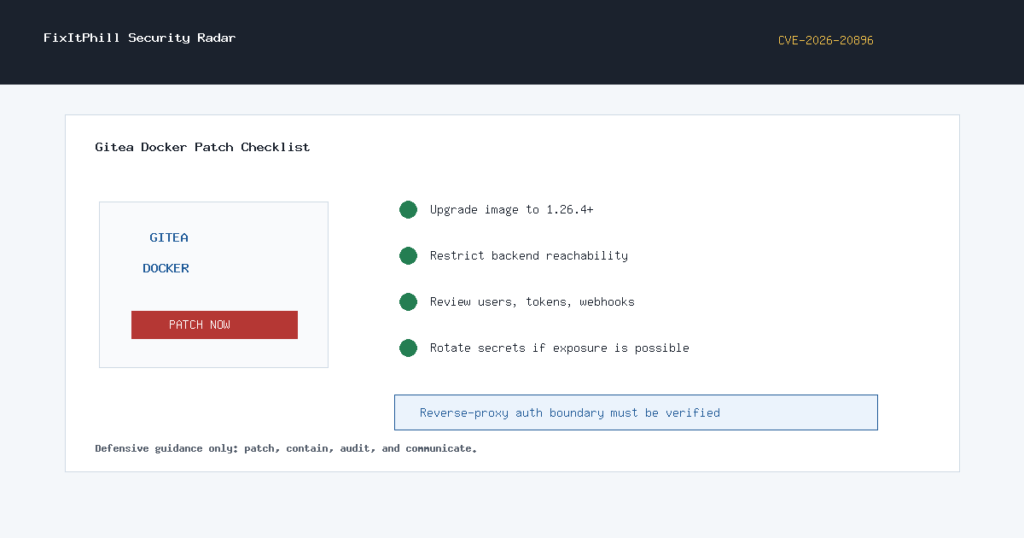
- Upgrade the official Gitea Docker image to 1.26.4 or newer through your normal container deployment process.
- Restart the Gitea service and verify the running version from the application and from your container inventory.
- Review reverse-proxy authentication settings and make sure only the intended trusted proxy can reach the backend Gitea service.
- Block direct external access to the Gitea service port. If Gitea is containerized, also check internal container-network exposure from untrusted workloads.
- Confirm the trusted-proxy allowlist is narrow. Do not leave broad wildcard trust in place.
- Review Gitea users, administrator accounts, active sessions, access tokens, webhooks, deploy keys, SSH keys, and automation accounts.
- Rotate secrets if logs, proxy telemetry, or account activity suggest unauthorized access may have occurred.
What To Check In Logs
Look for unusual sign-ins, newly created users, unexpected administrator activity, repository downloads, token creation, webhook changes, deploy-key changes, package pulls, and access from sources that should not be able to reach the backend Gitea service directly. For hosted customers or development teams, include a plain maintenance notice if the service was exposed or if secrets need rotation.
Hosting Admin Checklist
- Inventory Gitea Docker deployments across production, staging, developer tools, and forgotten internal hosts.
- Patch exposed instances first, then internal instances that store sensitive repositories or deployment material.
- Verify firewall, container-network, and reverse-proxy rules after the upgrade. The backend service should only accept traffic from the intended proxy path.
- Disable or redesign reverse-proxy authentication if the trust boundary cannot be enforced cleanly.
- After patching, audit secrets connected to build, deployment, package registry, webhook, and Git access paths.
FixItPhill Guidance
If you manage client infrastructure, do not wait for a KEV listing before acting. This is a critical self-hosted DevOps exposure with observed probing, a vendor patch, and a clear remediation path. Patch, restrict direct backend reachability, review account activity, and rotate credentials when exposure cannot be ruled out.