May 27, 2026 update: CISA added CVE-2026-45321 to the Known Exploited Vulnerabilities catalog. If your team dismissed this as “just an npm package issue” earlier in May, revisit it now. Build machines, developer laptops, preview-deploy systems, and self-hosted runners deserve the same urgency as a public server.
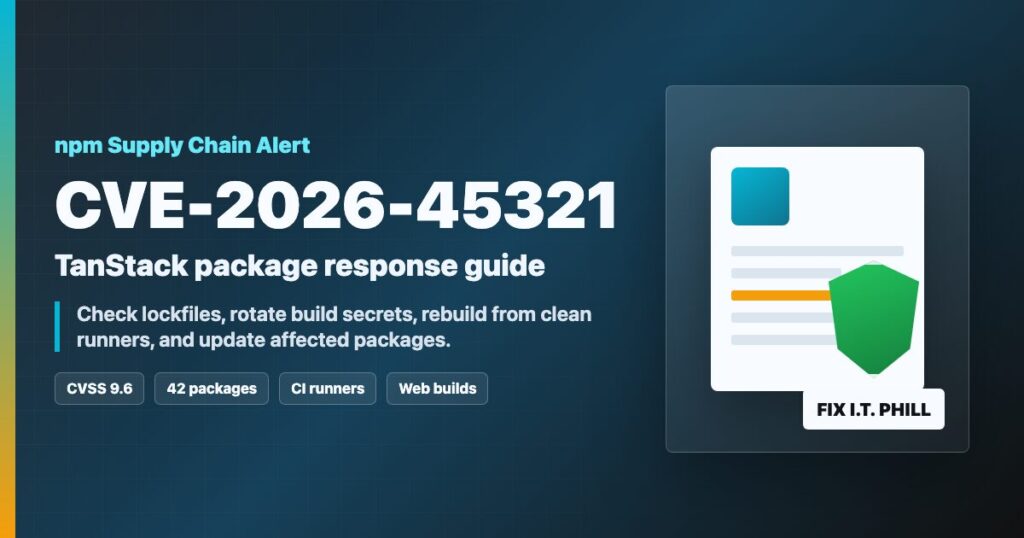
Impact statement: CVE-2026-45321 is a critical TanStack npm supply-chain incident affecting maliciously published @tanstack/* package versions. GitHub Security Advisories and NVD report that 84 versions across 42 TanStack packages were published on May 11, 2026. If a developer workstation, CI runner, hosting build server, or deployment pipeline installed one of the affected versions during the exposure window, treat that environment as potentially compromised.
This matters for agencies, hosting providers, and site owners because modern websites are often built before they are uploaded. A compromised build machine can expose cloud keys, npm tokens, GitHub tokens, SSH deploy keys, Kubernetes credentials, and other secrets even when the public website itself looks normal.
Who Should Care
- Developers using TanStack Router, TanStack Start, or related TanStack packages in React, Solid, Vue, or server-rendered apps.
- Agencies building customer sites with npm, pnpm, yarn, or Bun-based workflows.
- Hosting providers that run customer build steps on shared build servers or CI runners.
- Teams that deployed from GitHub Actions, GitLab CI, Bitbucket Pipelines, self-hosted runners, or developer laptops on May 11, 2026.
- Anyone with cloud, npm, GitHub, SSH, Vault, or Kubernetes secrets available to a JavaScript install process.
What Happened
The official GitHub advisory says affected TanStack package versions were published to npm between about 19:20 and 19:26 UTC on May 11, 2026. NVD assigned CVSS 9.6 Critical. The risk is not that a visitor browsing your finished website automatically triggers the issue. The highest risk is the machine that ran the package install: developer laptops, CI runners, build containers, preview deploy workers, and hosting automation.
If a build environment installed an affected version, assume secrets reachable by that process may have been exposed. Do not stop at updating the package. Rotate credentials and review logs.
Affected Packages And Versions
The full official list is long: 42 packages, with two affected versions for each package. Use the GitHub Security Advisory as the version authority because package deprecation, unpublishing, and follow-up releases can change quickly.
| Package family | Examples to check | Action |
|---|---|---|
| Router packages | @tanstack/react-router, @tanstack/vue-router, @tanstack/solid-router, @tanstack/router-core | Update to the clean version listed in the GitHub advisory or newer. |
| Start packages | @tanstack/react-start, @tanstack/vue-start, @tanstack/solid-start, start client/server helpers | Update, rebuild from a clean dependency tree, and rotate exposed secrets. |
| Tooling packages | Router CLI, router plugins, Vite plugins, generators, devtools, adapters | Check lockfiles and CI logs because tooling often runs in privileged build environments. |
First Response Checklist
- Pause deployments for projects that use @tanstack/* packages until lockfiles and build history are checked.
- Quarantine CI runners and workstations that performed installs during the May 11 exposure window.
- Rotate secrets that were available to affected developer machines, build servers, runners, and deployment jobs.
- Rebuild from a clean runner after packages are pinned to safe versions.
- Review cloud audit logs, source-control audit logs, npm access-token activity, and deployment logs.
What To Rotate
If an affected install may have run, rotate anything the install process could read. Start with the highest-impact secrets first: npm tokens, GitHub/GitLab/Bitbucket tokens, cloud keys, SSH deploy keys, Kubernetes access, Vault or secrets-manager tokens, webhook signing secrets, and deployment platform keys.
Hosting Provider Checklist
- Search managed build hosts and customer deployment systems for projects using @tanstack/*.
- Identify jobs that ran package installs between 19:20 and 19:30 UTC on May 11, 2026.
- Rotate deployment keys and tokens used by affected jobs.
- Rebuild customer sites from clean runners after dependency updates.
- Notify affected customers with plain instructions: what happened, what was rotated, what they need to rotate, and whether a rebuild was performed.
CDN And WAF Note
This is primarily a package-install and CI/build compromise risk, so an edge security rule cannot replace dependency cleanup or secret rotation. The edge side should still review managed customers for exposed build panels, suspicious deployment workflows, and emergency customer notification paths. If a customer routes build or admin tools through the edge, tighten access and require trusted administrator networks.
Sources
- CISA Known Exploited Vulnerabilities Catalog
- GitHub Security Advisory GHSA-g7cv-rxg3-hmpx
- TanStack issue 7383
- NVD: CVE-2026-45321
Need help reviewing a build server, npm lockfile, or hosting deployment pipeline after this TanStack incident? Open a ticket through Help4Network.com.