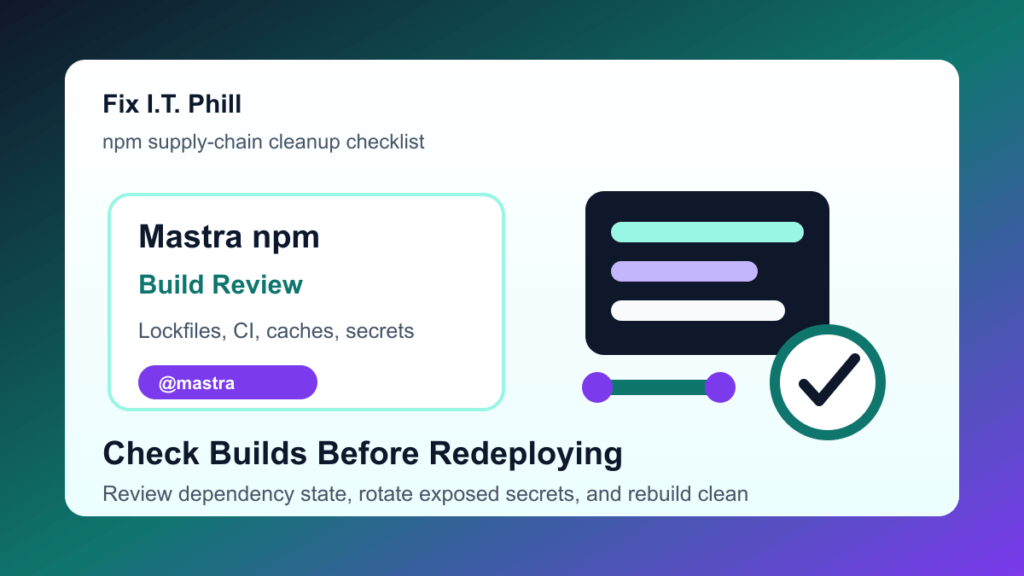
Security researchers report that more than 140 npm packages under the @mastra namespace were affected by a supply-chain attack involving easy-day-js. Mastra is a JavaScript and TypeScript framework used for AI applications, so this matters to SaaS teams, agencies, plugin developers, automation builders, and hosting teams that run modern JavaScript build pipelines.
StepSecurity published a current writeup on the incident, and The Hacker News reports matching findings from multiple security teams. If your team installed or updated @mastra packages during the affected window, treat developer workstations and CI runners as needing review before the next clean build.
This is a protect-only checklist. It does not republish malware internals, server addresses, code snippets, hashes, command lines, or abuse mechanics from the research reports.
Who should check now
- Teams using Mastra or
@mastrapackages in JavaScript or TypeScript projects. - SaaS teams building AI agents, chat tools, workflow automations, or internal AI applications.
- Agencies and web developers who run JavaScript build steps for WordPress, WooCommerce, or headless projects.
- Hosting providers and MSPs that maintain shared build runners, deployment boxes, or customer project templates.
- Developers who installed fresh dependencies on June 17, 2026, before package status was fully clear.
Why this matters
Package-manager supply-chain attacks are different from ordinary application bugs. The risky moment is often the install or build step, not a public website request. That means the most important systems to check are developer laptops, CI runners, shared build machines, dependency caches, and any environment where secrets are available during builds.
Do not assume a production website is clean just because the public page still loads. If a build machine handled affected packages while cloud keys, deployment keys, npm tokens, AI provider keys, database credentials, or customer deployment profiles were present, review and rotate what could have been exposed.
What to check first
- Find projects using Mastra. Review package manifests and lockfiles for
@mastrapackages and theeasy-day-jspackage name. - Identify when dependencies were installed. Check developer machines, CI runners, staging servers, and build boxes that installed or refreshed dependencies on June 17, 2026.
- Pause untrusted builds. Stop automatic deploys for affected projects until dependency state, caches, and secrets have been reviewed.
- Clear dependency caches carefully. Remove cached affected packages from CI and build systems so future builds do not reuse unsafe artifacts.
- Rebuild from a known-good state. Use clean dependencies and a reviewed lockfile before redeploying production artifacts.
- Rotate exposed secrets. Include npm tokens, GitHub or GitLab tokens, cloud keys, AI provider keys, deployment keys, hosting panel credentials, database credentials, and webhook secrets where exposure is possible.
- Review usage and billing. Check cloud, AI, npm, source-control, and hosting dashboards for unfamiliar usage after the affected install window.
- Document the cleanup. Record which machines, projects, runners, lockfiles, and secrets were reviewed so the team does not repeat the same investigation later.
Agency and hosting notes
Agencies and hosts should start with shared build infrastructure. A single developer workstation or CI runner may have access to many client repositories, staging sites, and deployment profiles. If that machine handled affected packages, review the projects that build there, not only the project that first raised the alert.
For WordPress and WooCommerce projects, check theme build pipelines, block/build tooling, headless front ends, custom plugin build steps, and automation scripts. Many PHP sites still use npm during build or deployment, so this is not only a Node application problem.
Post-cleanup verification checklist
- All projects using
@mastrapackages have been identified. - Lockfiles were reviewed for
easy-day-jsand unexpected dependency changes. - CI runners and developer machines that installed affected dependencies were reviewed.
- Dependency caches were cleared or rebuilt from trusted package sources.
- Secrets available during the affected install window were rotated where needed.
- Cloud, AI, source-control, npm, hosting, and deployment logs were checked for unusual activity.
- Production artifacts were rebuilt from a known-good dependency state and verified after deployment.
Related Fix I.T. Phill reading
- NPM 12 install script changes: hosting build checklist
- Malicious JetBrains Marketplace plugins: AI API key safety checklist
- How to check WordPress backups and restore points
Sources
- StepSecurity writeup on the Mastra npm package compromise
- The Hacker News coverage of the Mastra npm supply-chain attack
- npm package page for @mastra/core
- GitHub changelog on upcoming npm 12 install-script changes
Need help checking whether a developer workstation, CI runner, or WordPress build pipeline touched affected npm packages? Fix I.T. Phill can help inventory the project, review lockfiles, rotate secrets, clear build caches, and verify a clean redeploy.