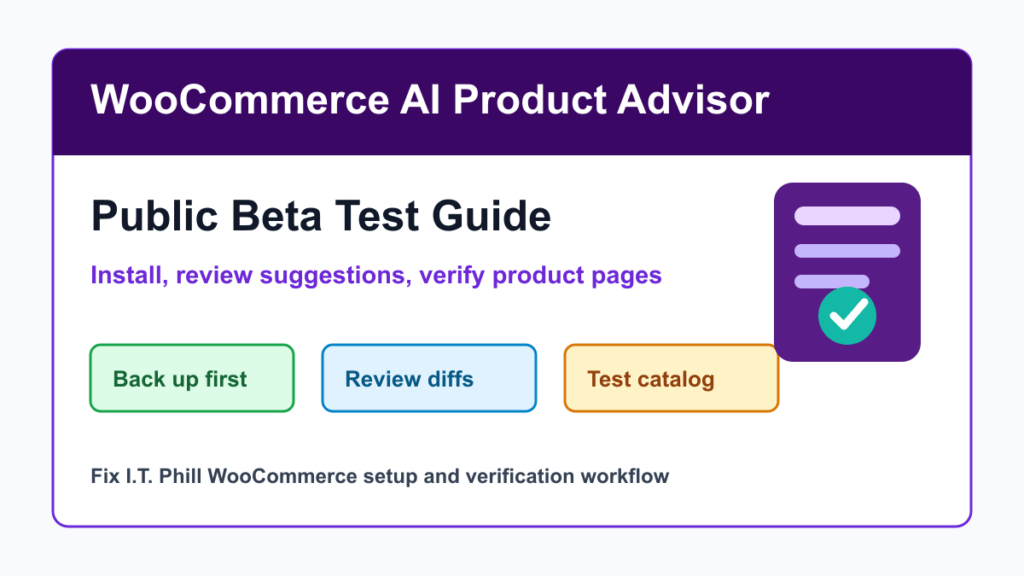
WooCommerce AI Product Advisor is now available as a public beta for store owners who want help improving product listings. WooCommerce announced the beta on May 25, 2026, and the official GitHub release lists version 1.0-beta. The plugin reviews a store catalog, finds products with room to improve, and proposes edits for titles, descriptions, short descriptions, categories, tags, and variation details.
This is not a plugin to blindly turn loose on a live store. It is an assisted editing workflow. The useful part is that suggestions are shown as diffs, can be edited before applying, and applied changes are logged so they can be reverted. That makes it worth testing on WooCommerce stores with large catalogs, stale product copy, inconsistent tone, or weak product metadata.
Who This Helps
- WooCommerce stores with many products and inconsistent descriptions.
- Local stores, service businesses, and agencies that need product copy to match a consistent brand tone.
- Catalog managers who want a queue of suggested improvements instead of manually reviewing every product.
- Store owners who want product changes reviewed before they go live, not automatically rewritten in the background.
Requirements
The GitHub README lists these requirements for the beta:
- WordPress 6.8 or newer.
- WooCommerce 10.5 or newer.
- PHP 7.4 or newer.
- A WordPress.com account for the Jetpack connection.
Before installing, check WooCommerce System Status and confirm the store meets those requirements. If the store is already behind on WordPress, WooCommerce, PHP, or database maintenance, fix the maintenance baseline first.
What The Plugin Does
- Adds a Product Advisor screen in WooCommerce admin.
- Runs an onboarding flow to analyze existing store content and build a brand-tone profile.
- Ranks products by improvement potential.
- Shows suggestions in a side-by-side diff workflow.
- Lets an editor accept, reject, or edit suggestions before applying them.
- Keeps a history view so applied changes can be reverted.
Safe Install Path
- Back up the store first. Include the database, uploads, plugins, theme, and any custom product templates.
- Use staging when possible. Product copy changes can affect search, ads, email campaigns, feeds, marketplaces, and conversion tracking.
- Download the beta ZIP from the official GitHub release. Do not install repackaged copies from random download sites.
- Install it under Plugins, Add New, Upload Plugin. Activate it only after confirming the store meets the version requirements.
- Open Product Advisor in the admin menu. Complete onboarding and let it build the brand-tone profile.
- Start with a small product set. Review suggested changes manually before applying anything to high-volume products.
- Check the public product pages after applying changes. Verify product title length, descriptions, variation display, schema, images, reviews, related products, and add-to-cart behavior.
Before You Apply Suggestions
- Confirm the copy is accurate for pricing, shipping limits, warranty promises, measurements, allergens, compatibility, availability, and regulated claims.
- Check that product titles remain readable in category grids, search results, invoices, emails, and feeds.
- Review SEO titles and meta descriptions if another plugin maps product fields into SEO metadata.
- Check product feeds for Google Merchant Center, Meta, marketplaces, affiliates, or point-of-sale systems.
- Do not use AI suggestions to invent product facts. Treat them as drafts that need a human review.
Privacy And Data Notes
This beta connects through WordPress.com and Jetpack, and WooCommerce says onboarding analyzes existing store content to create a brand-tone profile. Store owners should review what product content they are comfortable processing through the tool, especially for unpublished products, private catalog items, wholesale pricing, internal notes, or regulated product claims.
For most stores, published product titles and descriptions are already public. The higher-risk parts are private drafts, shopper-specific product fields, internal business notes, and promises that require legal or compliance review.
Rollback Plan
The plugin has a history view and says applied changes can be reverted. That is useful, but it is not a replacement for a store backup. If a bulk edit causes problems with SEO, feeds, ads, checkout, or customer trust, you need both the plugin history and a real backup/restore path.
For active stores, document which products were changed, when they were changed, who approved them, and how you verified the public pages afterward.
Fix I.T. Phill Recommendation
Test WooCommerce AI Product Advisor as an editor-assist tool, not an autopilot. Start on staging or a small product group, review every diff, verify the public catalog, and keep a rollback path. For stores with large catalogs, this could save time, but only if the approval workflow stays disciplined.
Related Fix I.T. Phill Guides
- How to Add Business Features to WordPress: Complete Plugin Setup Guide
- How to Check WooCommerce Orders After Maintenance
- How to Test a WordPress Staging Site Before Launch
- How to Check WordPress Backups and Restore Points
- How to Plan a WordPress Update Window Without Breaking the Site
- Help4 Network hosting and website support