Update Stripe for WooCommerce if your store uses Adaptive Pricing. WooCommerce published an advisory for a payment validation issue that can affect Stripe for WooCommerce versions 10.6.0 through 10.8.3 when Adaptive Pricing is enabled. WooCommerce lists 10.6.2, 10.7.1, and 10.8.4 as the fixed releases for the affected release lines.
This is not a WooCommerce core update notice and it does not mean every Stripe checkout is affected. The practical question is narrower: does the store use the Stripe for WooCommerce extension and have Adaptive Pricing enabled? If yes, schedule the update promptly and complete a calm post-update order review.
Last checked: July 16, 2026. The public WordPress.org listing shows Stripe for WooCommerce 10.8.4.
Who should act now?
Prioritize this work when all of the following are true:
- The store uses the Stripe for WooCommerce plugin.
- The installed version is in the range WooCommerce identified, from 10.6.0 through 10.8.3.
- Adaptive Pricing is enabled for the store.
If the extension is not installed, or Adaptive Pricing is not enabled, this advisory is not the same kind of urgent checkout task. Keep normal WordPress and plugin maintenance moving, but do not turn a focused vendor notice into unnecessary disruption.
What WooCommerce says was fixed
WooCommerce says that, under certain conditions, the payment amount processed by Stripe could differ from the WooCommerce order total when Adaptive Pricing is enabled. The vendor’s advisory is intentionally concise about technical detail. That is appropriate: store owners need a safe update and verification plan, not a reproduction path.
The vendor lists these fixed releases:
- 10.6.2 for the 10.6 release line
- 10.7.1 for the 10.7 release line
- 10.8.4 for the 10.8 release line
For most stores, moving to the current compatible release is the clearest path. Review your PHP, WordPress, WooCommerce, and payment-extension compatibility notes before making a wider stack upgrade during a busy sales period.
Safe update checklist for a live store
- Confirm a recoverable backup. Keep a current full-account backup and a database backup before changing a live payment extension. See the WordPress backup and restore-point guide if the backup status is unclear.
- Record the current plugin version and Adaptive Pricing status. This makes the maintenance record useful if staff need to compare before and after behavior.
- Update the Stripe for WooCommerce extension. Use the patched release WooCommerce identifies for the applicable release line, or the current compatible release.
- Keep the maintenance window focused. Avoid combining the payment-plugin update with unrelated theme, checkout, tax, shipping, or gateway changes. A small change window is easier to validate and roll back.
- Verify normal checkout behavior after the update. Review ordinary test or controlled orders using the same payment options customers normally use. Confirm that the WooCommerce order total and the payment record agree.
- Review recent orders for unexpected differences. Compare a sensible recent sample of order totals, refunds, fees, and Stripe payment records. Escalate unexplained discrepancies through the payment provider and WooCommerce support channels rather than attempting to diagnose them on a production checkout.
- Document the update. Note the completed version, the time of the change, and who completed the review. That small record helps with accounting questions and future maintenance.
Should Adaptive Pricing be disabled first?
If the store cannot move to a patched release promptly, WooCommerce advises disabling Adaptive Pricing as a temporary mitigation. Treat that as a short, documented bridge rather than a permanent configuration change. Before disabling or re-enabling any pricing feature, make sure store owners understand any customer-facing pricing and currency effects.
For an update that can be scheduled now, a backup-first maintenance window followed by a normal-order review is usually the less disruptive route.
Do not confuse this with Stripe setup work
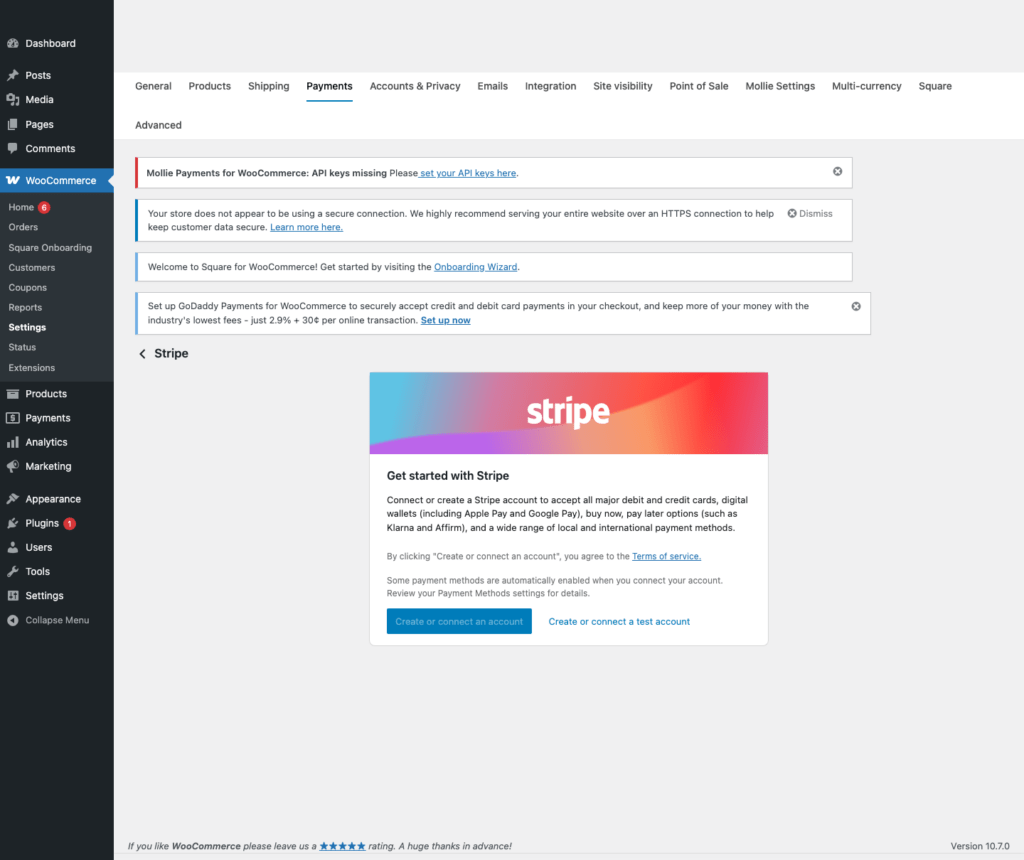
This advisory concerns a specific Stripe for WooCommerce and Adaptive Pricing combination. It does not replace the everyday work of keeping payment settings, account access, webhooks, tax settings, and checkout messaging correct. For baseline configuration and a safe test-to-live handoff, use our WooCommerce Stripe test mode and live keys guide.
Questions store owners commonly ask
Do I need to update WooCommerce itself?
The vendor advisory is about the Stripe for WooCommerce extension. Keep WooCommerce current through your regular maintenance process, but focus this change window on the affected payment extension and its Adaptive Pricing setting.
Is this a reason to stop all sales?
Not automatically. First confirm whether the store is in the affected configuration. If it is, schedule the patched update promptly and use the vendor’s temporary mitigation if an immediate update is not possible. A store with unusual or unexplained payment differences should involve its payment and accounting owners right away.
What evidence should I keep after the update?
Keep the backup reference, the installed version, the maintenance time, and a brief record that ordinary order totals and payment records were reviewed. Avoid putting customer payment details into general support notes.
Keep the maintenance habit going
Payment extensions deserve the same maintenance discipline as security plugins and hosting control panels: read vendor advisories, take a recoverable backup, update in a measured window, and verify the business workflow that matters. The FixItPhill WordPress Support hub has related WordPress, WooCommerce, backup, and troubleshooting guides for that work.
Sources: WooCommerce advisory for Stripe for Woo; Stripe for WooCommerce on WordPress.org.