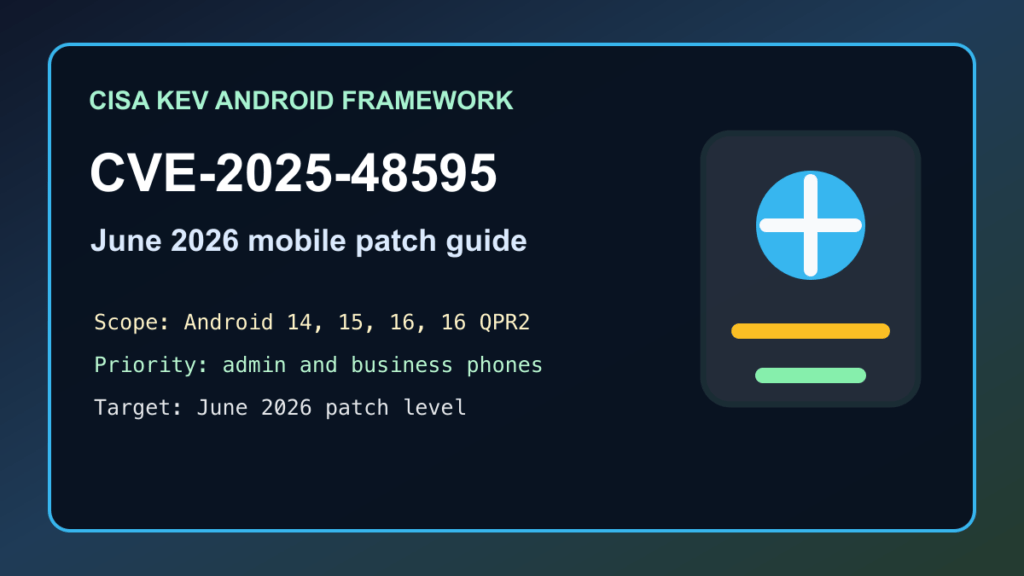
June 2, 2026 update: CISA added CVE-2025-48595 to the Known Exploited Vulnerabilities catalog. Google’s June 2026 Android Security Bulletin also says there are indications this CVE may be under limited, targeted exploitation.
Plain-English impact: CVE-2025-48595 is an Android Framework issue. CISA describes it as an integer-overflow vulnerability that can lead to code execution and local privilege escalation. Google lists it as a High elevation-of-privilege issue affecting Android 14, 15, 16, and 16 QPR2.
Who should patch first
- Phones used by owners, executives, finance staff, IT admins, developers, and help desk staff.
- Android devices with email, authenticator apps, password managers, RMM tools, VPN apps, or cloud-console access.
- BYOD devices allowed into Microsoft 365, Google Workspace, CRM, banking, or customer-support systems.
- Factory, warehouse, point-of-sale, dispatch, and field-service Android devices that are slow to receive updates.
Patch target
Google says Android security patch levels of 2026-06-05 or later address all issues in the June 2026 bulletin. The Framework table that includes CVE-2025-48595 is in the 2026-06-01 patch-level section, but businesses should target 2026-06-05 or later when the device vendor provides it because that covers the full monthly bulletin set.
What to do now
- Update Android devices from the normal system update screen. Pixel devices usually get patches quickly. Samsung, Motorola, OnePlus, carrier-branded, rugged, and embedded devices may need OEM-specific timing.
- Use MDM or EMM reporting for business devices. Pull a list of Android devices below the June 2026 patch level and prioritize admin, finance, developer, and support devices first.
- Keep Google Play Protect enabled. Google specifically points to Play Protect as important, especially for users who install apps from outside Google Play.
- Restrict risky sideloading. For business fleets, tighten unknown-source installs, work-profile separation, and app allow lists until patch levels catch up.
- Communicate clearly to staff. Ask users to update, reboot if prompted, and send a screenshot of the Android security patch level if you do not have MDM visibility.
- Replace unsupported devices. If a device cannot receive the June 2026 patch level, remove sensitive work accounts or plan replacement.
Safe verification checklist
- Check the Android security patch level in device settings.
- Confirm the device reports 2026-06-05 or later when available from the vendor.
- For MDM-managed fleets, export a stale-device list and assign owners.
- Confirm Play Protect is enabled on unmanaged phones that still access company accounts.
- Review risky devices with old patch levels, unknown-source installs, or privileged business apps.
Business impact
This is not just a consumer-phone item. A single unpatched phone can hold email tokens, MFA prompts, password vault access, payment apps, remote-support tools, or cloud dashboards. If that phone belongs to an owner, office manager, developer, or hosting admin, it deserves the same urgency as a workstation patch.
Sources
- CISA Known Exploited Vulnerabilities catalog
- CISA KEV JSON feed
- Android Security Bulletin for June 2026
- NVD entry for CVE-2025-48595
- Related Fix I.T. Phill Android security update guidance
Need help finding stale Android patch levels in a business fleet? Fix I.T. Phill can help with MDM reporting, account-risk review, and practical device replacement planning.