
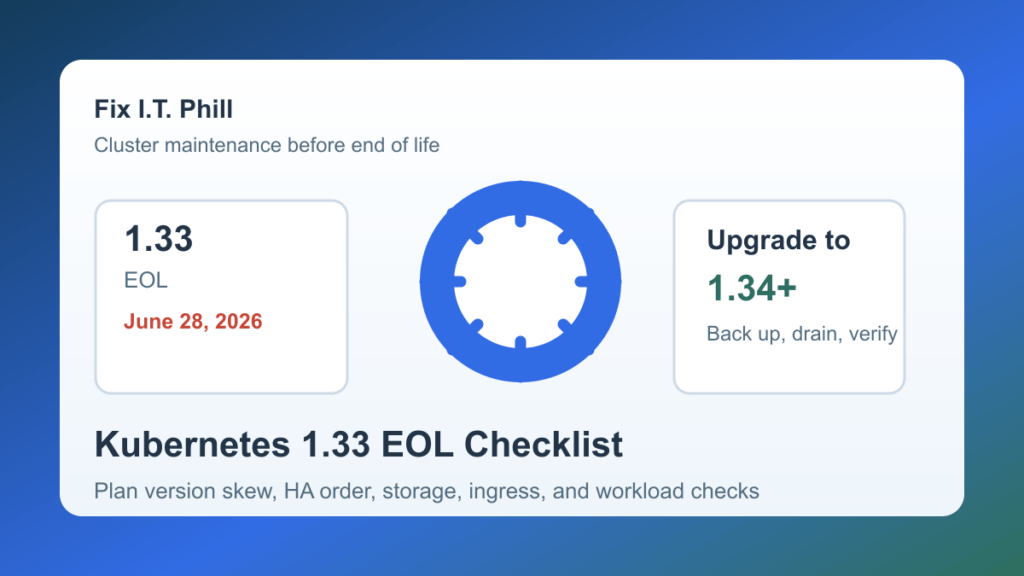
Kubernetes 1.33 reaches end of life on June 28, 2026. The official Kubernetes release page lists 1.33.12 as the latest 1.33 patch release and shows the currently maintained branches as 1.36, 1.35, and 1.34. If you still run 1.33 in production, this is the window to plan the move instead of waiting for a scanner, vendor, or customer ticket to force the issue.
This is not only a Kubernetes-core problem. Hosting providers, SaaS teams, agencies, ecommerce operators, and homelab admins can all have workloads, ingress controllers, CSI drivers, backup tools, dashboards, and automation wrapped around the cluster. The safest upgrade is the one that treats those pieces as part of the maintenance plan.
Why the date matters
Kubernetes maintains release branches for the most recent three minor versions. After 1.33 leaves support, administrators should expect security fixes and routine patch support to focus on supported branches. That does not mean every 1.33 cluster breaks on June 28. It means the risk clock changes: future fixes, compatibility guidance, and vendor support become harder to depend on.
Pick a target version
- Kubernetes 1.34 is the closest supported landing point if you want the smallest minor-version move from 1.33.
- Kubernetes 1.35 gives a longer support runway while still avoiding the newest branch.
- Kubernetes 1.36 is the current latest branch and includes newer platform changes, including stable user namespaces and SELinux volume-mount improvements for environments where those features matter.
Do not skip the version-skew rules. Kubernetes says API servers in high-availability clusters must stay within one minor version, kubelets must not be newer than the API server, and minor kubelet upgrades should be done after draining the node. The exact upgrade flow also depends on whether your cluster is self-managed, kubeadm-based, managed by a cloud provider, or wrapped by a distribution such as Rancher, Talos, OpenShift, k3s, or another platform.
Pre-upgrade checklist
- Inventory the cluster. Record the control-plane version, kubelet versions, kube-proxy version, container runtime, CNI, CSI drivers, ingress controllers, dashboard, backup tools, monitoring stack, and managed-provider details.
- Read your platform guidance. Use Kubernetes upstream docs as the baseline, then check the upgrade instructions for your distribution or provider.
- Back up before touching the control plane. For self-managed clusters, verify the etcd backup path. For managed clusters, confirm provider snapshot, backup, and rollback expectations.
- Check storage and backups. Verify persistent volume snapshots, CSI driver compatibility, restore drills, backup-controller health, and any SMB, NFS, Ceph, S3, or block-storage dependencies.
- Review ingress and edge routing. Confirm the ingress controller, Gateway API components, load balancers, certificates, DNS, WAF rules, and health checks are compatible with the target branch.
- Check deprecated APIs. Use your platform tooling or cluster inventory to find APIs that may fail after the upgrade.
- Plan the maintenance order. Upgrade the control plane first, then controller components, then kubelets and node-level pieces according to the version-skew policy and your provider guidance.
- Prepare customer communication. If customer workloads, ecommerce services, APIs, DNS, or dashboards may be affected, set expectations before the window begins.
Cluster-safe upgrade flow
For a self-managed HA cluster, avoid treating the control plane like one giant reboot. Confirm quorum, upgrade one control-plane member at a time where your tooling supports it, watch API health, and keep enough healthy control-plane nodes online to avoid turning an upgrade into an outage.
For worker nodes, drain workloads before a minor kubelet upgrade, respect pod disruption budgets, and watch stateful workloads carefully. If the cluster hosts customer sites or tenant workloads, schedule node groups in a way that keeps capacity available and avoids moving every critical workload at once.
Add-ons that deserve extra testing
- CNI networking, network policy, service mesh, and load-balancer integrations.
- Ingress controllers, Gateway API controllers, WAF or CDN integrations, and certificate automation.
- CSI drivers, snapshot controllers, backup tools, and restore workflows.
- Monitoring, logging, alerting, metrics server, autoscaling, and dashboards.
- Admission controllers, policy engines, image scanners, and security agents.
- GitOps controllers, CI/CD runners, and deployment automation.
Post-upgrade verification
- Confirm the Kubernetes control plane, kubelets, and kube-proxy versions are in the expected skew range.
- Check node readiness, pod restarts, events, controller health, DNS resolution, ingress routes, certificates, and service endpoints.
- Verify customer-facing applications, API health checks, background jobs, queues, cron workloads, backups, and restore visibility.
- Run a small restore or snapshot validation if the upgrade touched storage, backup tooling, or CSI drivers.
- Review alerts for new CVE findings, deprecated API warnings, image scanner changes, and policy-engine noise.
- Update runbooks and customer maintenance notes with the final versions and any follow-up work.
Hosting and tenant notes
Multi-tenant clusters need extra care. Check namespace isolation, RBAC, admission policies, network policies, storage boundaries, ingress ownership, and customer-controlled configuration before the upgrade. If customers can deploy their own workloads, treat compatibility testing as both an availability task and a tenant-isolation task.
For managed Kubernetes, verify what the provider will upgrade automatically and what remains your responsibility. The control plane, nodes, add-ons, ingress, storage, backups, certificates, and security tooling may all have different owners.
Related Fix I.T. Phill guides
- Kubernetes June 2026 CVE record correction scanner checklist
- ingress-nginx CVE-2026-4342 Kubernetes patch and migration guide
- Kubernetes SMB CSI Driver CVE-2026-3865 patch guide
- Docker Desktop Model Runner CVE-2026-5843 patch guide
Sources
- Kubernetes releases and release history
- Kubernetes version skew policy
- Kubernetes v1.36 release announcement
- Kubernetes official CVE feed
Need help planning a Kubernetes upgrade without surprising customers? Fix I.T. Phill can help inventory the cluster, check the add-ons, plan the maintenance window, and verify workloads after the change.
