Proxmox Upgrade Chain
Proxmox upgrades are chained. If you are catching up from an older host, work forward instead of jumping blind: 7.4 to 8.0, 8.2/8.3 to 8.4, 8.4 to 9.1, then the Proxmox VE 9.2 upgrade checklist. For new hardware, use the separate Proxmox VE 9.2 fresh install guide.
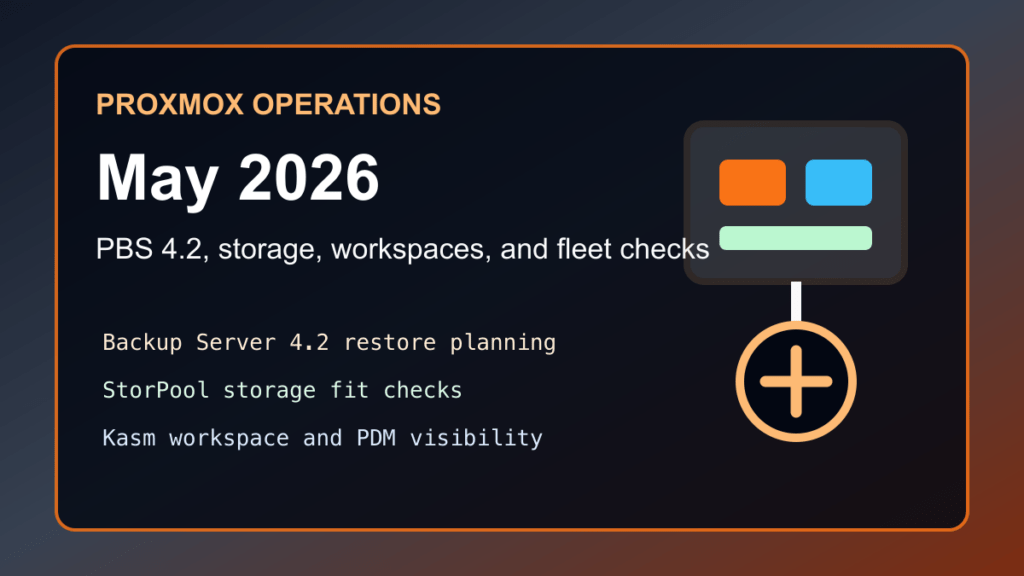
Impact statement: Proxmox has several 2026 ecosystem updates that matter for homelab owners, MSPs, and hosting providers running customer workloads. This is not an emergency CVE post. It is a Proxmox-only operations roundup for Proxmox Backup Server 4.2, native StorPool integration, the Kasm Workspaces partnership, and Proxmox Datacenter Manager planning.
The short version: backup, storage, secure remote workspace delivery, and multi-cluster visibility are all moving forward in the Proxmox ecosystem. If you run one node at home, this helps you avoid sloppy backup and access decisions. If you run customer VM hosting, this is a maintenance-planning checklist.
What Changed
- Proxmox Backup Server 4.2: Proxmox released PBS 4.2 on April 29, 2026 with Debian 13.4, a newer kernel baseline, ZFS 2.4, backup organization improvements, sync security changes, parallel sync support, and S3-compatible datastore support.
- Native StorPool integration: Proxmox announced StorPool as an officially listed solution provider on April 27, 2026, positioning it as a high-performance block storage option for Proxmox VE production workloads.
- Kasm Workspaces on Proxmox VE: Proxmox and Kasm announced a partnership on April 20, 2026 for browser-delivered virtual desktops, application streaming, and remote browser isolation on Proxmox VE.
- Proxmox Datacenter Manager: PDM 1.0 is now part of the Proxmox planning conversation for teams that need a broader view across Proxmox VE clusters, standalone nodes, and Proxmox Backup Server instances.
Why Hosting Providers Should Care
For web-hosting teams, Proxmox is not just a lab hypervisor. It can sit under customer VPS plans, internal support tooling, backup targets, development staging systems, DNS helpers, monitoring boxes, and mail-filtering infrastructure. That means Proxmox updates should be reviewed like production hosting changes: backup first, change one layer at a time, verify service behavior, and document customer impact.
PBS 4.2 is the biggest operational item in this batch. The new backup-group and namespace movement support helps when a datastore grew organically and needs cleanup. Server-side encryption/decryption for sync jobs is important for providers pushing backups to less trusted or remote destinations. Parallel sync workers can also matter when moving backups over higher-latency links between datacenters, offices, or customer-controlled sites.
S3-compatible datastore support deserves careful testing. Object storage can be useful, but it also changes the failure modes: request volume, latency, lifecycle policies, provider-side throttling, and restore-time behavior all matter. Do not move customer backup strategy to S3-style storage just because the checkbox exists. Test restores and measure the bill.
PBS 4.2 Upgrade Notes
If you already follow Fix I.T. Phill’s Proxmox Backup Server guide, start there:
Before upgrading PBS in a hosting environment, confirm that the backup server itself has a rollback path. That usually means a current config backup, verified datastore health, enough free space, and a maintenance window that does not collide with the busiest customer backup jobs. If your backup server is also the only restore path for critical customer workloads, slow down and document the sequence.
- Verify that the current PBS datastore is healthy before the upgrade.
- Run at least one restore test from a recent backup before declaring the environment safe.
- Review sync jobs and remote datastore trust boundaries before enabling new encryption/decryption behavior.
- Do not increase sync concurrency blindly on small disks, slow arrays, or busy remote links.
- If testing S3-compatible storage, start with non-critical backups and measure restore behavior, not just upload success.
StorPool Integration: Where It Fits
The StorPool announcement is mainly for production environments that need predictable low-latency block storage and operational support. That makes it more relevant to providers, MSPs, and serious private-cloud operators than to a casual one-node homelab.
For hosting providers, the practical question is not “is this faster?” It is whether the storage layer improves customer uptime, maintenance flexibility, recovery from hardware failure, and capacity planning enough to justify the architecture. If you currently run local ZFS on each node, Ceph, NFS, iSCSI, or another shared storage layer, compare migration complexity and failure domains before changing anything.
Good fit signals include demanding VM I/O, multiple Proxmox hosts, customer workloads that cannot tolerate long storage maintenance windows, and a need for vendor-backed storage support. Weak fit signals include one-node labs, tiny VPS nodes, or environments where the existing storage layer is simple and reliable.
Kasm On Proxmox: Remote Access Without Opening Everything
The Kasm partnership matters because remote access is one of the places hosting operations get messy. Admins need browsers, desktops, test tools, customer-support environments, and sometimes isolated application access. The wrong answer is exposing sensitive management services directly to the internet or letting support workstations become the softest path into the hosting stack.
Kasm Workspaces on Proxmox VE gives teams a route toward browser-delivered workspaces, remote browser isolation, and application streaming. That can be useful for support staff, contractors, temporary access, customer demos, and internal admin tooling. The value is strongest when it reduces direct endpoint exposure and gives admins a cleaner way to separate sensitive hosting work from normal workstation browsing.
Treat it as a controlled-access project. Review identity, MFA, session recording or logging requirements, outbound network access, clipboard/download policy, and how workspaces reach internal hosting systems. A workspace platform is only safer if the access policy is tighter than the old workflow.
Do Not Forget Proxmox Datacenter Manager
Proxmox Datacenter Manager is worth a second look if you operate more than one Proxmox cluster, mix standalone nodes and clusters, or maintain separate customer, lab, and backup environments. PDM is designed to provide a single pane of glass across Proxmox VE and Proxmox Backup Server, with centralized visibility, role-based views, multi-cluster management, and cross-cluster live migration capabilities.
For a hosting shop, the best first use is visibility and auditing, not risky day-one automation. Connect a small test remote, verify permissions, decide which operators should see which resources, and confirm that the tool improves maintenance planning without creating a new overly privileged management target.
Maintenance Checklist
- Inventory Proxmox VE, PBS, PMG, and any Proxmox Datacenter Manager installs.
- Check whether your backup guides and restore tests reflect PBS 4.2 behavior.
- Document every datastore and remote sync relationship before changing encryption, concurrency, or backend storage.
- For storage changes, test VM latency, backup windows, live migration behavior, failure recovery, and provider support before moving customer workloads.
- For Kasm or any workspace layer, define MFA, network reachability, logging, upload/download, and administrator role boundaries before onboarding users.
- For PDM, start with least-privilege visibility and prove the audit value before delegating operational control.
- Tell customers only what affects them: maintenance windows, backup confidence, restore expectations, and whether remote-support workflows changed.
Related Fix I.T. Phill Guides
- Proxmox VE 8.4 to 9.1 Upgrade Guide
- Proxmox Backup Server 3.4 to 4.2 Upgrade Guide
- Proxmox Mail Gateway 8.2 to 9.0 Upgrade Guide