


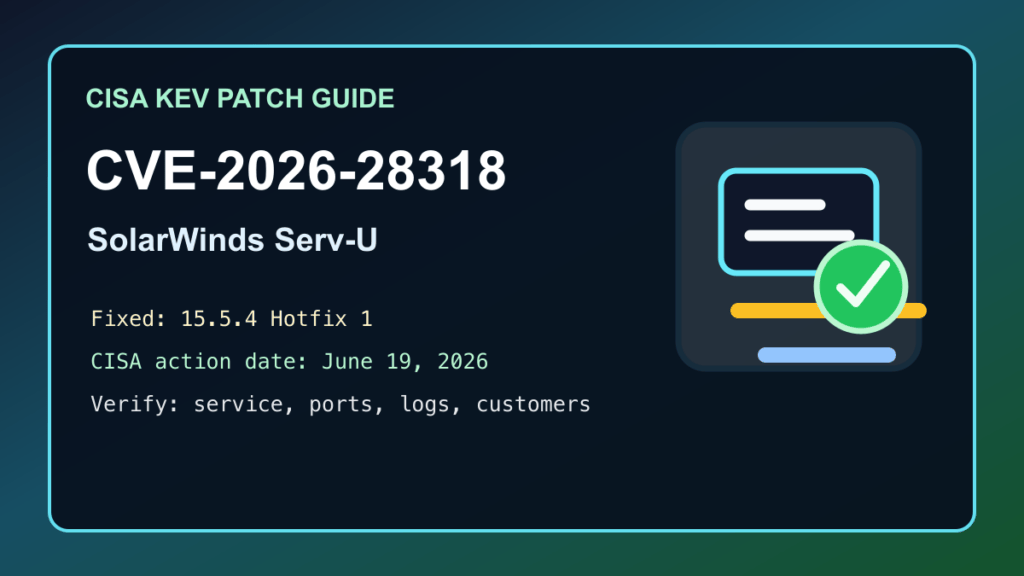
June 6, 2026 update: CISA added SolarWinds Serv-U CVE-2026-28318 to the Known Exploited Vulnerabilities catalog on June 5, 2026. If you run Serv-U for managed file transfer, customer uploads, SFTP/FTP service, or internal file exchange, treat this as a maintenance-window item now instead of a someday patch.
Plain-English impact: this is an unauthenticated availability issue in SolarWinds Serv-U. Public vendor and government sources describe the bug as an uncontrolled resource consumption problem that can crash the Serv-U service. That means the immediate business risk is interruption of file-transfer portals, customer upload workflows, vendor drop boxes, automation jobs, and admin access during an attack window.
SolarWinds released Serv-U 15.5.4 Hotfix 1 on June 4, 2026 and says customers who installed Serv-U 15.5.4 should also install the hotfix. NVD lists vulnerable Serv-U builds as versions before 15.5.4 and records SolarWinds' CVSS 3.1 score as 7.5 High. CISA lists a June 19, 2026 action date for covered agencies, which is also a good target for hosting providers and businesses that keep Serv-U reachable from the internet.
Who should check this
- Businesses running SolarWinds Serv-U FTP Server or Serv-U Managed File Transfer.
- Hosting providers, MSPs, agencies, and IT teams that give customers a file-transfer portal.
- Windows or Linux servers where Serv-U is exposed to the public internet.
- Servers where automation, EDI, vendor uploads, backups, or billing workflows depend on Serv-U availability.
- Older deployments that were updated to 15.5.4 but have not yet received Hotfix 1.
Safe update path
- Inventory the server first. Confirm where Serv-U is installed, which edition is running, which ports are exposed, and which customer or internal workflows depend on it.
- Back up before changing files. Save the Serv-U configuration, certificate material, user/domain settings, automation notes, and a system restore point or VM snapshot where available.
- Get the fixed build from SolarWinds. Use the SolarWinds Customer Portal or official release notes path. Do not install hotfix files from mirrors, reposts, or forum attachments.
- Schedule a real maintenance window. SolarWinds' hotfix instructions require stopping running Serv-U processes, backing up installation files, applying the hotfix, and starting Serv-U again.
- Apply Serv-U 15.5.4 Hotfix 1 or the newest fixed Serv-U release available to your account. If your account shows a newer cumulative fixed build, use the current vendor-supported path.
- Restart cleanly and watch the service. Verify that Serv-U starts, stays up, and does not immediately return to abnormal CPU, memory, or service restart behavior.
- Purge or refresh dependent layers. If Serv-U sits behind a proxy, VPN, load balancer, firewall, or monitoring system, clear stale checks and confirm they point at the updated service.
Exposure review while patching
If Serv-U is public, patching is the fix. While you are getting the maintenance window approved, reduce who can reach the service. Place management access behind VPN or allow-listed networks, keep only required transfer ports open, and remove stale firewall rules left over from retired customers or test environments.
If the server is part of a hosting stack, tell customers when file transfer may pause and what services are affected. A short maintenance notice is better than a surprise outage, especially where clients use Serv-U for invoices, compliance files, print jobs, backups, or vendor handoffs.
Post-update verification
- Serv-U reports the fixed hotfix or newer fixed release in the admin interface.
- FTP, SFTP, FTPS, HTTPS file share, and any enabled customer portal workflows still work for a test user.
- Windows Services, system logs, and Serv-U logs show clean startup after the hotfix.
- CPU and memory return to normal idle and transfer behavior after the service restart.
- Existing TLS certificates, hostnames, firewall NAT rules, and proxy health checks still match the service.
- Scheduled transfer jobs, vendor accounts, automation users, and customer upload folders still have the intended access.
- No unexpected admin users, changed domain rules, unfamiliar IP allow-list entries, or unexplained service restarts show up during the review.
If you cannot patch today
Do not treat temporary controls as the final answer. If you cannot install the fixed build immediately, restrict public reachability, move admin access behind VPN, apply vendor mitigation guidance, add monitoring for service restarts and abnormal resource spikes, and schedule the hotfix. If mitigations are unavailable for your situation, CISA's KEV language includes discontinuing use until the product can be secured.
This is also a good moment to review your file-transfer architecture. Public file-transfer services should have clear owners, known customers, documented ports, tested backups, working monitoring, and an upgrade path that does not depend on one person remembering where the installer came from.
Related Fix I.T. Phill reading
- cPanel & WHM version 136 upgrade checklist for hosting maintenance planning.
- Mirasvit CVE-2026-45247 Magento patch guide for another recent KEV-style business-service patch workflow.
- Unlimited Elements for Elementor CVE-2026-48837 update guide for WordPress plugin maintenance teams.
Sources
- CISA Known Exploited Vulnerabilities entry for CVE-2026-28318
- SolarWinds Serv-U 15.5.4 Hotfix 1 release notes
- SolarWinds Trust Center advisory for CVE-2026-28318
- NVD entry for CVE-2026-28318
Need help patching a Serv-U server, planning a file-transfer maintenance window, or checking the service after an update? Fix I.T. Phill can help make the change, verify the public service, and keep customer workflows moving.

