
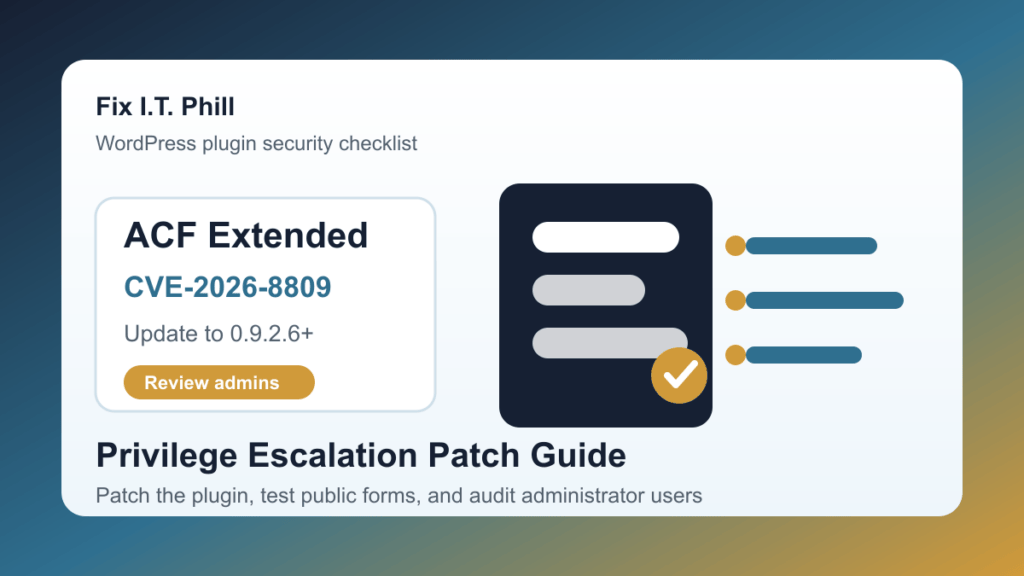
Advanced Custom Fields: Extended CVE-2026-8809 is a critical WordPress plugin issue that site owners should patch now. The official CVE record lists Advanced Custom Fields: Extended versions up to and including 0.9.2.5 as affected, with a CVSS 3.1 score of 9.8 Critical. The WordPress.org plugin API currently lists 0.9.2.6 as the current release, with about 100,000 active installations.
This is especially important for sites that use ACF Extended frontend forms to create users, update user profiles, collect member data, run directories, accept partner applications, or power custom onboarding workflows. If a site exposes user-management forms to visitors, patch first and then review administrator accounts.
This is a protect-only guide. It gives site owners, agencies, and hosting teams the safe patch and review path without publishing low-level form mechanics that would help abuse.
What is affected
- Advanced Custom Fields: Extended for WordPress.
- Versions up to and including 0.9.2.5.
- The current WordPress.org release is 0.9.2.6.
- The CVE was assigned by Wordfence and is rated Critical.
- The most sensitive sites are those using public ACF Extended user forms, membership flows, account onboarding, or custom profile workflows.
Why this matters
ACF Extended is often used on business sites where WordPress is doing more than publishing pages. Agencies use it for custom forms, structured content, frontend editing, user workflows, directories, portals, quote requests, and onboarding screens. When a plugin touches user creation or profile updates, a privilege escalation bug can become a full site-control problem.
The safest assumption is simple: if ACF Extended is installed and the site is not already on 0.9.2.6 or newer, update it. If the site has public user forms or custom account workflows, also review users and recent site changes after the update.
What to do now
- Check whether ACF Extended is installed. Look in WordPress plugins, cPanel WordPress Toolkit, Plesk WordPress Toolkit, MainWP, ManageWP, your host dashboard, or the maintenance tool your team uses.
- Confirm the installed version. If it is 0.9.2.5 or older, treat the site as an urgent update candidate.
- Update to 0.9.2.6 or newer. Use the normal trusted WordPress.org update channel or your managed maintenance platform.
- Take a backup first on business-critical sites. This is especially important for membership, ecommerce, LMS, directory, booking, nonprofit, portal, or customer-account sites.
- Temporarily disable risky public account forms if you cannot update today. A firewall can reduce exposure, but it is a bridge to the plugin update, not the final fix.
- Clear caches after updating. Purge WordPress cache, host cache, object cache, and CDN cache so the public site uses the updated plugin code.
- Verify public forms and login flows. Test contact forms, registration forms, profile update forms, account login, checkout, custom onboarding, and any page that creates or edits WordPress users.
What to review after patching
- Unknown administrator accounts or recently changed roles.
- Unexpected profile email changes on privileged users.
- Recent new-user registrations that do not match normal business activity.
- Unexpected changes to ACF Extended forms, user forms, frontend editing screens, or onboarding pages.
- New plugins, new themes, unfamiliar snippets, changed menus, unfamiliar redirects, and unusual scheduled tasks.
- Unexpected executable files in uploads, cache, theme, plugin, or temporary directories.
- Security-plugin alerts, password-reset activity, login spikes, and unusual admin activity around the exposure window.
Agency and hosting notes
Agencies should search client inventories for both Advanced Custom Fields and Advanced Custom Fields: Extended. This issue is in the Extended plugin, but site owners may only recognize the broader ACF name. Check sites with custom frontend forms, directories, member dashboards, job boards, service portals, quote request systems, and WooCommerce account customizations first.
Hosting teams should prioritize managed WordPress accounts where ACF Extended is installed on sites with public registration, membership, customer portals, LMS, bookings, donations, or ecommerce. If a customer cannot patch immediately because of a theme or custom-code dependency, document the risk, disable exposed account workflows where possible, and schedule a maintenance window.
Rollback and compatibility guidance
If the update changes a form or custom workflow, do not roll the public site back to a vulnerable release unless the exposed form is disabled and the site is protected during troubleshooting. Use staging to compare form behavior, theme output, custom hooks, notifications, user roles, and email delivery. The goal is to roll forward with a fixed plugin and verified forms.
If you discover unknown administrator users or suspicious changes, treat the site as potentially compromised. Rotate privileged passwords, enforce MFA where available, review security logs, inspect recent file changes, check backups, and consider professional cleanup before assuming the update alone solved the whole problem.
Related Fix I.T. Phill reading
- Kirki CVE-2026-8206: patch the WordPress account takeover flaw
- WP Maps Pro CVE-2026-8732: patch the WordPress admin account creation flaw
- WordPress.org 24-hour plugin and theme auto-update cooldown guide
- How to check WordPress backups and restore points
- How to test a WordPress staging site before launch
Sources
- Official CVE API record for CVE-2026-8809
- Wordfence Intelligence: Advanced Custom Fields: Extended vulnerabilities
- WPScan: Advanced Custom Fields: Extended vulnerability history
- WordPress.org Advanced Custom Fields: Extended plugin page
Need help checking an ACF Extended site? Fix I.T. Phill can verify the installed version, patch safely, test public forms, review administrator accounts, and confirm the site is clean after the update.
