
How to Delete WordPress Spam Comments Safely
August 7, 2026
Spam comments make a site harder to moderate and can bury legitimate questions. The safe approach is to review the spam queue, remove only comments you are confident are unwanted, and keep the site’s normal moderation settings in place.
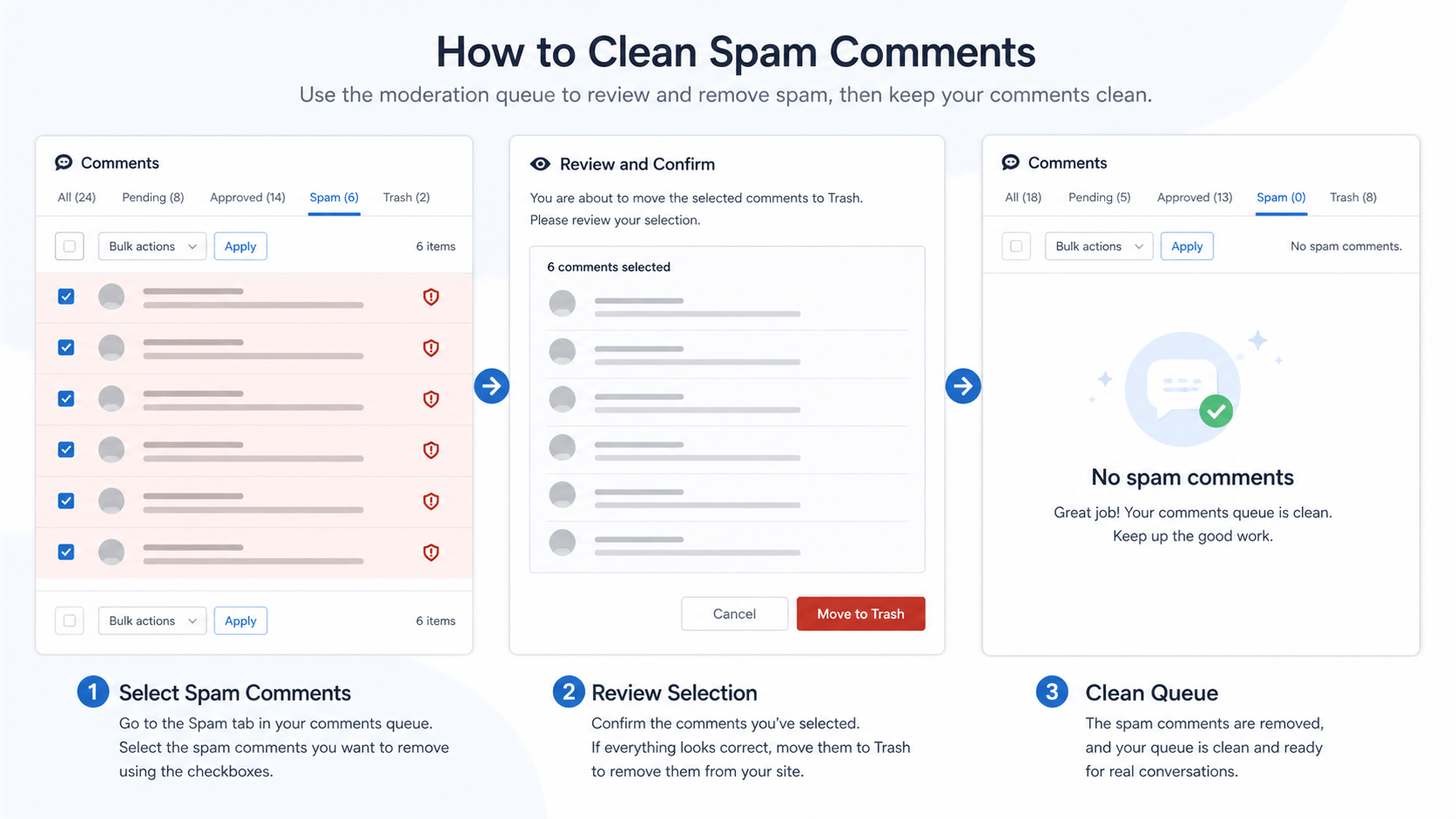
Review the spam queue
- Sign in with a user who can moderate comments.
- Open Comments and view the spam queue.
- Review anything that could be a real customer or reader before deleting it.
- Remove confirmed spam with the normal moderation controls.
Keep useful comments from being lost
Do not bulk-remove comments just because they are unfamiliar. Check the linked post, sender context, and relevance first. When comments are legitimate but need attention, use the pending or approved workflow your site already follows.
Prevent the same problem from growing
Review the discussion and moderation settings regularly, keep WordPress updated, and remove plugins that are not needed. Our unused plugin and theme cleanup guide and WordPress update guide help with that maintenance.
WordPress documents comment moderation in its official Comments screen guide. For help with moderation, site maintenance, and public checks, visit our WordPress support hub.
