June 13, 2026 update: Plesk’s June changelog adds a practical maintenance check for hosting teams: PHP 8.5.7, PHP 8.4.22, updated ImageMagick builds for newer Red Hat-family systems, AVIF 1.4.2, and the Plesk Obsidian 18.0.78 Update 3 / 18.0.77 Update 5 webmail updates that move Roundcube to 1.6.16 or backport fixes to 1.4.15.
June 2026 PHP And Webmail Maintenance
This is not a panic patch, but it is the kind of panel maintenance that keeps WordPress, WooCommerce, webmail, and customer PHP apps from drifting behind. Plan a normal Plesk update window, confirm backups first, update Plesk and extensions from the supported updater, then test real sites instead of stopping at a green updater screen.
- PHP handlers: confirm the PHP versions assigned to important subscriptions before and after the update, especially staging sites, WooCommerce stores, legacy custom code, and cron-heavy WordPress installs.
- Image handling: test media upload, thumbnail generation, PDF/image previews, and AVIF/WebP workflows after the ImageMagick and AVIF changes.
- Webmail: open Roundcube for at least one test mailbox, send and receive a real message, and check whether customers using older skins, mail filters, or address books report anything unusual.
- Services and logs: review Plesk update logs, PHP-FPM service state, web server reloads, mail service status, and panel errors before closing the maintenance window.
- Beta features: the AI Support Assistant entry is beta and limited to Plesk Obsidian 18.0.78+ servers, so treat it as a staged admin feature, not something to enable blindly on production customer panels.
Source: Plesk Obsidian change log. For related maintenance planning, see Fix I.T. Phill’s guides on planning a WordPress update window, checking WordPress backups and restore points, and upgrading Ubuntu web servers for WordPress, cPanel, and Plesk.
June 17, 2026 update: Plesk’s latest Obsidian extension changes add a second June maintenance check for hosting admins. SOGo Webmail 1.2.5 lists security improvements, Grafana 1.7.0 updates the bundled Grafana stack to 12.4.3 for multiple security fixes, and Monitoring 2.11.0 now depends on Grafana 1.7.0 or later for correct operation. WP Toolkit 6.11.0 also changes WordPress security-risk handling, dashboard visibility, REST scans, and several mass-maintenance failure cases.
June 2026 Plesk Extension Checks
For a shared-hosting server, these extension updates are worth scheduling even when there is no named public CVE in the changelog. They touch webmail, monitoring alerts, Grafana, and WordPress Toolkit security workflows: all places customers notice quickly when a panel update is only half-finished.
- Update order: update Grafana before relying on Monitoring 2.11.0, then confirm Monitoring alerts still deliver through Grafana Unified Alerting.
- Webmail: after SOGo Webmail 1.2.5, test login, mailbox loading, send/receive, address book access, and mobile browser behavior for at least one non-admin mailbox.
- WordPress Toolkit: run a scan for representative customer accounts, confirm the Security Risk widget loads, check vulnerability severity labels, and verify security measures do not show false warnings after the update.
- LiteSpeed servers: recheck WP Toolkit’s PHP execution protection and security measures on LiteSpeed-hosted WordPress sites because the changelog includes LiteSpeed-related fixes.
- Logs and services: review Plesk updater logs, panel logs, Grafana service state, monitoring alert delivery, webmail logs, PHP-FPM status, and WordPress Toolkit maintenance output.
- Customer communication: tell affected customers that monitoring alerts, webmail, and WordPress security dashboard behavior were updated, then ask them to report missing alerts, webmail login problems, or unexpected WordPress Toolkit warnings.
Source: Plesk Obsidian change log. For related Fix I.T. Phill workflow checks, keep this paired with WordPress backup verification, WordPress update-window planning, and Ubuntu web server upgrade planning for WordPress, cPanel, and Plesk.
June 19, 2026 update: Plesk Obsidian 18.0.78 Update 4 was posted on June 18 with security improvements. If you manage Plesk for customer sites, treat this as a small but important maintenance check: apply the microupdate, confirm extension compatibility, review logs, and verify customer-facing services after the panel settles.
Plesk 18.0.78 Update 4 Checks
This follow-up does not replace the June extension checks already listed above. It adds the Plesk panel microupdate itself to the maintenance path, especially for providers that also need SOGo Webmail 1.2.5, Grafana 1.7.0, and Monitoring 2.11.0 in place.
- Patch window: schedule the Plesk microupdate during a normal panel maintenance window, then avoid stacking unrelated PHP, database, or web-server changes into the same window unless there is a tested rollback plan.
- Extension order: keep Grafana at 1.7.0 or later before depending on Monitoring 2.11.0 alert behavior, then confirm existing alert channels still fire.
- Webmail: after SOGo Webmail 1.2.5 and the panel update, test login, send, receive, calendar/address book access if used, and one non-admin mailbox through the public hostname.
- WordPress Toolkit: run a fresh scan on a sample of customer subscriptions, confirm security-risk labels load, and check that maintenance actions do not show false failures.
- Service review: check Plesk updater logs, panel login, SSL It!, mail service status, webmail, scheduled backups, WordPress Toolkit, Monitoring, and customer-facing HTTPS sites.
- Customer note: for managed hosting customers, mention that the work was a Plesk panel and extension maintenance update, not a site-content change.
Official source: Plesk Obsidian change log. After patching, pair this with Fix I.T. Phill’s WordPress backup verification, WordPress update-window planning, and Ubuntu web server upgrade planning for WordPress, cPanel, and Plesk.
June 24, 2026 update: Plesk Obsidian 18.0.79 is now the main Plesk operations item to check. Plesk says this release put security first, followed a comprehensive security audit, addressed multiple security vulnerabilities, and added hardening improvements across the product. For hosting providers, agencies, and business-site owners, the practical action is to update Plesk, review account/API access, and verify customer workloads after the panel settles.
Plesk 18.0.79 Security And Upgrade Checks
This update also changes a few admin workflows. Plesk now provides a public in-place AlmaLinux 8 to AlmaLinux 9 upgrade script, allows the REST API to be used with customer and reseller accounts, adds broader file-management and log-search API capabilities, and adds administrator impersonation support for API automation. Treat those as operational changes that deserve access review, not just release-note trivia.
- Before updating: confirm a fresh server or panel backup, snapshot the VM when possible, note the current Plesk version, and export or document critical subscription, DNS, mail, and database state.
- Patch path: use the normal Plesk installer or updater path for Obsidian 18.0.79, then avoid bundling unrelated PHP, database, mail, or OS migration changes into the same window unless you already tested rollback.
- AlmaLinux path: treat the AlmaLinux 8 to 9 script as a separate maintenance project. Check Plesk support status, third-party extensions, kernel modules, backup software, malware scanning, PHP handlers, database versions, and customer legacy code before scheduling an in-place OS upgrade.
- API review: if customers, resellers, billing systems, deployment tooling, or agency automation use Plesk API access, review who can use it, what tokens exist, which integrations can touch files or logs, and whether administrator impersonation is genuinely needed.
- After updating: verify Plesk login, customer/reseller login, WordPress Toolkit scans, SSL It!, scheduled backups, mail delivery, webmail, PHP-FPM, nginx/Apache reloads, DNS changes, log visibility, and a sample of customer sites.
- Customer communication: tell managed customers this is a Plesk panel security and hardening update. If API automation, customer/reseller API access, or AlmaLinux migration planning affects them, separate that from normal panel patching.
Official sources: Plesk Obsidian 18.0.79 change log, Plesk AlmaLinux 8 to 9 migration script, and Plesk REST API documentation. For related Fix I.T. Phill planning, keep this paired with backup verification, maintenance-window planning, and hosting server upgrade planning.
May 29, 2026 update: Plesk added Plesk Email Security 1.5.28 with a fix for false DMARC failures caused by Amavis SPF rewrite behavior. If you use Plesk Email Security, update the extension and test real inbound mail from domains that use SPF, DKIM, and DMARC alignment.
May 28, 2026 update: Plesk added more May 2026 maintenance signals after this guide was first published. The current Plesk Obsidian changelog now lists Plesk Obsidian 18.0.77 Update 4, Plesk Obsidian 18.0.78 Update 2, a Slave DNS Manager 1.10.6 input-validation update, and a VirusTotal Website Check 1.4.4 security-improvement update.
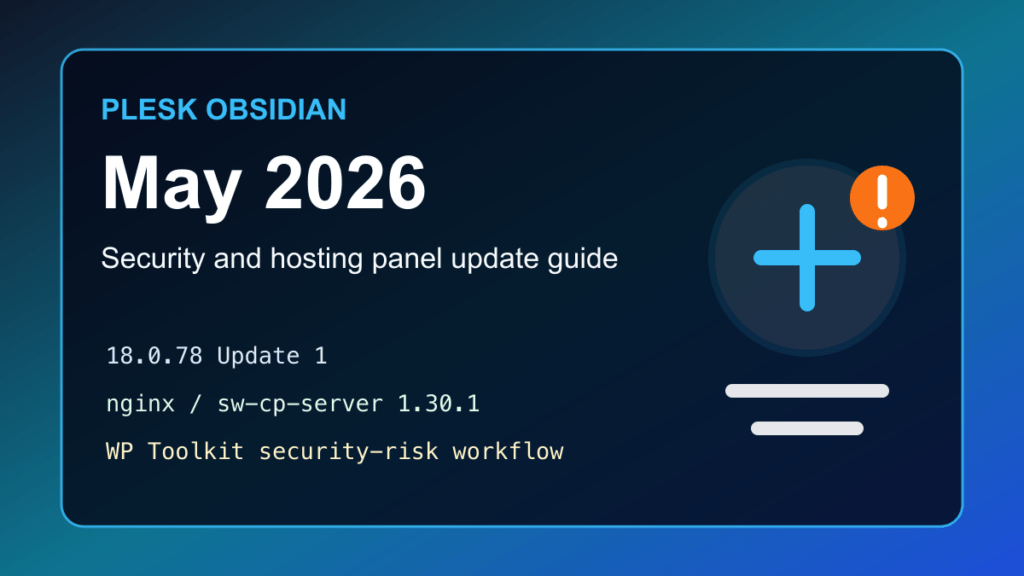
Plesk has had a busy May 2026 run, and hosting admins should treat it as more than a routine panel refresh. The current Plesk Obsidian changelog lists security improvements, Linux-side nginx and sw-cp-server component updates, PHP branch updates, WP Toolkit security-risk changes, certificate-extension fixes, extension hardening, Plesk Email Security mail-filtering fixes, and an SSH Terminal extension update that addresses a Go compiler CVE.
This is the kind of control-panel maintenance that can quietly affect every site on a server: the panel UI, the Plesk web server, DNS extension behavior, WordPress management, PHP runtimes, Git/Laravel/Joomla tooling, certificate automation, mail filtering, and customer-facing maintenance windows. If you manage Plesk servers, do not only check the WordPress sites. Check the panel layer too.
What Changed In The May 2026 Plesk Updates
- Plesk Email Security 1.5.28 was listed on May 29, 2026 with a fix for false DMARC failures caused by Amavis SPF rewrite behavior.
- VirusTotal Website Check 1.4.4 was listed on May 28, 2026 with security improvements.
- Slave DNS Manager 1.10.6 was listed on May 28, 2026 with improved input validation for XML API endpoint parameters.
- Plesk Obsidian 18.0.77 Update 4 was listed on May 27, 2026 with Linux-side nginx and
sw-cp-serverupdated to version 1.30.2. - Plesk Obsidian 18.0.78 Update 2 was listed on May 26, 2026 with Linux-side nginx and
sw-cp-serverupdated to version 1.30.2. - Let’s Encrypt 3.4.3 and ACME SSL 1.0.1 were listed on May 21, 2026 with a fix for
keep-secured.phpPHP errors inpanel.logwhen both certificate extensions are installed. - Plesk Obsidian 18.0.77 Update 3 was listed on May 19, 2026 with security improvements and Linux component updates.
- Plesk Obsidian 18.0.78 Update 1 was listed on May 18, 2026 with security improvements and the same Linux nginx /
sw-cp-servercomponent line. - SSH Terminal 1.4.5 was listed on May 15, 2026 with a Go compiler update tied to CVE-2026-27143.
- Plesk Obsidian 18.0.78 added product fixes and extension changes on May 12, 2026.
- WP Toolkit 6.10.0 introduced a Security Risk view for WordPress components, changing how vulnerable WordPress sites are prioritized inside Plesk.
- PHP updates were listed for PHP 8.5, 8.4, 8.3, and 8.2 on May 11, 2026.
Who Should Care
This matters for hosting providers, agencies, and site owners who run Plesk Obsidian on Linux or Windows, especially when Plesk is used to manage customer WordPress sites, PHP versions, SSL, mail, Git deployments, Laravel apps, Joomla instances, DNS automation, or security extensions.
It matters even more if the server has public panel access, many WordPress customers, older PHP branches, Plesk extensions that customers can use directly, external DNS integrations, or automation that depends on Plesk’s bundled nginx / sw-cp-server service.
Safe Plesk Update Path
Start with a normal maintenance window. Confirm backups, tell customers if panel access or hosted sites may restart, and make sure you have console or provider access before touching production.
plesk version
plesk installer --select-release-current --show-components
plesk repair installation -n
Then update through Plesk’s supported updater path. On most systems that means using the Plesk UI under Tools & Settings, the Plesk Installer, or provider-managed automatic updates. Avoid mixing manual package changes with Plesk-managed component updates unless vendor support tells you to.
plesk installer update
plesk installer --select-release-current --upgrade-installed-components
After the update, verify that Plesk, nginx / sw-cp-server, PHP handlers, extension versions, and customer sites are healthy.
plesk version
plesk repair web -n
systemctl status sw-cp-server sw-engine --no-pager
If both the Let’s Encrypt and ACME SSL extensions are installed, check that both extensions are current and review panel.log after the next certificate-maintenance run. The May 21 extension updates are mostly a noise-and-reliability fix, but noisy certificate automation logs can hide real renewal problems on busy hosting nodes.
May 29 Email Security Check
The May 29 Plesk Email Security update is operationally important because false DMARC failures can make legitimate inbound mail look untrusted. After updating Plesk Email Security 1.5.28, test mail from domains that publish SPF, DKIM, and DMARC records, then review mail logs for unexpected DMARC failures or policy actions.
For hosting providers, confirm whether any customers reported missing mail, quarantine spikes, or DMARC-related rejects before the update. If they did, retest those sender domains after the extension update and document the result before closing the ticket.
May 26-28 Extra Checks
The May 26-28 entries are not just version numbers. Plesk’s own changelog now points admins toward three follow-up checks:
- Panel web stack: confirm nginx and
sw-cp-serverreached the expected update level, then test Plesk login, customer login, and domain management pages. - DNS extension exposure: if Slave DNS Manager is installed, update it and review who can access DNS-related panel functions or API automation.
- Security extensions: if VirusTotal Website Check is installed, update it and confirm the extension still works without breaking customer-facing scans or notices.
For hosting providers, this is also a good moment to review whether XML API access, panel administrator accounts, customer/reseller permissions, and extension access match your current support model. Extension updates help, but they do not replace access hygiene.
WordPress Toolkit Notes
The WP Toolkit Security Risk view is worth calling out because it changes the admin workflow. Instead of treating every vulnerable plugin or theme as equal, Plesk now presents risk in a way that should help admins prioritize public, exploitable, and customer-impacting issues first.
For managed WordPress hosting, that means your update process should include:
- Reviewing high-risk WordPress components in WP Toolkit.
- Checking whether auto-updates are safe for the affected plugin or theme.
- Cloning or staging fragile sites before large plugin updates.
- Documenting customer-facing changes when a plugin has no fix or needs replacement.
- Checking logs and uploads if a WordPress vulnerability was already public before patching.
Customer Communication
Tell customers the Plesk control-panel layer received security, extension, and component updates, and that WordPress Toolkit vulnerability handling may look different after the update. For customers with managed WordPress plans, explain that higher-risk plugin and theme issues will be prioritized first, and that no-fix plugins may need replacement instead of repeated temporary mitigation.
What To Verify After Updating
- Plesk version and update level.
- Extension versions for WordPress Toolkit, Let’s Encrypt, ACME SSL, SSH Terminal, Slave DNS Manager, VirusTotal Website Check, Git, Laravel Toolkit, Joomla Toolkit, and any customer-facing extensions.
- Plesk Email Security version, inbound mail acceptance, DMARC results, quarantine behavior, and customer reports of missing messages.
- PHP branch versions used by customer sites.
- Panel login, customer login, XML API use, DNS synchronization, SSL renewal, certificate automation logs, scheduled tasks, backups, and mail flow.
- Web service health for Apache, nginx, PHP-FPM, and
sw-cp-server. - Unexpected executable files under customer web roots if the update followed a known WordPress/plugin incident.
Sources
- Plesk Obsidian changelog
- Plesk updates and upgrades documentation
- Plesk documentation: Securing Plesk
- Plesk Obsidian 18.0.76 release note background
June 2026 Plesk 18.0.79 and Migrator planning note
Update note, June 24, 2026: Plesk lists Obsidian 18.0.79 as a June 23, 2026 release with security audit work, multiple vulnerability fixes, and hardening improvements across the panel. For hosting providers and agency-managed servers, this is a maintenance-window item, not just a cosmetic panel update.
The operational planning point is Plesk Migrator 2.33.1. Plesk says Migrator 2.33.1 is the last Migrator update that supports Plesk versions older than 18.0.79. If you still migrate from older Plesk servers, plan the source and target upgrade path before the next customer migration batch.
Before updating, take a server snapshot or restorable backup, check extension compatibility, review WP Toolkit and email-security behavior, confirm whether customers still depend on AWStats, and test migration tooling on a staging or low-risk subscription first. If you use custom Plesk API integrations, also review authentication, impersonation, and cross-origin assumptions before the next release changes API response behavior.
After updating, verify the Plesk version, extension updates, WP Toolkit health, mail flow, web statistics, nginx/Apache/PHP-FPM service state, migration dry-run results, and customer-facing control-panel access. Hosts with reseller or tenant workloads should also review management-plane access and customer communication notes before opening the maintenance window.
Official source: Plesk Obsidian change log.
June 22 Plesk Email Security DNSBL check
June 25, 2026 refresh: Plesk lists Plesk Email Security 1.5.29 on June 22, 2026 with an operationally important default change: Spamhaus is now disabled by default on fresh installs. Plesk tracks that change as EXTPLESK-9065 and also lists a related 18.0.79 fix where the Email Security extension could incorrectly report a server as blacklisted through DNSBL. Do not assume every new Plesk server has the same mail filtering posture as an older managed server.
- Check extension versions. Confirm the server has the current Plesk Email Security extension and note whether the server is a fresh install, migrated server, or long-running panel.
- Review DNSBL policy deliberately. If your hosting policy depends on Spamhaus, confirm whether it is enabled, disabled, or replaced by another filtering layer before promising customer mail filtering behavior.
- Retest inbound mail. Send controlled test messages from known-good domains, review quarantine and mail logs, and watch for false blacklist warnings or unexpected DMARC/SPF failures.
- Document customer impact. For agencies and hosts, explain whether this affects only new Plesk deployments or also managed servers you maintain, then record any per-customer exceptions.
For hosting providers, treat this as a mail-policy verification task after Plesk updates: back up the panel first, update the extension, verify mail services and webmail, check DNSBL behavior, confirm spam handling on a sample mailbox, and keep a rollback note for customers who require a specific filtering policy.
Official source: Plesk Obsidian change log.