Impact statement: Gravity SMTP for WordPress has two patched vulnerabilities affecting versions up to and including 2.1.4. The more urgent issue, CVE-2026-4020, can expose sensitive site and mail-delivery configuration to unauthenticated visitors. Wordfence now reports tens of thousands of blocked attacks in a 24-hour window, so this should be treated as active abuse, not just a routine plugin update.
If you use Gravity SMTP to connect WordPress to SendGrid, Mailgun, Postmark, Microsoft 365, Google/Gmail, Amazon SES, Brevo, or a custom SMTP server, patch first and then rotate any mail-service credentials that were stored in the plugin before the update.
Affected Versions
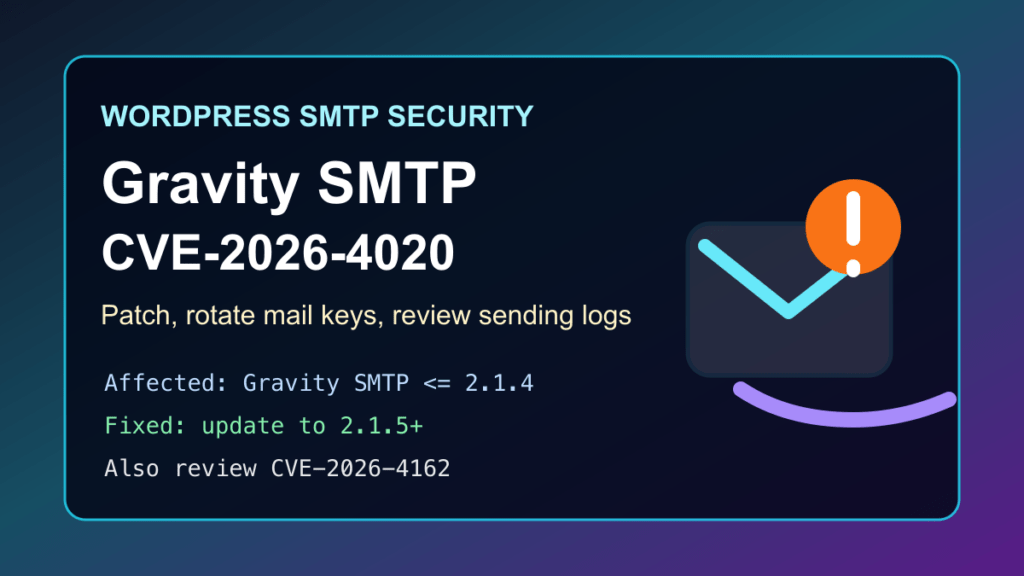
- CVE-2026-4020: Gravity SMTP versions 2.1.4 and older are affected by a sensitive-information exposure issue.
- CVE-2026-4162: Gravity SMTP versions 2.1.4 and older are also affected by a missing-authorization issue that can let a low-privilege logged-in user disrupt the plugin.
- Fixed version: update to Gravity SMTP 2.1.5 or newer. Gravity SMTP 2.1.6 is also available in the vendor changelog.
Why This Matters
SMTP plugins often hold the keys to transactional email. If those credentials leak, an attacker may be able to send mail through your account, damage sender reputation, access provider dashboards, or pivot into other services connected to the same API token. Even if the WordPress site itself looks normal, the mail account may need cleanup.
Immediate Admin Checklist
- Update Gravity SMTP to 2.1.5 or newer from the WordPress dashboard or your Gravity Forms account.
- Rotate any API keys, SMTP passwords, OAuth client credentials, or provider tokens used by Gravity SMTP before the patch.
- Check the connected mail provider for unusual sending volume, new senders, failed login attempts, new API keys, or changed webhooks.
- Review WordPress administrator and subscriber accounts, especially if public registration is enabled.
- Confirm the site can still send password reset, form notification, WooCommerce, and support emails after the credential rotation.
Safe Version Checks
# Show the installed Gravity SMTP version if WP-CLI is available.
wp plugin get gravitysmtp --field=version

# List active SMTP/mail plugins for review.
wp plugin list --status=active | grep -Ei 'smtp|mail|gravity'
Commercial plugins may not always update cleanly through a generic WP-CLI command unless the site license and updater are active. If the dashboard does not offer Gravity SMTP 2.1.5 or newer, download the fixed build from the Gravity Forms account area and install it during a maintenance window.
If You Cannot Patch Immediately
- Temporarily disable Gravity SMTP and route mail through a different maintained SMTP plugin or server-side mail relay.
- Block unauthenticated access to WordPress REST traffic at the WAF/CDN layer only as a short-term control and test forms, checkout, login, and editor workflows after applying any rule.
- Rotate the affected mail-service credentials anyway. Waiting until after cleanup can leave a leaked token active longer than needed.
- Tell site owners that email delivery may pause briefly while credentials are replaced and test messages are verified.
What To Review After Patching
- Gravity SMTP event logs and WordPress debug logs for unexpected mail activity.
- Provider dashboards for unexpected campaigns, spikes, failed authentication, new keys, or unusual sender identities.
- Server access logs for repeated unauthenticated requests to WordPress REST areas around the time Wordfence reported attack activity.
- WordPress users, plugin list, active theme, mu-plugins, and recently modified files if there are signs of broader compromise.
- DNS records for SPF, DKIM, and DMARC if the provider flags sending reputation problems.
Customer Communication
For managed WordPress customers, keep the message practical: a WordPress SMTP plugin used for email delivery had patched security issues, attacks are being blocked in the wild, and the safe response is to update the plugin, rotate mail credentials, and confirm that forms and checkout email still work.
Replacement Guidance
Because Gravity SMTP has a fixed release, replacement is optional rather than required. If a site cannot maintain the licensed updater, move email delivery to another actively maintained SMTP plugin or to a managed mail relay with credential rotation, logging, and clear ownership. Do not leave an abandoned mail plugin connected to production API keys.
Sources
- Wordfence: Gravity SMTP CVE-2026-4020
- Wordfence: Gravity SMTP CVE-2026-4162
- Wordfence weekly vulnerability report, May 4-10, 2026
- Gravity SMTP changelog
- Gravity Forms: Gravity SMTP 2.1.5 release
Need help patching WordPress SMTP plugins, rotating email provider keys, or checking whether a site was abused? Open a ticket through Help4Network.com.