Cloudflare added a useful Cache Rules option on July 2, 2026: Cloudflare can now cache multiple versions of the same URL when your origin sends a supported Vary response header. For hosting admins, WooCommerce teams, multilingual sites, and performance-minded WordPress owners, this can solve a common problem: you may have one URL that legitimately returns different cacheable content depending on request headers such as language or accepted format.
This is not a security emergency. It is a practical CDN operations update. Used carefully, it can improve cache hit rates without serving the wrong version of a page or asset to the wrong visitor.
What changed
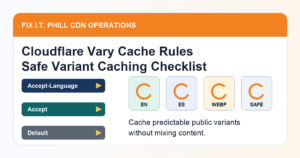
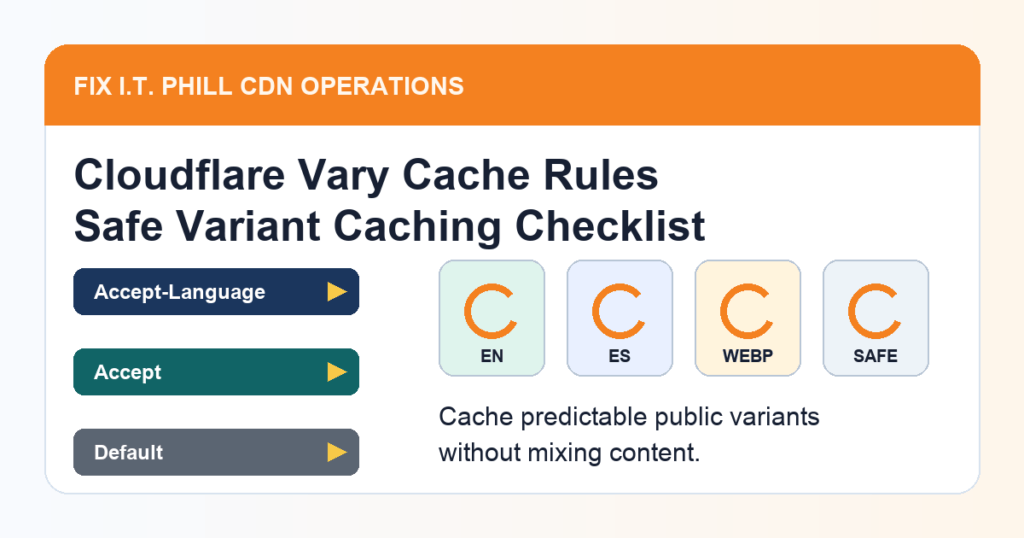
Cloudflare says Cache Rules can now honor the origin’s Vary response header. When a Cache Rule has Vary handling enabled and the origin response includes a supported Vary header, the listed request headers become part of Cloudflare’s cache key. The same URL can then have separate cached versions selected by those header values.
Cloudflare documents three actions for headers listed in Vary: normalize, passthrough, and bypass. In plain English, normalize is the safer default for common headers such as Accept, Accept-Language, and Accept-Encoding; passthrough keeps the raw value when exact values matter; bypass avoids caching when a risky or high-cardinality header appears.
Where this helps
- Multilingual content: a site can cache language variants when the origin sends a language-based
Varyheader and the rule is configured with a small language allowlist. - Format-aware responses: an origin can serve different formats for the same URL while Cloudflare keeps the versions separate.
- WordPress and WooCommerce performance: stores and business sites can keep more public responses cacheable when the response variants are predictable and not user-specific.
- Hosting support cleanup: this gives admins a more standard option before reaching for custom Workers, duplicate URLs, or broad cache bypass rules.
If you are still doing basic setup work, start with our Cloudflare DNS for WordPress guide and Cloudflare CDN setup guide before tuning advanced cache behavior.
Where not to use it
Do not blindly cache every response that includes Vary. Some headers create too many possible variants, and some represent private visitor state. Cloudflare’s own guidance points admins toward a restrictive default, explicit per-header configuration, and bypass behavior for risky headers.
- Avoid caching variants based on cookies, authorization state, or per-user request headers.
- Be careful with broad user-agent variation; it can create too many cache versions and make debugging harder.
- Do not use this to cache account pages, carts, checkout pages, dashboards, or other private WordPress/WooCommerce flows.
- If your origin sends
Vary: *, Cloudflare documents that the response bypasses cache.
Safe setup checklist
- Pick one public test path first. Use a safe public URL, not checkout, login, cart, account, or admin content.
- Confirm what the origin actually varies on. Check the response headers from the origin or staging environment and write down the specific
Varyheader names. - Create or stage a Cache Rule. In Cloudflare, go to Caching, then Cache Rules, and configure Vary handling only for the headers you intentionally support.
- Use a restrictive default. Start with unexpected headers set to bypass, then explicitly allow the small set you understand.
- Normalize common headers when possible. For typical format or language negotiation, normalization is usually easier to operate than raw passthrough.
- Keep allowlists small. If you only serve English and Spanish, do not create a cache strategy that accepts every possible language value.
- Purge only the test URL first. Do not purge the whole zone until you know the rule behaves correctly.
- Watch Cloudflare cache status and origin load. You want correct variants, fewer unnecessary origin hits, and no private content in cache.
For a general cache validation workflow, use our WordPress cache and CDN testing guide. If you are tuning AI crawler and discovery behavior at the same time, also review the Cloudflare AI crawler controls checklist.
WordPress and WooCommerce notes
Most small WordPress sites should not need complex Vary caching for normal pages. The strongest use cases are public pages or assets where your origin already returns predictable variants and you can verify each version without logging in.
- Keep WooCommerce cart, checkout, account, payment, and order endpoints out of full-page cache.
- Do not let language or format caching override plugin rules that intentionally bypass private pages.
- If a translation plugin, theme, or performance plugin changes response headers, test it on staging before applying the rule broadly.
- After changing cache behavior, check important public pages, forms, product pages, image formats, and search-engine crawl surfaces.
Rollback plan
Before changing production cache behavior, save the old Cache Rule settings or create the new rule disabled first. If visitors report mixed languages, wrong formats, stale pages, missing images, or checkout/account issues, disable the new Vary behavior, purge the affected URLs, and review which header created the variant. A small rollback plan is faster than trying to debug a site-wide cache rule under pressure.
What to verify after rollout
- The expected public variants return the correct page or asset.
- Cloudflare cache status changes from misses to hits after repeat requests for the same variant.
- Unexpected header values bypass or normalize instead of creating uncontrolled cache versions.
- Logged-in and ecommerce private paths remain uncached.
- Robots.txt, sitemaps, canonical URLs, and public landing pages still return clean 200 responses.