
How to Change Your WordPress Site Title and Tagline Safely
August 6, 2026
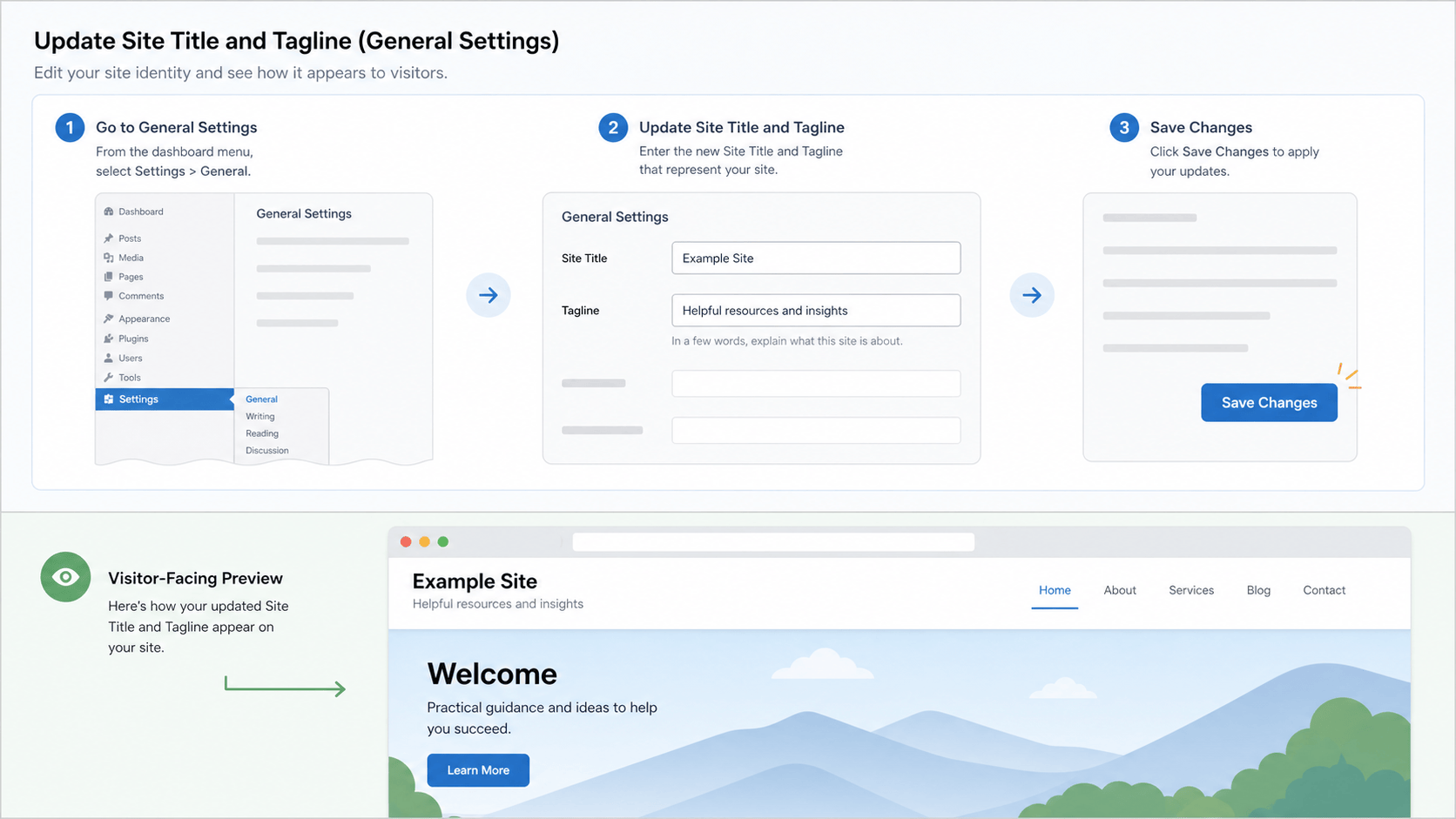
Your WordPress site title and tagline are small settings with a big public footprint. They can appear in the site header, browser title, and search snippets depending on the active theme and SEO configuration. Change them deliberately, then inspect the public result instead of assuming every template updates the same way.
Choose the right wording first
- Use the site title for the primary business, publication, or organization name.
- Use the tagline for a short plain-language description when it adds clarity.
- Avoid stuffing locations or repeated keywords into either field. Readers should understand the site before search engines do.
Change the site title and tagline
- Sign in with an administrator account.
- Open Settings, then General.
- Update the Site Title and Tagline fields.
- Save the changes.
Verify the public result
- Open the homepage in a signed-out browser window.
- Check the browser title and visible site header.
- Open a representative post or page, since some themes render titles differently by template.
- Clear the relevant cache when the old text remains visible.
Use our WordPress cache and CDN guide if a cached version lingers. For page-level search titles and descriptions, follow our WordPress SEO title and meta description guide; the global site title is not a replacement for good page metadata.
Keep the visible text and search setup aligned
After changing the site identity, check that the homepage remains indexable and uses the expected canonical URL. Our WordPress indexing and robots guide walks through that public check.
WordPress documents these fields in the official General Settings screen guide. For practical help with site settings, public verification, and search-ready WordPress maintenance, visit our WordPress support hub.
