Debian and PowerDNS published a coordinated June 2026 DNS security update set covering dnsdist, PowerDNS Authoritative Server, and PowerDNS Recursor. For hosting providers, agencies, and businesses that operate their own DNS nodes, this is a maintenance-window item worth handling before it becomes a customer-facing outage problem.
The practical risk depends on how each DNS role is deployed. The advisory set includes denial-of-service risk, information disclosure risk, security-rule bypass risk in dnsdist, and cache-poisoning risk in Recursor configurations. This is not a reason to make emergency changes blindly, but it is a reason to inventory DNS roles, patch deliberately, and verify authoritative, recursive, and load-balancing behavior after the change.
What Was Updated
Debian published three security advisories on June 25, 2026:
- DSA-6367-1 for dnsdist, fixed in Debian trixie as 1.9.15-0+deb13u1.
- DSA-6368-1 for pdns, fixed in Debian trixie as 4.9.16-0+deb13u1.
- DSA-6369-1 for pdns-recursor, fixed in Debian trixie as 5.2.11-0+deb13u1.
Upstream PowerDNS also lists patched upstream versions. For Authoritative Server, the unaffected versions are 4.9.16, 5.0.6, and 5.1.2. For Recursor, the unaffected versions are 5.2.11, 5.3.8, and 5.4.3. For DNSdist, the unaffected versions are 1.9.15 and 2.0.7.
Who Should Care
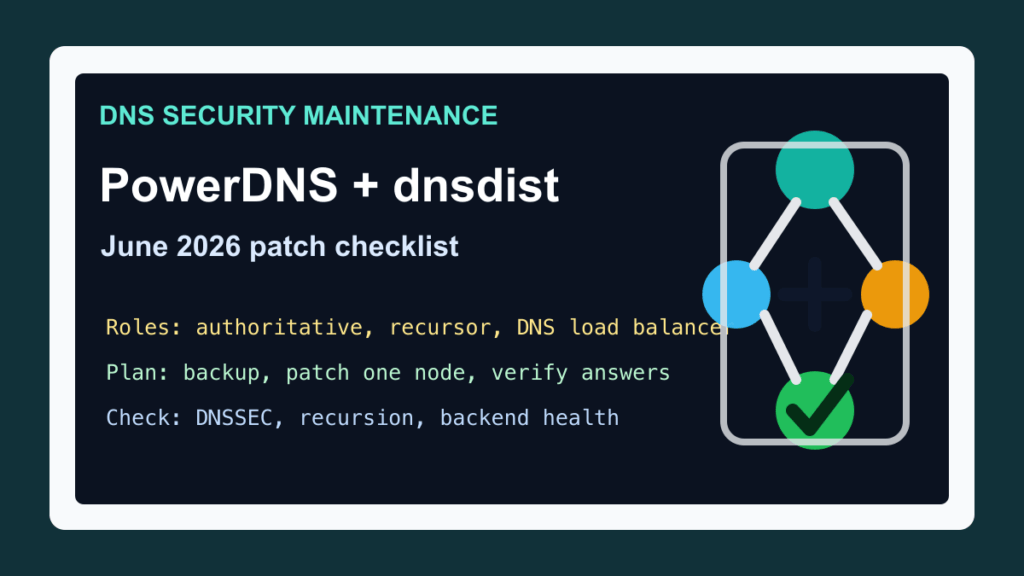
This matters most if you run DNS infrastructure directly instead of relying entirely on a managed DNS provider. Check systems that provide any of these roles:
- Authoritative DNS for customer domains, hosting zones, or internal service zones.
- Recursive DNS for servers, customer networks, staff VPNs, or hosting nodes.
- DNS load balancing, DNS-over-HTTPS, DNS-over-HTTP/3, or DNS policy enforcement through dnsdist.
- Hidden primary, secondary, or split-horizon DNS service behind cPanel, Plesk, WHMCS automation, Proxmox networks, Kubernetes clusters, or internal tooling.
If your control panel manages DNS packages for you, do not replace the panel-owned stack by hand. Use the panel vendor’s update path and confirm whether the panel is using BIND, PowerDNS, dnsdist, or an external DNS cluster. The point is to patch the real DNS component in the supported way, not to add a second, unmanaged DNS layer.
Before You Patch DNS
DNS updates deserve a clean maintenance plan because a small mistake can look like a site outage, mail outage, or customer login problem. Before touching packages, confirm the role of each node:
- Which nodes are authoritative, recursive, dnsdist front ends, or monitoring-only systems.
- Which customers, domains, name server hostnames, and internal networks depend on each node.
- Whether another node can answer while one server is patched or restarted.
- Whether DNSSEC signing, zone transfers, catalog zones, API access, and internal web interfaces are in use.
- Whether backups include DNS configuration, zones, signing material, service configuration, and automation state.
For hosting environments, keep the update order conservative. Patch a secondary or less critical node first, confirm it answers correctly, then continue through the remaining DNS nodes one at a time. If you run a small two-node DNS pair, make sure the peer is healthy before restarting either side.
Update Order That Reduces Downtime
A safe order is usually:
- Export or back up DNS configuration, zone data, signing material, and automation settings.
- Confirm monitoring is working for authoritative answers, recursive answers, service health, and latency.
- Patch the lowest-risk secondary node first.
- Restart or reload only what the vendor update requires.
- Verify answers locally and from at least one outside network.
- Patch remaining secondary nodes, then primaries or front-end dnsdist systems.
- Review logs for crashes, repeated restart loops, backend failures, DNSSEC validation failures, and customer-domain errors.
For dnsdist, include backend health checks in the verification plan. For Recursor, check DNSSEC validation, forwarding behavior, cache behavior, and the networks allowed to use recursion. For Authoritative Server, check zone loading, zone transfers, DNSSEC signing status, notify behavior, and whether secondaries are receiving updates.
Internal Web Interfaces Need Attention
Several items in this advisory set involve internal web server exposure or resource exhaustion around management surfaces. PowerDNS notes that the internal web server is disabled by default in the relevant products, but operators should not assume their environment matches the default.
Review where the Authoritative Server, Recursor, and dnsdist web interfaces listen. They should be restricted to trusted administrative networks, loopback access, or a protected management segment. Do not expose DNS management ports to the public internet just because the DNS service itself has to answer public DNS traffic.
Post-Update Verification
After patching, verify more than just the package version. A good post-change check includes:
- The running service version matches the fixed vendor or distribution version.
- Authoritative domains answer with the expected records and serials.
- Recursive clients that should be allowed still resolve normally, and clients that should not be allowed remain blocked.
- DNSSEC validation and signed authoritative zones behave as expected.
- dnsdist still sees healthy backends and applies the intended policy rules.
- Monitoring, graphs, and alerts show normal query volume, error rate, and latency after cache warm-up.
- Logs show no restart loop, backend failure pattern, or zone-loading problem.
If customers rely on your name servers, keep a short customer-facing maintenance note ready. Most DNS maintenance should be invisible when redundancy is working, but customers need a clear answer if a local resolver cache or external monitor keeps stale results during the window.
Fix I.T. Phill Guidance
If you run PowerDNS or dnsdist on Debian trixie, schedule the update now and confirm the fixed Debian package versions above. If you run upstream PowerDNS packages, match against the upstream unaffected versions. If your DNS service is owned by cPanel, Plesk, a managed DNS provider, or a hosting automation stack, use that vendor’s supported update path and verify which DNS software is actually active.
Do not wait for every customer domain to become a separate support ticket. DNS is shared infrastructure. Patch it like a shared service: backup first, update one node at a time, verify the role, and keep management interfaces off public networks.