
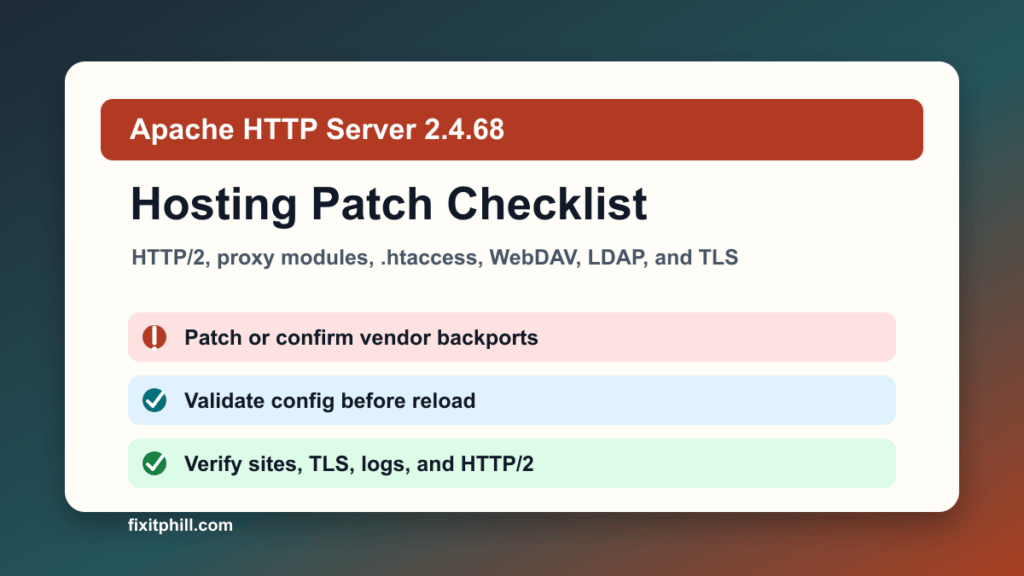
Apache HTTP Server 2.4.68 is a security, feature, and bug fix release. The Apache HTTP Server Project released 2.4.68 on June 8, 2026 and recommends it over previous Apache 2.4 releases. For hosting providers, agencies, SaaS operators, and business sites running Apache or Apache-backed reverse proxy stacks, this belongs in the maintenance queue even if your Linux vendor ships the fix as a backported package instead of showing the upstream 2.4.68 version string.
Plain-English impact: Apache fixed multiple issues affecting Apache HTTP Server versions through 2.4.67, including HTTP/2 denial-of-service risk, privilege handling through .htaccess expressions, WebDAV path handling, proxy module bugs, LDAP handling, OCSP handling, and several memory-safety issues. I did not find these Apache 2.4.68 CVEs in the CISA KEV catalog captured during this pass, but they are still patch-worthy for shared hosting, control-panel servers, reverse proxies, WebDAV environments, LDAP-backed sites, and servers that expose HTTP/2.
This is a protect-only hosting checklist. It does not include exploit mechanics, unsafe test traffic, or scanner recipes.
What changed in Apache 2.4.68
The Apache security page lists the 2.4.68 fixed-version bucket for CVE-2026-29167, CVE-2026-29170, CVE-2026-34355, CVE-2026-34356, CVE-2026-42535, CVE-2026-42536, CVE-2026-43951, CVE-2026-44119, CVE-2026-44185, CVE-2026-44186, CVE-2026-44631, CVE-2026-48913, and CVE-2026-49975. Apache rates the issues in that bucket as low or moderate, but several matter more in real hosting operations because of the modules and trust boundaries involved.
- HTTP/2: mod_http2 fixes are relevant to public sites, reverse proxies, APIs, and CDN origin servers using HTTP/2.
- .htaccess and delegated hosting: the .htaccess privilege-handling fix matters on multi-tenant hosting where customers can edit local rules.
- Proxy modules: mod_proxy_html, mod_proxy_ftp, and ProxyPassReverseCookie handling matter when Apache fronts other applications or legacy services.
- WebDAV: mod_dav_fs risk is more relevant when authors or applications can write through WebDAV.
- LDAP and OCSP: mod_ldap and mod_ssl OCSP fixes are worth checking on directory-integrated and certificate-heavy environments.
- Custom builds: Apache notes that 2.4.68 requires APR and APR-Util 1.5.x or later, with some features using 1.6.x.
Who should act
- cPanel, WHM, Plesk, DirectAdmin, Webmin, Virtualmin, and custom hosting servers using Apache.
- Linux servers using Apache as an origin behind Cloudflare, HAProxy, Nginx, LiteSpeed proxying, a load balancer, or a CDN.
- Shared hosting environments where customers can control .htaccess, redirects, language negotiation, or proxy-style application behavior.
- Servers with mod_http2, mod_proxy, mod_ssl OCSP, WebDAV, LDAP, or custom third-party Apache modules enabled.
- Windows Apache installs and self-built Apache packages that do not automatically follow Linux vendor updates.
Safe update path for hosting admins
- Inventory the actual Apache path. Identify whether the server is using OS packages, EasyApache, Plesk updates, DirectAdmin CustomBuild, a container image, or a source-built Apache tree.
- Check the vendor channel before forcing upstream source. Enterprise Linux, CloudLinux, Ubuntu, Debian, and panel vendors often backport security fixes without changing the visible upstream version to 2.4.68. Confirm with the package changelog or vendor advisory.
- Capture rollback points. Back up Apache configuration, enabled modules, virtual host includes, panel-generated templates, TLS material, and a VM or filesystem snapshot where available.
- Plan a reload window. Even a clean Apache restart can interrupt active uploads, long requests, or customer admin sessions. Pick a low-traffic period and notify tenants when uptime expectations require it.
- Validate configuration before restart. Run the panel or Apache config validation path that your stack supports, then fix syntax errors before touching the live service.
- Patch through the supported channel. Use the OS or panel update path for managed servers. Use the official Apache download and signature verification process only for source-built environments.
- Restart or gracefully reload. Prefer the method your panel and init system expect so generated configs, service dependencies, PHP handlers, and log paths stay aligned.
- Verify from outside the server. Test the main site, representative customer sites, HTTP/2 behavior, TLS, redirects, proxy routes, login flows, uploads, and any WebDAV or LDAP-dependent workflows.
Control-panel notes
cPanel and WHM: check the EasyApache and OS package update state, then review Apache includes and PHP handler behavior after the update. If ModSecurity, LiteSpeed replacement mode, CloudLinux, or custom templates are in play, confirm those layers still match the intended Apache role.
Plesk: use the Plesk updater and extension update checks first. After the update, verify Apache/Nginx proxy mode, per-domain PHP settings, Let's Encrypt renewals, and service health in the Plesk repair and service monitoring tools.
DirectAdmin and custom panels: check whether Apache is package-managed or built through the panel toolchain. Rebuilding Apache outside the panel can leave templates, handlers, and service definitions out of sync.
Post-change verification
- The running Apache package or vendor changelog shows the 2.4.68 fixes or equivalent backports.
- The server starts cleanly and no unexpected Apache, PHP-FPM, proxy, or TLS errors appear in logs.
- Representative WordPress, Joomla, Drupal, Magento, static, and app-proxy sites return the expected public status.
- HTTP/2, redirects, compression, cache headers, HSTS, and CDN origin behavior still match the intended design.
- Customer-controlled .htaccess rules still work where they should, and do not expose unintended files or handlers.
- WebDAV, LDAP-backed auth, reverse-proxy paths, and OCSP-heavy TLS workflows are tested where used.
- Backups, monitoring, WAF rules, and uptime checks were reviewed after the restart.
If you cannot patch today
Temporary controls should be treated as risk reduction, not as a replacement for the vendor or package update. Reduce exposure for rarely used Apache modules, review whether WebDAV or legacy proxy features are still required, keep HTTP/2 and reverse-proxy behavior under monitoring, and schedule the supported update path as soon as the maintenance window is approved.
For multi-tenant hosting, pay special attention to customers who can edit .htaccess, publish custom application code, or proxy to backends you do not fully control. That is where moderate Apache issues can become operationally expensive even when they are not internet-wide emergencies.
Related Fix I.T. Phill reading
- NGINX patch guide for hosting servers
- HAProxy 3.4 LTS upgrade checklist
- CloudLinux CVE-2026-46331 hosting kernel patch guide
- How to plan an update window without breaking the site
Sources
- Apache HTTP Server 2.4.68 release announcement
- Apache HTTP Server 2.4 security vulnerabilities
- Apache HTTP Server official downloads and verification links
- CISA Known Exploited Vulnerabilities catalog
Need help checking Apache, cPanel, Plesk, or reverse-proxy patch status? Fix I.T. Phill can review the running version, confirm whether your distro backported the fix, plan the reload window, and verify public sites after maintenance.
