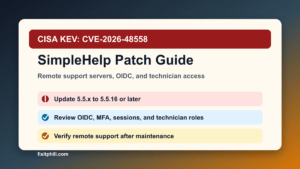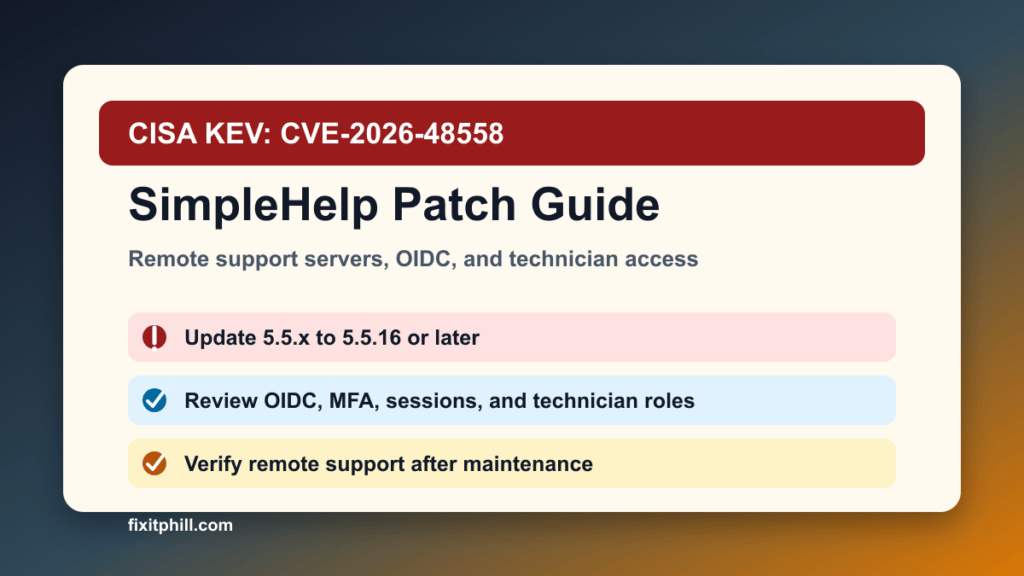
June 29, 2026 update: CISA added SimpleHelp CVE-2026-48558 to the Known Exploited Vulnerabilities catalog. This is an authentication bypass issue in SimpleHelp’s OIDC authentication flow, and CISA lists a July 2, 2026 due date for covered federal systems.
Plain-English impact: SimpleHelp is remote support software. If a vulnerable SimpleHelp server uses the affected OIDC configuration, an unauthenticated attacker may be able to reach a technician session without the normal trust checks. That can turn a remote support server into a management-plane risk for MSPs, hosting providers, internal IT teams, agencies, and any business that uses SimpleHelp to access customer or staff machines.
This is a protect-only guide. It gives admins the safe inventory, update, access review, and post-update verification path without publishing exploit mechanics, login recipes, or unsafe testing steps.
What is affected
SimpleHelp says the 2026-05 security update applies to SimpleHelp 5.5.15 and earlier and the 6.0 prerelease. NVD lists SimpleHelp versions before 5.5.16 and 6.0 prerelease versions before 6.0 RC2 as affected.
- SimpleHelp 5.5.x servers that have not been updated to 5.5.16 or later.
- SimpleHelp 6.0 prerelease deployments that have not moved to 6.0 RC2 or later.
- SimpleHelp servers configured with OIDC authentication.
- Internet-reachable remote support portals used by MSPs, hosting providers, school IT teams, medical offices, local businesses, agencies, and internal help desks.
What to do now
- Inventory SimpleHelp immediately. Check production, standby, lab, and old remote support servers. Do not assume the only instance is the one linked from your help desk portal.
- Check the running version. Treat SimpleHelp 5.5.15 and earlier, plus 6.0 prerelease builds before RC2, as needing urgent attention.
- Confirm OIDC use. If OIDC is enabled, prioritize the server as a management-plane emergency.
- Back up before changing it. Preserve the SimpleHelp server configuration, license information, database or application data, TLS material, and a VM or system snapshot where your platform supports it.
- Install the vendor update. SimpleHelp points 5.5.x users to SimpleHelp 5.5.16 and 6.0 prerelease users to SimpleHelp 6.0 RC2.
- Restart and verify the actual service. Confirm the running server reports the fixed build after the update, not just that an installer was downloaded.
- Review technician access. Check technician accounts, SSO/OIDC mappings, MFA state, active sessions, recent logins, and unexpected account or role changes.
- Review customer exposure. If the server is used to reach client machines, confirm which customer systems were reachable during the exposure window and whether any notification or extra review is needed.
Hosting and MSP notes
Remote support systems often sit closer to privileged workstations, servers, and customer environments than ordinary web applications. For hosting and MSP teams, this should be handled like a control-plane patch: schedule a maintenance window, capture a rollback point, restrict admin access during the change, and verify both the portal and a controlled support session afterward.
If SimpleHelp runs behind a reverse proxy, VPN, WAF, Plesk/cPanel-managed host, standalone Windows Server, Linux VM, or cloud firewall, update the application and then check the surrounding access layer. The fixed SimpleHelp build is the center of the response; proxy or firewall changes are supporting controls.
If you cannot patch immediately
Temporary controls should buy time, not replace the update. Limit public exposure, restrict the portal to trusted networks or a managed access layer, review whether OIDC can be safely paused in your environment, watch logs and active sessions closely, and schedule the vendor update as the next maintenance action.
If the server was internet-exposed and OIDC was enabled, treat the review as security work, not only software maintenance. Preserve logs, inspect active and recent technician sessions, rotate affected identity-provider secrets if your incident-response owner determines they may have been exposed, and confirm that customer access paths still match the intended support model.
Post-update verification checklist
- The SimpleHelp server reports 5.5.16 or later, or 6.0 RC2 or later for the 6.0 prerelease path.
- OIDC login works only for expected users and groups after the update.
- MFA, technician roles, and identity-provider group mappings still match policy.
- Active sessions were reviewed and stale or unexpected sessions were removed.
- Recent logs were reviewed for suspicious authentication events, technician activity, service restarts, and unusual remote support access.
- Firewall, VPN, reverse-proxy, and DNS exposure match the intended support portal design.
- A controlled remote support test works after the patch, and customer communication is ready if the maintenance changed availability.
Related Fix I.T. Phill reading
- Check Point CVE-2026-50751 VPN authentication bypass patch guide
- Ivanti Sentry CVE-2026-10520 and CVE-2026-10523 patch guide
- Microsoft June 2026 Patch Tuesday Windows Server admin checklist
- How to plan an update window without breaking the site
Sources
- CISA Known Exploited Vulnerabilities catalog
- SimpleHelp Security Update 2026-05
- NVD entry for CVE-2026-48558
- Official CVE record for CVE-2026-48558
Need help checking a SimpleHelp server after CVE-2026-48558? Fix I.T. Phill can help inventory remote support exposure, plan a safe update window, review OIDC and technician access, and verify support workflows after maintenance.