WordPress AI tools are moving from advice to action. WPBeginner’s June 30, 2026 Spotlight roundup highlighted a clear shift: plugins are starting to let AI assistants build forms, adjust SEO, trigger push campaigns, clean databases, and connect fundraising workflows. That is useful, but it changes the risk model for a normal WordPress site.
Plain-English impact: when an AI assistant can write to WordPress, you are no longer only reviewing suggestions. You are granting a tool a path into site content, plugin settings, form structure, redirects, push notifications, donor workflows, and sometimes database cleanup. That makes backups, permissions, staging, approval steps, and post-change testing mandatory.
This is not a CVE alert. I did not validate this as active exploitation or a vulnerability in the covered plugins. Treat it as practical site-owner guidance before enabling AI write access on a production WordPress site.
What changed
WPForms announced write support for the WordPress Abilities API in WPForms 1.10.2. The official WPForms post says site owners can connect through WPVibe and then enable the MCP Write Access toggle from the WPForms AI MCP area. Once enabled, an assistant can create and change forms.
WPVibe describes itself as a WordPress MCP server for self-hosted WordPress sites. Its public site emphasizes WordPress Application Password authentication, WordPress role checks, audit logging, draft-first behavior for content, and additional approval controls for sensitive actions.
The broader trend is not limited to forms. AIOSEO says its MCP release registers 28 SEO abilities. PushEngage says version 4.2.3 registers 23 abilities through the WordPress Abilities API and uses WordPress permissions for access. Duplicator is promoting DB Optimizer for database cleanup and table maintenance. Charitable is promoting DonationGuard, Automation Connect 2.0, and related donor workflow tools.
The safe decision rule
Do not ask whether the AI tool is impressive. Ask whether the site can safely absorb a bad change, a misunderstood instruction, a wrong account permission, or a plugin conflict. If the answer is no, do not enable write access on production yet.
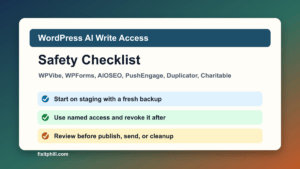
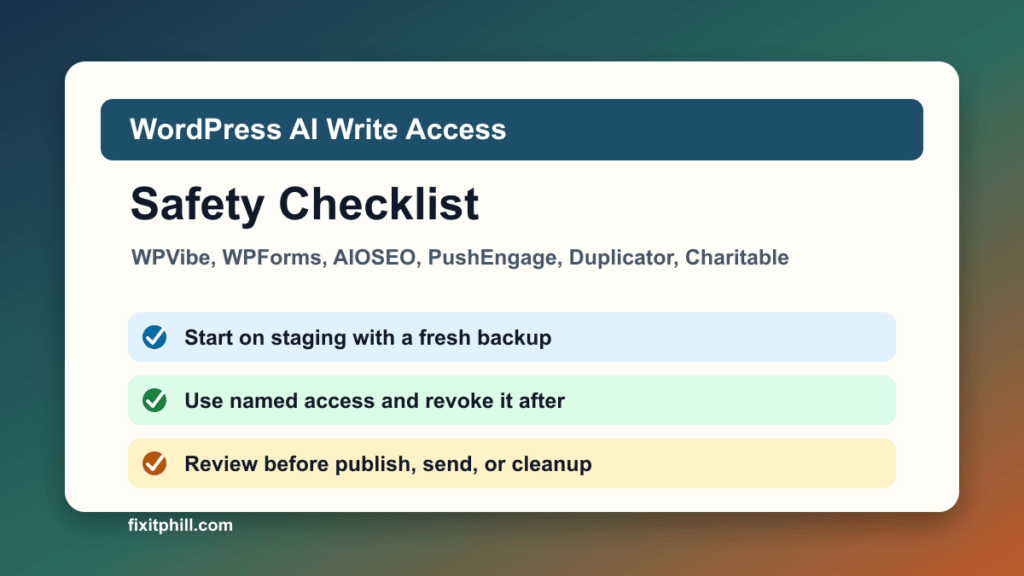
- Use staging first. Test the same plugins, theme, forms, SEO settings, and donation or ecommerce flows away from the live site.
- Take a fresh backup. Confirm you can restore files and database, not just that a backup plugin says a job ran.
- Use a named account. Do not connect a shared admin account. Use a named, temporary administrator only when the tool truly requires it, then revoke access after the work is done.
- Limit the task. Enable one tool or plugin workflow at a time. Do not connect forms, SEO, push, database cleanup, and donations all in the same first test.
- Require human review. AI can draft, build, or propose. A person should approve publishing, push sends, redirects, form notification changes, and database cleanup.
- Keep sensitive data out of prompts. Do not paste customer records, donor data, payment details, health details, private support tickets, or secrets into an AI conversation.
WPForms and WPVibe checklist
- Update WPForms on staging and confirm the site meets the plugin requirements.
- Install or connect WPVibe only after confirming who owns the account and who can revoke it.
- Use WordPress Application Passwords intentionally. Record which user created the connection and revoke it when the testing window ends.
- Turn on write access only for the test window. Leave it off by default for normal site operation.
- Start with a simple non-payment form. Confirm fields, labels, required rules, spam controls, notifications, confirmations, and storage behavior.
- Test email delivery after any form change. A form that looks correct but stops notifying staff is still broken.
- Review file upload, payment, newsletter, CRM, and conditional logic forms manually before production use.
SEO, push, fundraising, and database cleanup
AIOSEO MCP: AI-driven SEO work should be reviewed like a change request. Check titles, meta descriptions, redirects, robots settings, canonical URLs, schema changes, and search-console related recommendations before accepting them.
PushEngage: push notifications are public communication, not a private draft. Confirm the audience, title, body, image, URL, timing, and campaign status before any send action. If the plugin marks a send action as sensitive or confirmation-required, keep that control in place.
Charitable: donation workflows need extra care because they touch donor trust, email receipts, fraud controls, payment status, automation, and CRM handoff. Test DonationGuard, Automation Connect, webhooks, donor tags, and thank-you flows on staging before changing a live campaign.
Duplicator DB Optimizer: database cleanup deletes data. Use a fresh backup, protect a retention window, run cleanup on staging first, and verify forms, search, orders, donations, comments, scheduled jobs, and admin screens afterward.
Production verification checklist
- Backup completed and restore path is known.
- Application Password or connector access is tied to a named WordPress user.
- Write access is off outside approved work windows.
- New forms submit successfully and notify the right mailbox.
- SEO changes show the intended title, description, canonical, robots, and schema output.
- Push campaigns remain drafts until a person approves audience and timing.
- Donation forms, receipts, fraud controls, and CRM automations are tested end to end.
- Database cleanup was preceded by backup and followed by front-end and admin testing.
- Audit logs, activity logs, or plugin history show only expected changes.
- Cache, CDN, and sitemap output were checked after production changes.
When to say no for now
Skip production AI write access if the site has no current backup, no staging copy, no named owner for the connection, no way to review logs, or no person available to test the change. Also skip it for regulated data, active ecommerce campaigns, high-volume donation drives, and membership sites until the approval and rollback plan is written down.
The point is not to avoid AI. The point is to make AI changes behave like normal site maintenance: scoped, backed up, reviewed, logged, and verified.
Related Fix I.T. Phill reading
- How to test WordPress forms every month
- How to check WordPress email delivery after updates
- How to plan a WordPress update window without breaking the site
- OptinMonster, TrustPulse, and PushEngage supply chain incident checklist
Sources
- WPBeginner Spotlight 25
- WPForms write support for the WordPress Abilities API
- WPVibe and WPVibe documentation
- WordPress Abilities API documentation
- AIOSEO MCP announcement
- PushEngage AI assistants announcement
- Duplicator DB Optimizer and DB Optimizer getting started
- Charitable DonationGuard and Automation Connect 2.0
Need help testing AI write access, form changes, SEO settings, push notifications, donation workflows, or database cleanup on a WordPress site? Fix I.T. Phill can stage the change, verify backups, test the public site, and turn off access after the work is done.