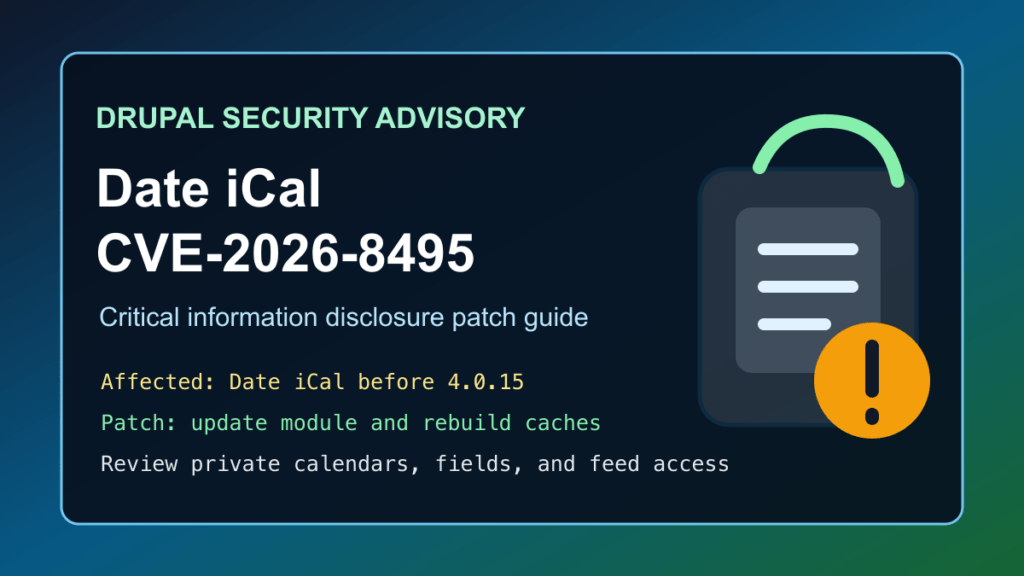
Drupal site owners using the Date iCal module should update for CVE-2026-8495. Drupal published SA-CONTRIB-2026-037 for a critical information disclosure issue in Date iCal. The advisory says affected versions before 4.0.15 do not sufficiently check entity or field access, and the exposed calendar feed behavior is accessible to anonymous users with no special permission required.
This is a protect-only guide. Fix I.T. Phill is keeping the public guidance focused on defensive administration, not exploitation details. The useful defender work is to identify Date iCal installs, update to the fixed release, clear Drupal caches, and review whether private event or entity data may have been exposed through calendar feeds.
Who is affected
Check any Drupal site that uses the Date iCal contributed module, especially sites with event calendars, booking calendars, staff schedules, customer portals, intranets, private content types, moderated content, or entity fields that should not be public.
| Software | Affected versions | Fixed version | Risk |
|---|---|---|---|
| Drupal Date iCal module | Versions before 4.0.15 | 4.0.15 or newer | Critical information disclosure |
Drupal’s release page for Date iCal 4.0.15 lists compatibility with modern Drupal branches, including Drupal 10 and 11. The advisory specifically tells Drupal 10/11 users to upgrade to Date iCal 4.0.15.
Plain-English impact
Date iCal lets Drupal export calendar-style data as iCal feeds. That is useful for event listings and calendar subscriptions, but it also means the module has to respect Drupal access controls while preparing feed output. CVE-2026-8495 matters because Drupal says older Date iCal releases did not sufficiently check entity or field access when generating iCal feeds.
In practical terms, a site may accidentally expose data that should have stayed private if the module is active and configured around non-public entities or fields. The advisory rates the issue critical because anonymous users can reach the affected behavior and all module configurations are considered exploitable by Drupal’s risk scoring.
What to update
Update Date iCal to 4.0.15 or newer. Use your normal Drupal Composer workflow where possible, then run database updates and rebuild caches.
composer show drupal/date_ical
composer update drupal/date_ical --with-dependencies
drush updatedb
drush cache:rebuild
If the site is managed through a hosting control panel, agency maintenance tool, GitOps workflow, or deployment pipeline, update the dependency in the source of truth first so the old module is not redeployed later.
If you cannot patch immediately
The clean fix is to update the module. If a production change window is required, reduce exposure until the update is complete:
- Temporarily disable public iCal feed features that are not business-critical.
- Restrict anonymous access to calendar exports where the site design allows it.
- Review whether private content types, private date fields, unpublished content, internal events, or customer-only calendars are connected to Date iCal output.
- Ask the CDN/WAF team to review customer sites for public calendar-feed exposure and apply temporary access controls only after confirming the customer workflow.
Do not leave the module in place unreviewed just because the visible calendar page looks normal. The problem is about feed output and access checks, not only the rendered calendar view.
Safe verification checklist
Use normal administrative checks. Do not test against third-party sites and do not copy public exploit instructions if they appear later.
- Confirm whether Date iCal is installed and enabled.
- Confirm the installed version is 4.0.15 or newer.
- Review calendar views, event feeds, and subscriptions that depend on Date iCal.
- Check whether any feed is tied to private content, internal-only events, unpublished content, customer-only schedules, or restricted fields.
- After updating, rebuild Drupal caches and test normal calendar subscription behavior.
composer show drupal/date_ical
drush pm:list --status=enabled | grep date_ical
drush cache:rebuild
What logs and content to review
If the site used Date iCal before 4.0.15, review access logs for unusual calendar-feed activity, repeated anonymous feed requests, and unexpected spikes around event or calendar URLs. Also review whether sensitive event data was ever intended to be exported to calendar clients.
For customer-facing sites, the review should focus on business impact: private event titles, meeting locations, attendee-related fields, internal notes, draft content, restricted entity fields, and customer-only schedules. Keep notes sanitized and avoid copying personal or customer data into tickets unless it is required for incident handling.
Hosting and agency guidance
For Drupal fleets, search Composer lock files, deployment manifests, and module inventories for drupal/date_ical. Prioritize sites with calendars, bookings, private content workflows, intranets, membership areas, or customer portals. Patch staging first when the calendar is tied to business-critical workflows, then deploy to production and clear caches.
Customer communication can stay simple: Date iCal has a critical security update for a possible information disclosure issue. The site was checked for the module, updated or scheduled for update, and calendar feeds should be reviewed if they contain non-public event or field data.
CDN and virtual patching note
Virtual patching can only reduce exposure while the Drupal module is being updated. It does not replace the Date iCal 4.0.15 fix. For Help4 CDN-managed customers, the useful action is to identify sites exposing calendar-feed style URLs, confirm whether Date iCal is present, and apply temporary restrictions only where a customer approves the workflow change.
Bottom line
If a Drupal site uses Date iCal, update it to 4.0.15 or newer. Treat sites with private calendars, internal events, or restricted fields as higher priority, then review access logs and feed behavior after the update.