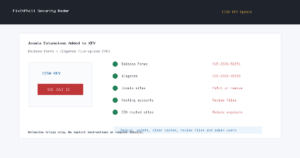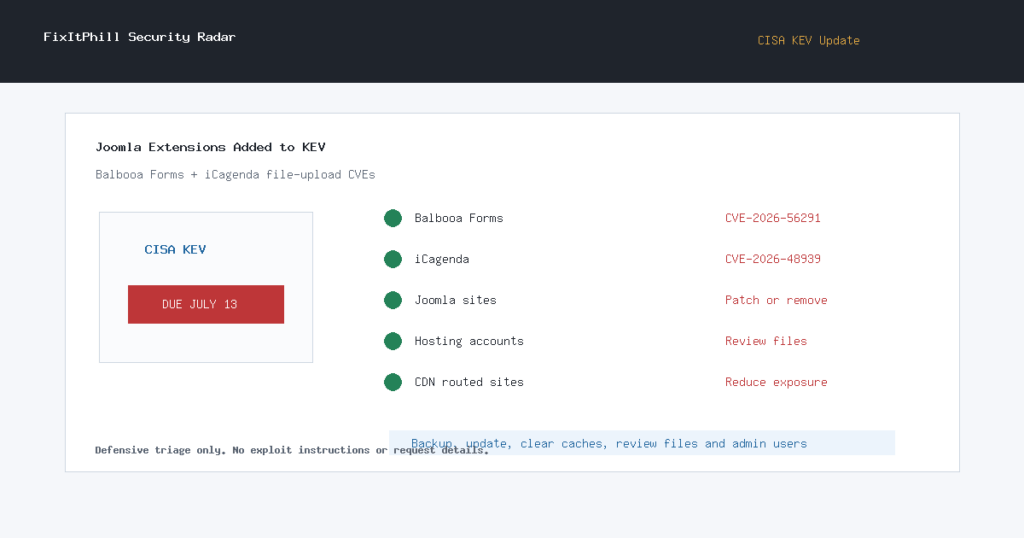
Radar window: July 10, 2026, 16:00-18:00 UTC. CISA added two Joomla extension CVEs to the Known Exploited Vulnerabilities catalog: CVE-2026-56291 for Balbooa Forms and CVE-2026-48939 for iCagenda.
Both entries involve unrestricted file upload risk in Joomla extensions and both have a CISA remediation due date of July 13, 2026. For site owners and hosting teams, this is a weekend-maintenance item: inventory Joomla sites now, patch or remove the affected extensions, and review file and administrator activity after the change.
What Changed
| Extension | CVE | Source status | What admins should do |
|---|---|---|---|
| Balbooa Forms for Joomla | CVE-2026-56291 | CISA KEV, NVD critical 9.8 | Update to 2.4.1 or newer, or disable/remove the extension until it can be patched and verified. |
| iCagenda for Joomla | CVE-2026-48939 | CISA KEV, NVD critical 9.8 | Update iCagenda 3.x to 3.9.15 or newer, or 4.x to 4.0.8 or newer. If you cannot patch, disable file attachments and remove public exposure until maintenance is complete. |
This is separate from the earlier Joomla KEV posts covering JCE, Page Builder CK, and SP Page Builder. If you manage multiple Joomla sites, do not assume those prior fixes cover this pass. Search specifically for Balbooa Forms and iCagenda.
Backup-First Patch Plan
- Take a fresh site backup first: Joomla files, database, uploaded media, configuration, and extension package state.
- Check Extensions and package manifests for Balbooa Forms and iCagenda. Also check older staging copies and parked customer sites.
- Apply the fixed extension version from the vendor source. If no safe update path exists for that site, disable or remove the affected extension before reopening public forms or event submission workflows.
- Clear Joomla, page, CDN, and opcode caches after maintenance.
- Verify public forms, event pages, contact workflows, email notifications, and administrator login from a clean browser session.
What To Review After Patching
- New or modified executable files under web-accessible directories.
- Unexpected Joomla administrator users, changed passwords, changed email addresses, or new API/application credentials.
- Recent uploads, event attachments, form submissions, and extension configuration changes.
- Modified templates, modules, scheduled tasks, redirects, and unfamiliar PHP files.
- Web server logs for unusual POST-heavy activity against public forms or event submission pages.
If you see unfamiliar administrators, unexpected executable files, redirects, or reinfection after patching, do not only update the extension. Preserve a copy for evidence, restore from a known-good backup if needed, rotate Joomla, hosting, SFTP/SSH, database, and control-panel credentials, then re-check from a clean browser session.
Hosting And Agency Notes
Shared hosting providers and agencies should search account inventories for Joomla installs with event calendars, forms, file attachments, or abandoned staging copies. Joomla sites often sit beside WordPress sites in the same hosting account, so a compromised Joomla extension can become a wider account cleanup problem.
For Help4-routed or CDN-routed Joomla sites, temporary exposure reduction can help while the origin is patched. Restrict administrator and extension-management surfaces, challenge suspicious form-heavy traffic, and keep upload-heavy workflows under review. Edge controls do not replace updating or removing the vulnerable extension.
How FixItPhill Is Tracking This Pass
This post is based on CISA KEV additions published July 10, 2026, NVD records for both CVEs, vendor/download sources for Balbooa Forms and iCagenda, and public FixItPhill duplicate searches. The post intentionally omits abuse-ready validation material and reproduction steps.
Related defensive reading: Joomla JCE KEV patch guide, Joomlack Page Builder CK KEV patch guide, and WP-SHELLSTORM cleanup checklist.