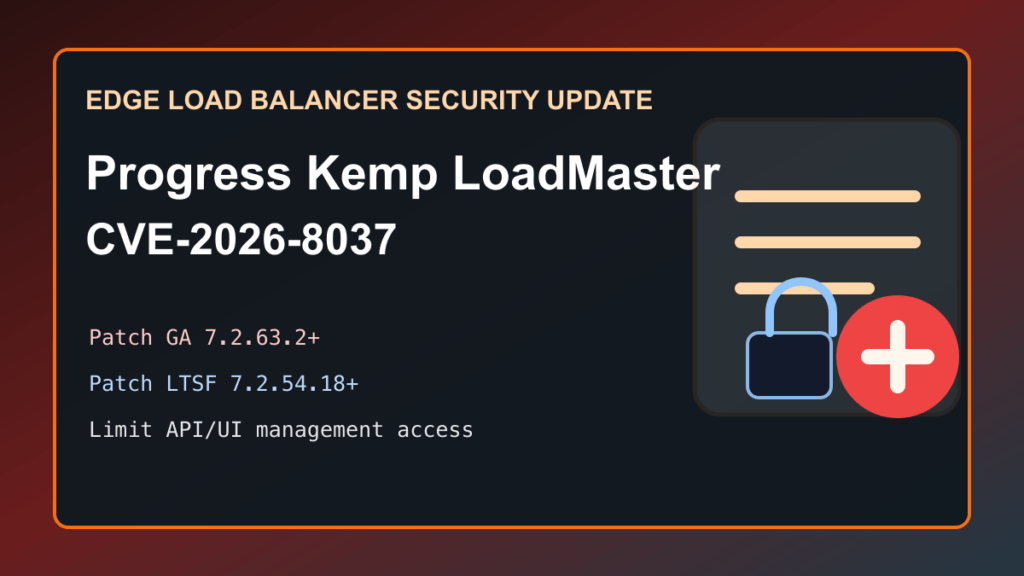
Progress Kemp LoadMaster CVE-2026-8037 is a critical LoadMaster security update that should be treated as an urgent edge-appliance maintenance item. Progress lists the fix in LMOS 7.2.63.2 for the GA branch and LMOS 7.2.54.18 for the LTSF branch, and eSentire reports seeing exploitation attempts beginning on June 29, 2026.
This is the kind of issue hosting providers, agencies, SaaS teams, and enterprise admins should not leave for a routine patch cycle. Load balancers and application delivery controllers often sit close to public traffic and trusted internal services, so a management-plane or API/UI flaw can create more risk than a normal application bug.
What Changed
- Progress released LoadMaster Operating System 7.2.63.2 on June 4, 2026 for the GA branch.
- Progress says 7.2.63.2 fixes CVE-2026-8037 and CVE-2026-33691.
- Progress lists CVE-2026-8037 as affecting the LoadMaster API/UI surface and shows fixed versions of LMOS 7.2.63.2 and LMOS 7.2.54.18.
- eSentire reports exploitation attempts against CVE-2026-8037 beginning June 29, 2026.
- eSentire lists Progress Kemp LoadMaster GA 7.2.63.1 and prior as affected, with 7.2.63.2 resolved.
- eSentire lists Progress Kemp LoadMaster LTSF 7.2.54.17 and prior as affected, with 7.2.54.18 resolved.
Who Should Act
Review this immediately if you run Progress Kemp LoadMaster, ECS Connection Manager, ObjectScale Connection Manager, MOVEit WAF, or a hosted service that depends on those ADC products. This is especially important when administrative, API, or management access is reachable from broader networks than a small administrator-only segment.
FixItPhill Priority
Patch first, then harden the management surface. If your appliance is on the GA branch, plan for LMOS 7.2.63.2 or newer. If it is on the LTSF branch, plan for LMOS 7.2.54.18 or newer. Do not rely on obscurity, renamed URLs, or an upstream firewall rule you have not verified.
Before You Patch
- Record the current LMOS version, branch, HA role, firmware image, and support entitlement status.
- Export or back up the LoadMaster configuration using the vendor-supported workflow.
- Confirm console, hypervisor, IPMI, provider console, or other out-of-band access before starting.
- For HA pairs, confirm the active and standby roles, synchronization state, health checks, and failover plan.
- Check whether API/UI access is limited to trusted administrator networks.
- Notify affected teams before touching production load balancers, WAF layers, SSL/TLS offload, health checks, or customer-facing virtual services.
Safe Upgrade Path
- Read the Progress advisory and release notes for the exact branch you run.
- Download firmware only from the official Progress/Kemp download location.
- Verify the version you intend to install: GA 7.2.63.2 or newer, or LTSF 7.2.54.18 or newer.
- Patch the standby node first when you run a supported HA pair and your change process allows that order.
- Fail traffic over deliberately, verify service health, then patch the remaining node.
- For standalone appliances, schedule a short maintenance window and confirm rollback access before upgrading.
- After each upgrade, confirm the running version from the appliance UI or supported management tooling.
Reduce Exposure Now
- Restrict administrator and API/UI access to a management VPN, jump host, or tightly scoped administrator network.
- Disable management features you do not actively use, following Progress documentation and your operational requirements.
- Block direct Internet access to administrative surfaces unless Progress explicitly requires it for your deployment.
- Review firewall rules, Cloudflare/edge policies, VPN rules, and provider security groups for drift.
- Rotate administrative credentials after patching if you suspect exposure or see suspicious activity.
After-Patch Verification
- Confirm the appliance reports LMOS 7.2.63.2 or newer on GA, or LMOS 7.2.54.18 or newer on LTSF.
- Verify virtual services, real servers, health checks, SSL/TLS certificates, WAF policy, persistence, and content switching.
- Check HA state, sync status, and failover readiness.
- Review administrative logs, API logs, system logs, unusual login events, and configuration changes from the exposure window.
- Confirm monitoring sees the appliance, pools, backends, and public services as healthy after the change.
- Document the update, the exposure reduction, and any follow-up investigation for customer or compliance records.
What Not To Do
Do not publish or share reproduction details inside tickets, customer notices, or public maintenance pages. Keep the customer message practical: there is a critical Progress Kemp LoadMaster update, it affects management/API/UI risk, patched versions are available, and maintenance is required to reduce exposure.
Related FixItPhill Guidance
- HAProxy load balancer upgrade and backend-drain checklist
- Cloudflare controls checklist for site owners and admins
- JetBackup update and backup verification checklist