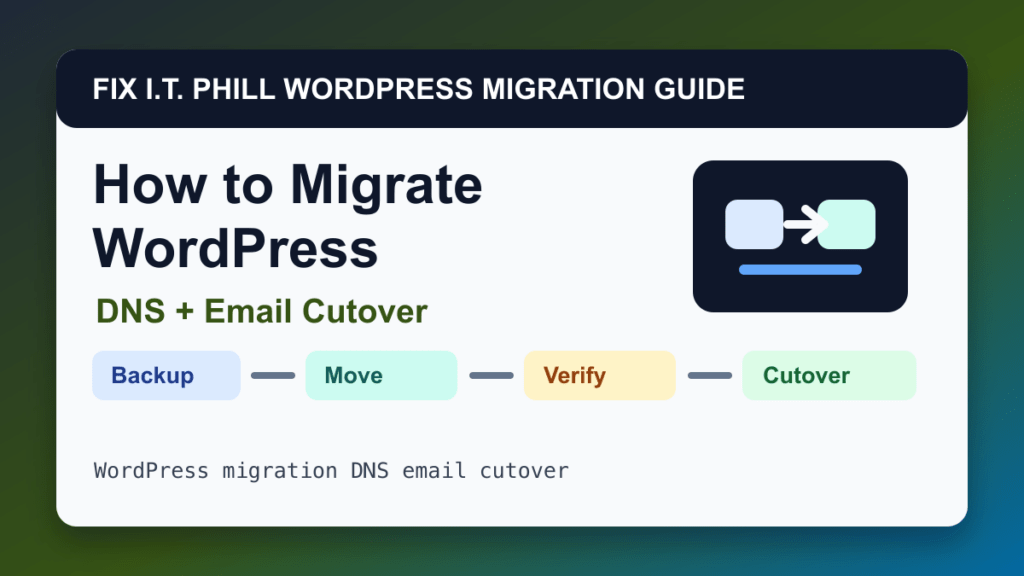
DNS and email cutover planning can move WordPress safely when it matches the source, destination, and risk level. This method is best for avoiding downtime, split traffic, broken email, and SSL surprises during a WordPress host change.
Audience: business owners, agencies, hosts, and IT teams launching a migrated WordPress site. Before using this path, decide whether the move changes hosts, domains, DNS, email, PHP versions, database versions, cache layers, or business data. Those details matter more than the migration button itself.
Before migration
- Find who controls DNS and registrar access.
- Lower TTL before the move when possible.
- Record current A, AAAA, CNAME, MX, TXT, SPF, DKIM, DMARC, and verification records.
- Confirm whether email moves with the website or stays where it is.
Migration steps
- Prepare the new WordPress site and verify it before DNS changes.
- Install SSL on the new host.
- Change only the records required for the web cutover unless mail is intentionally moving.
- Keep old hosting online through propagation.
- Watch logs and analytics for traffic split.
- Rollback DNS if the new site fails critical checks.
Post-migration verification
Confirm public DNS, SSL, web pages, wp-admin, forms, email delivery, contact forms, transaction emails, and that both old and new servers are monitored during propagation.
Also check server logs, PHP errors, WordPress Site Health, cache behavior, CDN routing, redirects, robots/indexing state, cron jobs, and whether a new backup job exists on the destination.
Migration risks
- Changing nameservers can unintentionally move mail records.
- IPv6 AAAA records can send visitors to the wrong server.
- DNS propagation can split orders or form entries if dynamic sites are not frozen.
Rollback and cutover planning
Keep the old site online until the new site is proven. For stores, memberships, bookings, LMS sites, directories, and lead-generation sites, plan a final data freeze or sync so records do not split between servers. Keep DNS rollback notes, old-host access, and a verified backup until traffic and logs are stable.
Fix I.T. Phill recommendation
Use DNS and email cutover planning when it gives you the cleanest preview and rollback path. If the site makes money or stores customer records, treat the final cutover as a maintenance window, not a casual copy job.
Related Fix I.T. Phill Guides
- How to Migrate WordPress: Complete Hosting Move Guide
- How to Migrate WordPress by cPanel Full Account Backup
- How to Migrate WordPress by WHM Transfer Tool
- How to Migrate WordPress by Plesk Migrator
- How to Migrate WordPress by Plesk WP Toolkit Clone
- How to Migrate WordPress by Softaculous Clone or Import
- How to Migrate WordPress by Installatron Clone or Import
- How to Migrate WordPress by DirectAdmin Backup and Restore
- How to Back Up WordPress: Complete Methods Guide
- How to Restore WordPress: Complete Recovery Methods Guide
- How to Back Up WooCommerce Without Losing Orders
- How to Restore WooCommerce Without Losing Orders
- How to Test a WordPress Backup Restore Before an Emergency
Sources Checked
Email authentication maintenance note
Email DNS changes should be handled like a launch task, not a quick copy-and-paste job. Before changing SPF, DKIM, DMARC, MX, or SMTP settings, record the current DNS values, confirm who sends mail for the domain, and keep a rollback note in case forms, invoices, password resets, or customer replies stop flowing.
Safe verification checklist
- Confirm there is only one SPF TXT record for the domain.
- Check that every active sender is included before tightening SPF or DMARC policy.
- Verify DKIM signing from the actual mail provider, not only that a DNS selector exists.
- Start DMARC in monitoring mode when you are not sure all senders are aligned.
- Send test messages to multiple mailbox providers and review headers before declaring the change finished.
Related email and DNS guides
- SPF Record For G-Suite
- SPF Record For MailChimp
- How to Create DMARC Records for Your Domain and Cross-Domain DMARC Records: A Comprehensive Guide
- Comprehensive Guide to Configuring WHM/cPanel with SendGrid for Email Delivery
- Migrating cPanel Email Accounts Without Website Data: A Niche Yet Essential Guide
- How to Set Up DMARC and SPF Records for Your Domain
- Unleash the Power of Email Deliverability with Our SPF Generator
- DMARC Demystified—Secure Your Emails with Our DMARC Generator
- Double Trouble for Spammers—Using SPF and DMARC Generators Together
- How to Fix WordPress Email Delivery with an SMTP Plugin