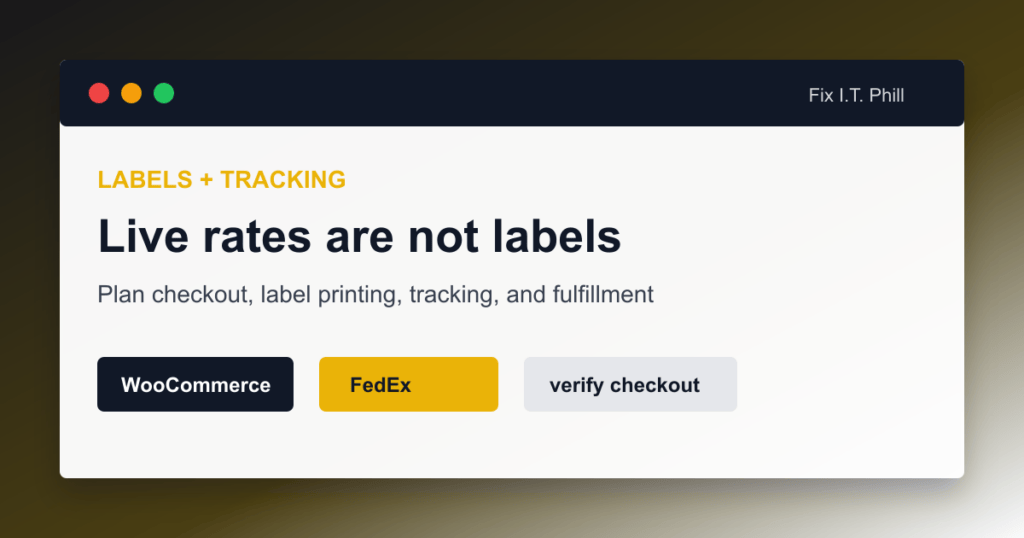
WooCommerce FedEx live rates and FedEx label printing are not the same feature. This is the misunderstanding that causes a lot of ugly launch days. The store owner sees FedEx at checkout and assumes the warehouse can print labels from the order screen. Then the first real order lands and nobody knows where the label is supposed to come from.
The official WooCommerce FedEx Shipping Method extension is primarily for pulling FedEx rates into checkout. WooCommerce’s own docs point store owners to FedEx or a label-printing extension for labels. Build the full workflow before you promise a shipping process to customers.
The four separate jobs
- Live rates: Show FedEx shipping options and estimated cost at checkout.
- Label purchase: Buy and print the actual FedEx label for a shipment.
- Tracking: Store the tracking number and send it to the customer.
- Fulfillment operations: Pick, pack, weigh, label, hand off, and reconcile orders.
A single plugin might handle several of those jobs, but do not assume it does. Read the plugin documentation and test the whole order path.
When live rates are enough
Live rates may be enough when the store has low order volume, packs manually, buys labels directly through FedEx, and only needs checkout to collect a reasonable shipping amount. In that case, staff can copy the order details into the FedEx account, buy the label, and add tracking back to WooCommerce.
That workflow is not glamorous, but it is honest. It works for some small stores.
When you need a label platform
Add a label-printing extension or shipping platform when you need:
- Labels from the WooCommerce order screen.
- Tracking numbers automatically saved to orders.
- Customer tracking emails.
- Batch label printing.
- Multiple carriers.
- Warehouse staff permissions.
- Return labels.
- Package presets and scale workflows.
- Shipping-rule automation by product, class, destination, or order value.
Questions to ask before choosing a plugin
- Does it only show rates, or does it also print labels?
- Does it use FedEx REST APIs or an older legacy method?
- Does it support your country, currency, and FedEx account type?
- Can it handle negotiated rates if you need them?
- Does it store tracking in WooCommerce order notes, customer emails, or a separate tracking field?
- Does it support returns?
- Does it work on your host, especially managed WordPress hosts with plugin restrictions?
- Does the vendor document how to rotate keys?
Simple manual tracking workflow
If you are not ready for label automation, use a consistent manual process:
- Customer places order with FedEx service selected.
- Staff opens the order and verifies the shipping address.
- Staff packs the order and records the real weight and box size.
- Staff buys the FedEx label in the chosen label system.
- Staff adds the tracking number to WooCommerce.
- Staff marks the order completed only after the tracking information is correct.
- Staff reviews the later invoice for quote differences.
Do a live-order dress rehearsal
Before launch, run one full order from cart to label to tracking email. Do not stop at “the rate showed up.” Confirm the payment, order email, warehouse view, label purchase, tracking storage, customer notification, and refund/void process.
Managed-hosting note
On GoDaddy Managed WordPress and similar hosts, verify the label plugin itself is allowed and supported. GoDaddy publishes a blocklisted plugin list and provides server-level caching and security layers. A rates plugin may work while a heavier fulfillment plugin has trouble. Test on the actual host before promising the workflow.
Fallback plan
Keep a manual label process ready even if you automate labels later. Shipping systems fail at the worst possible time. A temporary manual process with clear staff instructions is better than holding paid orders because one plugin screen is down.
More WooCommerce FedEx troubleshooting
- WooCommerce FedEx Shipping Setup Checklist
- WooCommerce FedEx Test Keys vs Live Keys
- WooCommerce FedEx on GoDaddy Managed WordPress
- WooCommerce FedEx Rates Not Showing at Checkout
- WooCommerce FedEx Rates Do Not Match the Invoice
- WooCommerce FedEx Labels and Tracking
- WooCommerce FedEx Test Label Creation Checklist
Related Fix I.T. Phill guides
- How to Install WooCommerce on a New WordPress Site
- How to Add an Online Store to WordPress with WooCommerce
- How to Back Up WooCommerce Without Losing Orders
- How to Restore WooCommerce Without Losing Orders
- How to Optimize WooCommerce Speed Without Breaking Checkout
Sources checked
- WooCommerce FedEx Shipping Method documentation
- WooCommerce shipping zones documentation
- FedEx Developer Portal getting started guide
- FedEx API Authorization documentation
- FedEx API guides and migration notes
- FedEx API integration best practices and API URI notes
- FedEx Ship API documentation
- FedEx Rates and Transit Times API documentation
- FedEx Basic Integrated Visibility tracking API documentation
- FedEx guide to creating and managing shipping labels
- GoDaddy Managed Hosting for WordPress overview
- GoDaddy Managed Hosting for WordPress SSH documentation
- GoDaddy Managed WordPress blocklisted plugins documentation
- PluginHive WooCommerce FedEx setup guide
- PluginHive WooCommerce FedEx activation and test label FAQ
- PluginHive WooCommerce FedEx API integration FAQ