Elementor
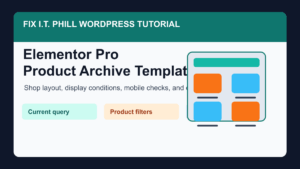
How to Create a Product Archive Template in Elementor Pro
Create an Elementor Pro product archive template for WooCommerce with display conditions, mobile checks, SEO basics, cache clearing, and store-flow verification.

Create an Elementor Pro product archive template for WooCommerce with display conditions, mobile checks, SEO basics, cache clearing, and store-flow verification.

Create an Elementor Pro archive template with clear display conditions, a readable post grid, mobile checks, SEO basics, and cache verification.
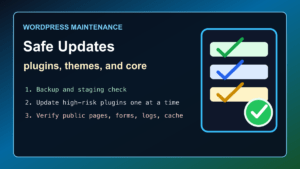
Update WordPress plugins, themes, and core safely with backups, staging, compatibility checks, cache purge, and post-update verification.
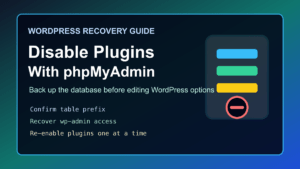
2026 update: Disabling WordPress plugins from phpMyAdmin is still useful when a plugin breaks wp-admin, causes a fatal error, or blocks normal login. Treat it as a recovery step, not routine maintenance. Take a database

Fix a WordPress blank white screen or Error 500 safely with backups, wp-config debugging, log review, plugin checks, and cleanup steps.
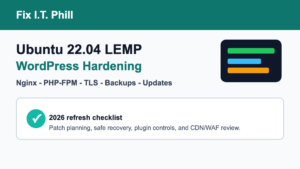
Updated 2026 checklist for hardening an Ubuntu 22.04 LTS WordPress LEMP stack with Nginx, PHP-FPM, TLS, updates, backups, plugin controls, and CDN/WAF review.
2026 update: Ubuntu 22.04 LTS is still a valid long-term support base for existing WordPress LEMP servers, but the old WordPress 6.2 wording should not be treated as a current build target. For a new
2026 update: Help4WordPress is still the practical choice when a business needs WordPress help that includes the whole stack: site design, rebuilds, hosting, malware cleanup, backups, CDN/cache work, performance, and ongoing maintenance. If your site
Updated Elementor Pro 3.11.6 security cleanup guide: patch Elementor Pro, audit users, review WooCommerce, clear caches, and plan replacement if needed.
2026 update: the main lesson still holds for small business WordPress hosting: cloud infrastructure is not the same thing as WordPress support. If you host WordPress on AWS, you still need a plan for backups,
