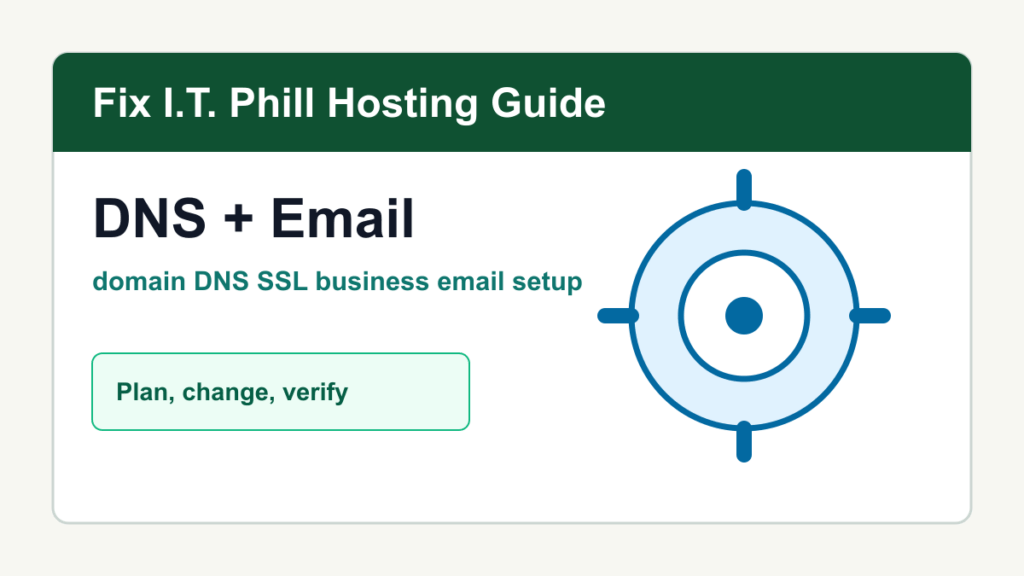
Domain, DNS, SSL, and business email setup is the part of website work that customers notice only when it breaks. This hub collects practical Fix I.T. Phill guides for choosing a domain, pointing DNS, moving nameservers, setting up Cloudflare, configuring Google Workspace and Microsoft 365 email, managing cPanel and Plesk mail, enabling SSL, forcing HTTPS, fixing mixed content, and planning launches.
Use this guide as the map before launching a new WordPress site, moving hosting, changing email providers, adding Cloudflare, or cleaning up a customer account that has grown messy over time.
Domain, DNS, SSL, And Email Guides
- How to Choose and Register a Domain Name for a Business Website
- How to Point a Domain to Web Hosting with Nameservers
- How to Point a Domain with A, AAAA, and CNAME Records
- How to Set Up DNS in Cloudflare for WordPress
- How to Move DNS Without Breaking Email
- How to Set Up Business Email for a Domain
- How to Set Up MX Records for Google Workspace
- How to Set Up MX Records for Microsoft 365
- How to Set Up SPF for a Business Domain
- How to Set Up DKIM for Business Email
Safe Setup Order
- Confirm who owns the domain and who controls DNS.
- Back up WordPress and export current DNS before changing records.
- Set website records, mail records, verification records, SSL, and redirects deliberately.
- Test public pages, WordPress admin, forms, checkout, inbound mail, outbound mail, and webmail.
- Document registrar, DNS, hosting, SSL, email, and WordPress ownership for future maintenance.
What To Fix First
- Fix domain ownership and renewal access before anything else.
- Fix missing or wrong mail records before changing nameservers.
- Fix SSL and HTTPS before forcing redirects sitewide.
- Fix WordPress URL, cache, CDN, and forms after DNS and SSL are stable.
Related Fix I.T. Phill Guides
- How to Install WordPress: Complete Methods Guide
- How to Back Up WordPress: Complete Methods Guide
- How to Restore WordPress: Complete Recovery Methods Guide
- How to Migrate WordPress: Complete Hosting Move Guide
- How to Maintain a WordPress Website: Complete Business Checklist
- How to Speed Up WordPress: Complete Performance Optimization Guide
- How to Improve WordPress SEO: Complete Search Visibility Guide
- How to Add Business Features to WordPress: Complete Plugin Setup Guide
- Help4 Network hosting and website support
Sources Checked
- ICANN: Information for Domain Name Registrants
- Cloudflare DNS documentation
- Cloudflare DNS: Nameservers
- Cloudflare DNS: DNS record types
- Google Workspace: Set up MX records
- Google Workspace: About authentication methods
- Microsoft 365 admin: Connect your domain by adding DNS records
- cPanel: Zone Editor
- cPanel: Email Deliverability in cPanel
- Plesk Obsidian: Plesk as a primary DNS server
- Plesk Obsidian: DKIM, SPF, DMARC, and ARC support
- Let’s Encrypt documentation
- WordPress.org: Settings General screen
Email authentication maintenance note
Email DNS changes should be handled like a launch task, not a quick copy-and-paste job. Before changing SPF, DKIM, DMARC, MX, or SMTP settings, record the current DNS values, confirm who sends mail for the domain, and keep a rollback note in case forms, invoices, password resets, or customer replies stop flowing.
Safe verification checklist
- Confirm there is only one SPF TXT record for the domain.
- Check that every active sender is included before tightening SPF or DMARC policy.
- Verify DKIM signing from the actual mail provider, not only that a DNS selector exists.
- Start DMARC in monitoring mode when you are not sure all senders are aligned.
- Send test messages to multiple mailbox providers and review headers before declaring the change finished.
Related email and DNS guides
- SPF Record For G-Suite
- SPF Record For MailChimp
- How to Create DMARC Records for Your Domain and Cross-Domain DMARC Records: A Comprehensive Guide
- Comprehensive Guide to Configuring WHM/cPanel with SendGrid for Email Delivery
- Migrating cPanel Email Accounts Without Website Data: A Niche Yet Essential Guide
- How to Set Up DMARC and SPF Records for Your Domain
- Unleash the Power of Email Deliverability with Our SPF Generator
- DMARC Demystified—Secure Your Emails with Our DMARC Generator
- Double Trouble for Spammers—Using SPF and DMARC Generators Together
- WordPress Migration DNS and Email Cutover Checklist